Ever had a movie scene stuck in your head but couldn’t remember the title? Or scrolled past a short clip on social media and desperately wanted to know which film it came from? You’re not alone. Fortunately, 2026 has brought a wave of powerful AI-driven movie identification tools that make finding films easier than ever. Whether you have a screenshot, a short video clip, a vague plot description, or a memorable quote, these free AI movie identifiers can help you pinpoint the exact movie in seconds.
Below, we’ve compiled the best free AI movie identifier tools available in 2026, complete with a quick-reference table and detailed breakdowns of the top recommendations.
📊Quick Comparison: Top Free AI Movie Identifiers at a Glance
Quick Comparison Table
| Tool | Best For | Input Methods | Key Feature | Platform |
|---|---|---|---|---|
| What Movie Is That? (WMIT) | All-in-one movie search | Screenshot, Video, URL, Text description | Multi-AI system for high accuracy | iOS,Android |
| AIMovieFinder.com |
Identify movies without needing a login | Plot, Quotes, or Characters | A highly accurate AI-powered search engine | Web,iOS |
| Picaloca | Movie scene from photo | Image | Identifies movies from any frame | iOS,Android |
| Fimo | Image & description search | Photo, Screenshot, Text description | Versatile AI-powered movie finder | Web,iOS,Android |
| ClipFix | Short clips & reels | Screen recording | Movie Shazam for TikTok/Reels | iOS,Android |
| PlayPhrase.me | Movie quotes & dialogue | Text quote | Watch clips of exact dialogue | Web,Android |
| GetYarn | Dialogue & scene search | Quote or scene description | AI-powered movie scene finder | Web |
| MovieFone AI |
Discovering New Films | Voice , Mood | Mood-based semantic searching | Web |
| Storylinematch | Plot description | Natural language plot | 10 most relevant film matches | Web |
| MovieUncover | Natural language search | Plot, scene, character description | Instant relevant recommendations | Web |
| Bing Visual Search |
Scene Identification | Image, Screenshots | Finds high-res sources & streaming links | Web,Android |
| DEJAMS | AI-enhanced movie search | Various search criteria | No account required | Web |
| ChatGPT (Search Mode) | Streaming + discovery | Natural language via ChatGPT | 700,000+ film library | ChatGPT App Store |
| Google Lens |
Instant Visual ID | Image recognition | Direct integration with YouTube & IMDB | Web,Android |
| Perplexity AI |
Deep Plot Research | Natural Language | Multi-source verification with citations | Web,iOS,Android |
| WhatIsMyMovie |
Vague Plot Descriptions | Keywords , Themes | Valossa’s "Deep Content" video AI | Web |
| IMDb |
Film enthusiasts | Plot, Quote | Advanced search filters | Web,iOS,Android |
| ShotDeck |
Creators, filmmakers | Image | Scene/frame matching | Web,iOS,Android |
| TinEye |
Screenshot matching | Image | Reverse image search | Web |
| Reddit |
Hard-to-find movies | ALL | Web,iOS,Android |
What to Look for in a Free AI Movie Identifier
Before we dive into the detailed reviews, here’s a quick checklist to help you choose the right tool for your needs:
-
Input Methods: Does it support image uploads, video clips, text descriptions, or quotes?
-
Platform Availability: Is it available on iOS, Android, web, or within other apps like ChatGPT?
-
Accuracy: How reliable is the AI in identifying movies?
-
Database Size: Does it cover a wide range of films, including older and international movies?
-
Additional Features: Does it offer streaming links, actor information, or personalized recommendations?
-
Privacy: Does it require account registration? How is your data handled?
✨Top 8 Best Free AI Movie Identifiers: Detailed Reviews
Now, let’s take a closer look at the 8 best free AI movie identifier tools that you should bookmark or download today.
1.Google Lens - Best for Image-Based Movie Search
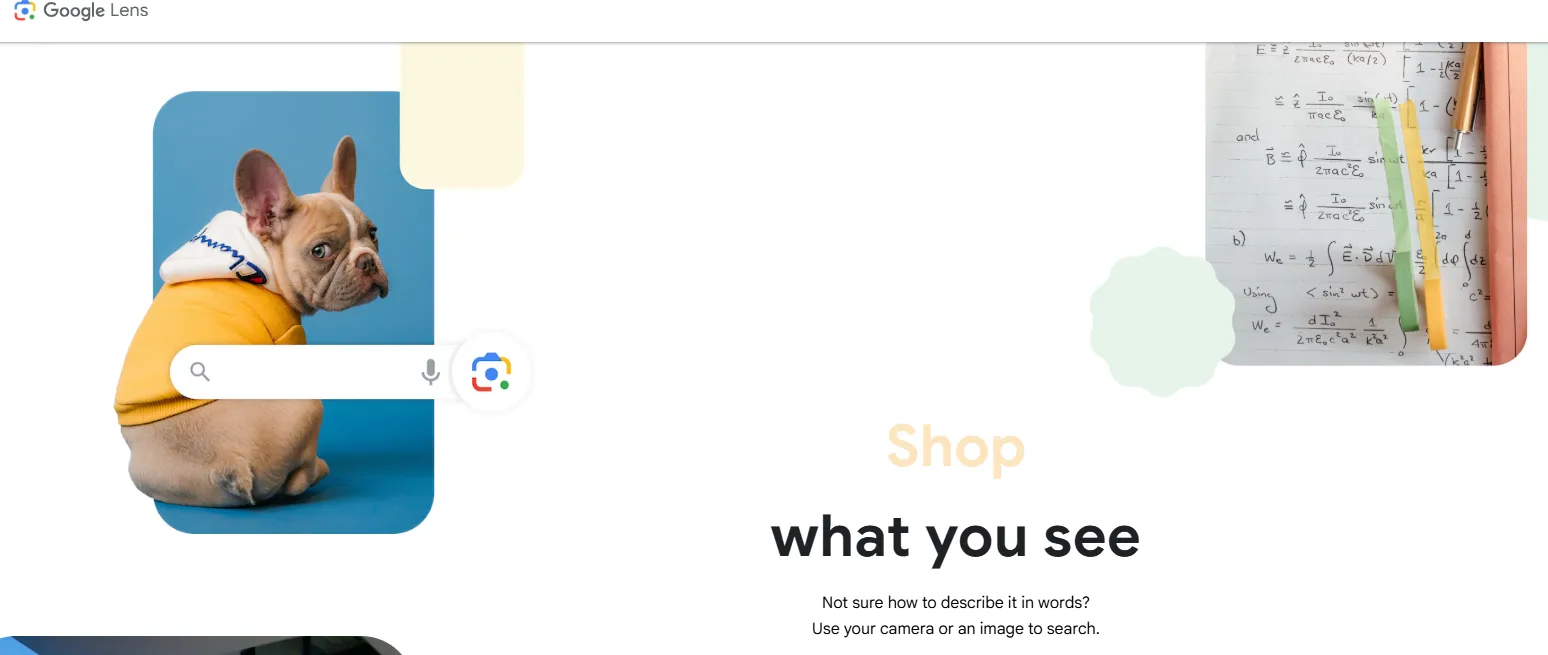
⏩Key Features for Movie Lovers
| Features | Detailes |
| Multimodal Search | You can take a photo of a screen and then add text to refine the search (e.g., "What movie is this character from?"). |
| Actor & Landmark Recognition | It instantly identifies famous faces or specific filming locations, which often leads directly to the movie title. |
| Scene-to-Stream Integration | Once a movie is identified, it usually provides buttons to watch it on platforms like Netflix, Disney+, or YouTube. |
| Gemini 3 Integration (New for 2026) | Allows you to ask follow-up questions about the scene you just scanned, such as "Who directed this?" or "Where can I buy that jacket?" |
⏩Pros & Cons
| Pros | Cons |
| Instant Speed: Recognizes images in less than a second. | Context Blindness: Struggles if the image is too dark or generic (e.g., just a forest). |
| Massive Database: If it's on the internet, Google probably knows it. | Requires Visuals: Useless if you only have a plot description and no image. |
| Cross-Platform: Works on web, iOS, and Android seamlessly. | Privacy Concerns: Every image you scan is processed by Google's servers. |
| Free: No subscriptions or "credits" needed. | Indie Limitations: May struggle with very obscure or non-digitized older films. |
⏩How to Use Google Lens to Identify Movies
Method 1: From a Screenshot (Most Common)
-
Open Google Lens (or Google Photos)
-
Upload a movie scene or screenshot
-
Tap highlighted areas
-
Review search results (movie title, actors, scenes)
Method 2: Real-Time Camera Scan
-
Open Lens in Google app
-
Point camera at a TV/laptop screen
-
Tap the detected scene
-
Check suggested matches
Method 3: From Browser (Desktop)
-
Right-click an image → “Search with Google Lens”
-
Crop the scene if needed
-
View related results
💡 Pro Tip: Crop to focus on faces, costumes, or unique objects for better accuracy.
⏩Fees & Pricing (2026)
-
Cost: 100% Free for individual users.
-
Limits: There is currently no daily limit on searches for standard users. While Google offers paid "Cloud Vision" APIs for developers, the consumer-facing Google Lens app remains a free service supported by Google's ecosystem.
⏩Who Is Google Lens Best For?
✅Best suited for:
-
Casual users trying to identify a movie quickly
-
People with screenshots or images
-
Social media users (TikTok, YouTube clips)
-
Beginners who want a simple tool
🚫Not ideal for:
-
Users relying on plot or quotes
-
Hardcore cinephiles searching obscure films
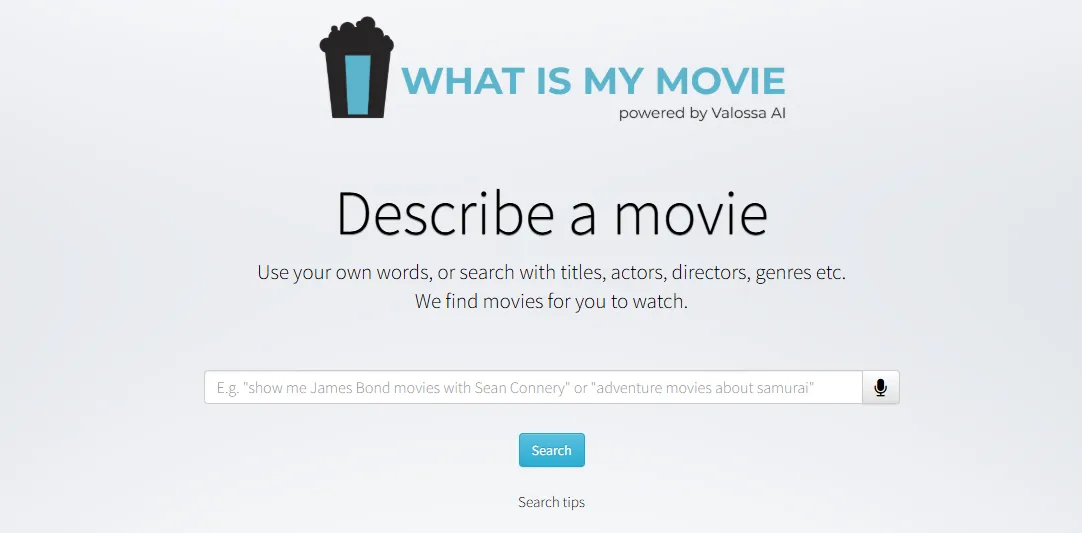
2.WhatIsMyMovie - Best for Plot-Based Search
⏩Key Features for Movie Lovers
| Features | Detailes |
| Deep Content Search | Analyzes metadata beyond titles, focusing on actors, settings, and themes. |
| Descriptive Queries | Allows users to search using natural language (e.g., "movies about space travel and loss"). |
| Scene Identification | High accuracy in finding specific, iconic scenes based on descriptive keywords. |
| Mood-Based Search | Can categorize films by emotional tone or "vibe" (e.g., "gritty 90s thriller"). |
| Voice Search | Integrated microphone support for hands-free queries (optimized for Chrome). |
⏩Pros & Cons
| Pros | Cons |
|
|
⏩How to Use WhatIsMyMovie to Identify Movies
Unlike Google Lens, which is visual-first, WhatIsMyMovie is description-first:
-
Visit the Site: Go to WhatIsMyMovie.com.
-
Describe the Scene: In the search bar, type a specific detail you remember.
-
Example: "A man gets stuck on a planet where time moves differently."
-
-
Browse Results: The AI will generate a list of matches. Click on a movie poster to see the full synopsis and verify if it’s the one you’re looking for.
-
Refine (Optional): If the results aren't perfect, add an actor's name or a decade (e.g., "sci-fi movie 2014").
⏩Fees & Pricing (2026)
-
100% Free
-
No subscription or login required
-
Primarily a research/demo tool showcasing Valossa AI technology
⏩Who Is WhatIsMyMovie Best For?
✅Best suited for:-
Users who remember plot but not title
-
“Tip-of-the-tongue” movie searches
-
Casual viewers and bloggers
-
SEO writers researching movie lists
-
Image-based identification (use Google Lens)
-
Quote-based search (use PlayPhrase)
-
Deep film database filtering
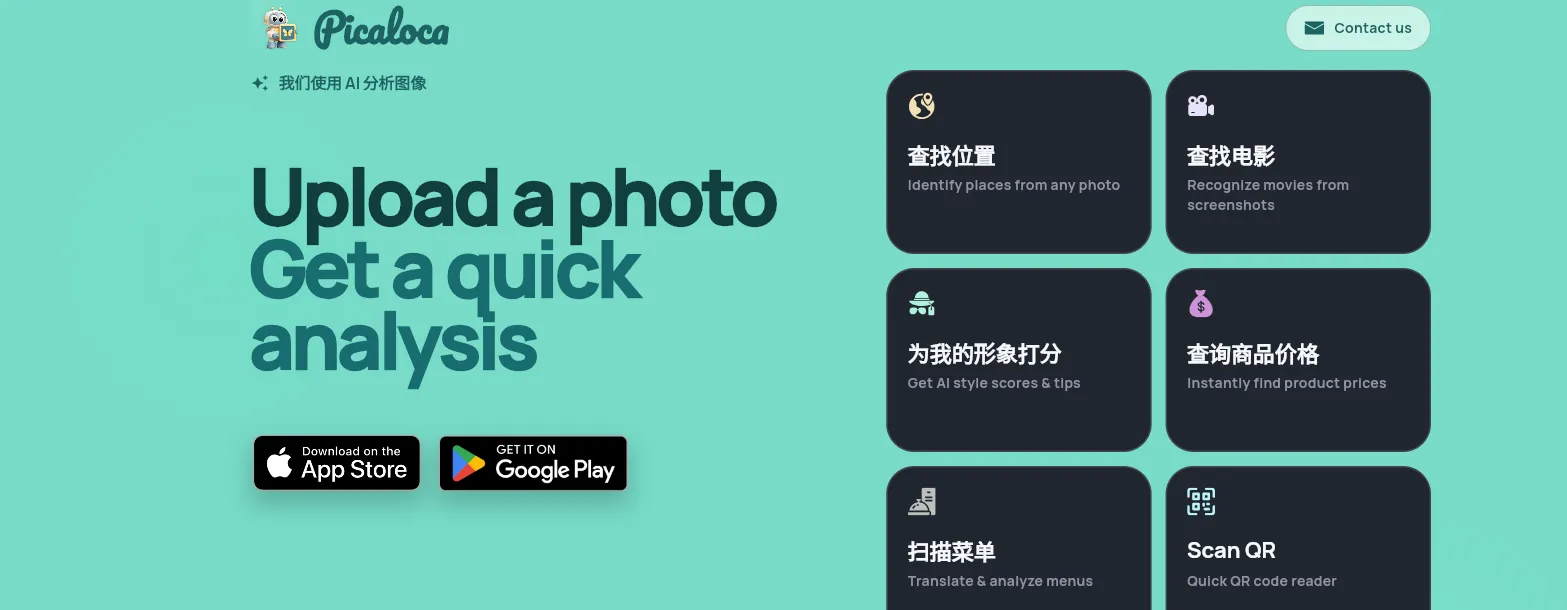
3.Picaloca — AI Image Analyzer for Movie Scenes
⏩Key Features for Movie Lovers
| Features | Detailes |
| Cinematic Frame ID | Uses a specialized model trained on millions of movie frames to identify films from a single screenshot. |
| Actor Recognition | Instantly identifies actors within a frame and provides their filmography. |
| Metadata Insight | Provides movie titles, release years, IMDb ratings, and short plot summaries in one view. |
| Multilingual Support | Supports over 30 languages, making it excellent for identifying foreign or international cinema. |
| Contextual Discovery | Identifies not just the movie, but often the specific location or outfit seen in the shot. |
⏩Pros & Cons
| Pros | Cons |
| Niche Accuracy: Highly effective at identifying "movie stills" that general AI might miss. | Limited Free Queries: Unlike Google, the free tier often has a daily limit or requires watching an ad. |
| All-in-One Info: Gives you the plot, rating, and cast immediately without clicking away. | Mobile Only: No dedicated web version; must be used via the app. |
| Privacy Focused: Unlike larger tech giants, it often doesn't require an account for basic searches. | Newer Database: May occasionally miss very obscure indie films from the early 20th century. |
⏩How to Use Picaloca to Identify Movies
Picaloca is primarily a mobile-first application (available on iOS and Android).
-
Launch the App: Open Picaloca and select the "Movie Search" or "AI Image Analyzer" mode.
-
Capture or Upload: * Snap: Point your phone at a TV screen or laptop while a movie is playing.
-
Upload: Select a saved screenshot from your phone's gallery (perfect for clips found on social media).
-
-
Analyze: Tap the search button. The AI processes the visual cues, lighting, and faces.
-
Review Results: Within seconds, you'll receive the movie title, cast details, and where you can stream it.
⏩Fees & Pricing (2026)
| Plans | Prices | Detailes |
| Free Plan |
FREE |
|
| Paid Plans |
Typical pricing structure:
|
Pricing varies slightly by region and platform (iOS vs Android). |
⏩Who Is Picaloca Best For?
✅Best suited for:
-
Casual movie viewers (main audience)
-
Curious internet users (“what is this from?” users)
-
Multi-purpose AI tool users
-
Students / content creators
-
Travelers / lifestyle users
🚫Not ideal for:
-
Hardcore movie fans / cinephiles
-
Professional film researchers / journalists
-
People with unclear or low-quality images
-
Users wanting a dedicated “movie-only identifier”
4.PlayPhrase - Best for Quote-Based Movie Search
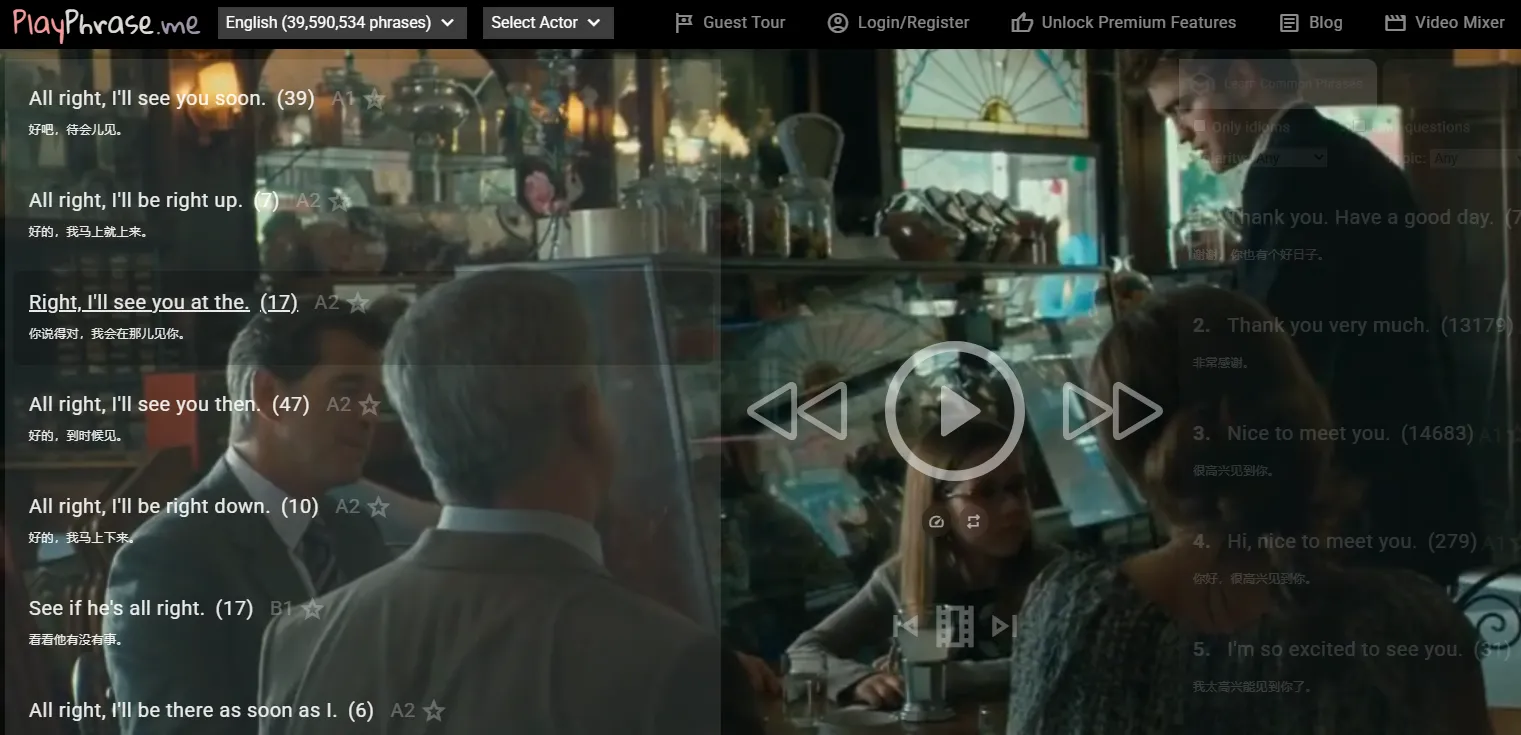
Unlike tools like Picaloca or “What movie is this from?” apps, PlayPhrase is NOT really an image-based AI identifier. It’s a dialogue search engine for movies and TV clips—which changes everything about how you use it.
⏩Key Features for Movie Lovers
| Features | Detailes |
| Instant Phrase Playback | Type a phrase, and it immediately plays the exact video clip where that line is spoken. |
| Non-Stop "Looping" Mode | It can play a sequence of different movies all saying the same phrase back-to-back. |
| Subtitle Synchronization | Precisely identifies the timestamp of dialogue with frame-perfect accuracy. |
| Favorite & Save | Allows users to create a collection of specific movie clips for later reference. |
| Download Snippets | Provides a direct way to save the identified clip as a short MP4 file (for Pro/Sponsor users). |
⏩Pros & Cons
| Pros | Cons |
| Hyper-Specific: The best tool for dialogue-based identification. | Limited Free Tier: Standard users are often limited to the first 5 results per search. |
| Video Evidence: You don't just get a title; you see the scene immediately. | Exactness Required: If you misremember the quote too badly, the AI might not find a match. |
| Language Learning: Incredible for seeing how phrases are used in natural "native" contexts. | UI Quirks: The minimalist interface can be confusing for first-time mobile users. |
| Huge Database: Indexes over 2 million phrases across thousands of films and TV shows. | Copyright Sensitivity: Some clips may be unavailable in certain regions. |
⏩How to Use PlayPhrase to Identify Movies
The interface is intentionally minimalist—just a search bar and a video player.
-
Enter the Quote: Go to PlayPhrase.me and type the exact sentence or phrase you remember.
-
Instant Result: The site will immediately start playing the first movie it finds that contains that line.
-
Check the Metadata: On the side or bottom of the video, the AI displays the Movie Title and the Year of Release.
-
Skip Through: Use the arrow keys or "Next" button to see the
next movie that uses the same line until you find the specific one you were looking for.
⏩Fees & Pricing (2026)
PlayPhrase is still freemium-based:
| Plans | Prices | Detailes |
| Free Plan | FREE |
|
| Paid Plan |
|
Premium unlocks:
|
👉 No traditional “app subscription tiers”—it’s mostly community-supported (Patreon model).
⏩Who Is PlayPhrase Best For?
✅ Best suited for
-
Movie quote lovers
-
Language learners (huge use case)
-
Meme / content creators
-
Writers / researchers
🚫 Not ideal for
-
People trying to identify unknown movie scenes
-
Visual AI users (Picaloca / Google Lens type users)
-
Film database researchers
-
People who don’t remember dialogue
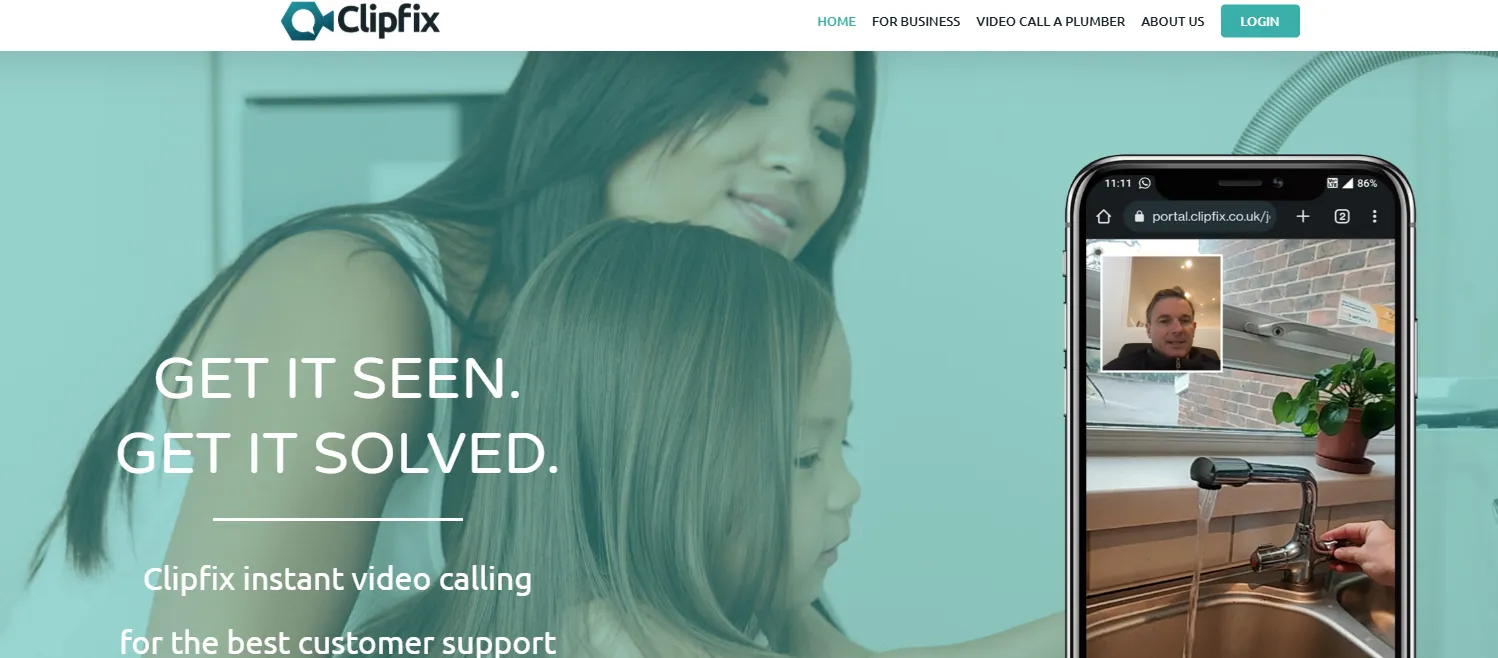
5.ClipFix - Movie Shazam for Short Clips
⏩Key Features for Movie Lovers
| Features | Detailes |
| Screen Record Sync | Uses your phone’s built-in screen recording to capture a clip and identify it in the background. |
| Direct Social Integration | Works seamlessly with TikTok and Instagram without needing to leave those apps. |
| AI Recommendation Assistant | Includes a chatbot that suggests similar movies based on the clips you’ve identified. |
| High-Precision Video ID | Specifically tuned to recognize the fast-paced, edited clips typical of social media. |
| Watchlist Sync | Instantly save identified movies to a personal "Must Watch" list. |
⏩Pros & Cons
| Pros | Cons |
| Effortless Workflow: No need to save files or take multiple screenshots. | System Permission: Requires access to screen recording, which some users find intrusive. |
| Fast Results: Usually identifies a film in under 5 seconds of footage. | Internet Dependent: Needs a strong data/Wi-Fi connection to process video frames via the cloud. |
| Free to Use: The core identification feature remains free for general users. | Mobile Only: Primarily designed for iOS and Android; no robust desktop version. |
| Social Media Friendly: Designed specifically for the "what movie is this?" comment section problem. | Battery Use: Screen recording and AI processing can drain battery life if used frequently. |
⏩How to Use ClipFix to Identify Movies
ClipFix uses a unique "background listening" style approach for video:
-
Set Up: Go to your phone’s Control Center settings and add the "Screen Recording" shortcut if you haven't already.
-
The "Two-Tap" Method: When you see a movie clip you don't recognize on TikTok or Reels:
-
Swipe down to open your Control Center.
-
Long-press the Record icon and select ClipFix as the destination.
-
-
Identify: Let the video play for 3-5 seconds. ClipFix will analyze the visual and audio frames.
-
Get Results: A notification will appear at the top of your screen with the movie title, year, and a link to watch the full version
⏩Fees & Pricing (2026)
ClipFix follows a freemium model:
| Plans | Prices | Detailes |
| Free Plan | FREE |
|
| Premium Plan |
|
Premium usually unlocks:
|
⏩Who Is ClipFix Best For?
✅ Best suited for
-
TikTok / Reels / Shorts users
-
Social media “clip discoverers”
-
Casual movie hunters
-
Streaming + YouTube viewers
🚫 Not Ideal For
-
Screenshot-based users
-
Cinephiles & film researchers
-
Offline users
-
Obscure / niche film scenes
6.Fimo - Movie Finder by Image and Description
Input Methods: Photo, screenshot, text description
⏩Key Features for Movie Lovers
| Features | Detailes |
| Dual-Mode Search | Switch seamlessly between "Image Upload" and "Plot Description" search modes. |
| AI Scene Reconstruction | Can identify a movie from a blurry screenshot by analyzing the lighting and color palette. |
| Personalized Watchlist | Automatically saves your search history into a "To Watch" or "History" list. |
| Direct Streaming Links | Provides one-tap access to find the identified movie on Netflix, Max, or Amazon Prime. |
| Global Database | Strong recognition for both Hollywood blockbusters and international/indie films. |
⏩Pros & Cons
| Pros | Cons |
| Versatility: Handles both images and text descriptions in one app. | Ads on Free Tier: The free version often displays video ads after a successful search. |
| High Accuracy: Uses a refined 2026 AI model that is excellent at distinguishing between similar movie sequels. | Account Requirement: To use the history and watchlist features, you must create a login. |
| Mobile-Optimized: Fast, sleek interface designed for one-handed use on the go. | Battery Usage: High-intensity image processing can be demanding on older phone batteries. |
⏩How to Use Fimo to Identify Movies
Fimo is designed to be a "search-and-save" companion:
-
Select Your Method: Open the app and choose either the Camera icon (for images) or the Search bar (for text).
-
Upload or Type:
-
Visual: Upload a photo of a screen or a poster.
-
Text: Type a vague description like "a movie where a girl lives in a house in the woods and finds a magical book."
-
-
Refine with Filters: If multiple results appear, use the AI filters to narrow them down by genre or release decade.
-
Save to List: Tap the "Heart" icon to save the movie to your profile so you don't forget it later.
⏩Fees & Pricing (2026)
Fimo uses a freemium + subscription model:
| Plans | Prices | Detailes |
| Free Plan | FREE |
|
| Premium Plans (typical range) |
|
Premium usually unlocks:
(Prices vary slightly between iOS/Android regions) |
⏩Who Is Fimo Best For?
✅ Best suited for
-
Screenshot-based movie hunters
-
Social media users
-
Casual curiosity users
-
General entertainment users
🚫 Who Fimo Is NOT Ideal For
-
Film researchers / cinephiles
-
Users with low-quality images
-
Video/clip-based users
-
Users wanting “perfect accuracy”
7.Storylinematch - Find Movies by Plot Description
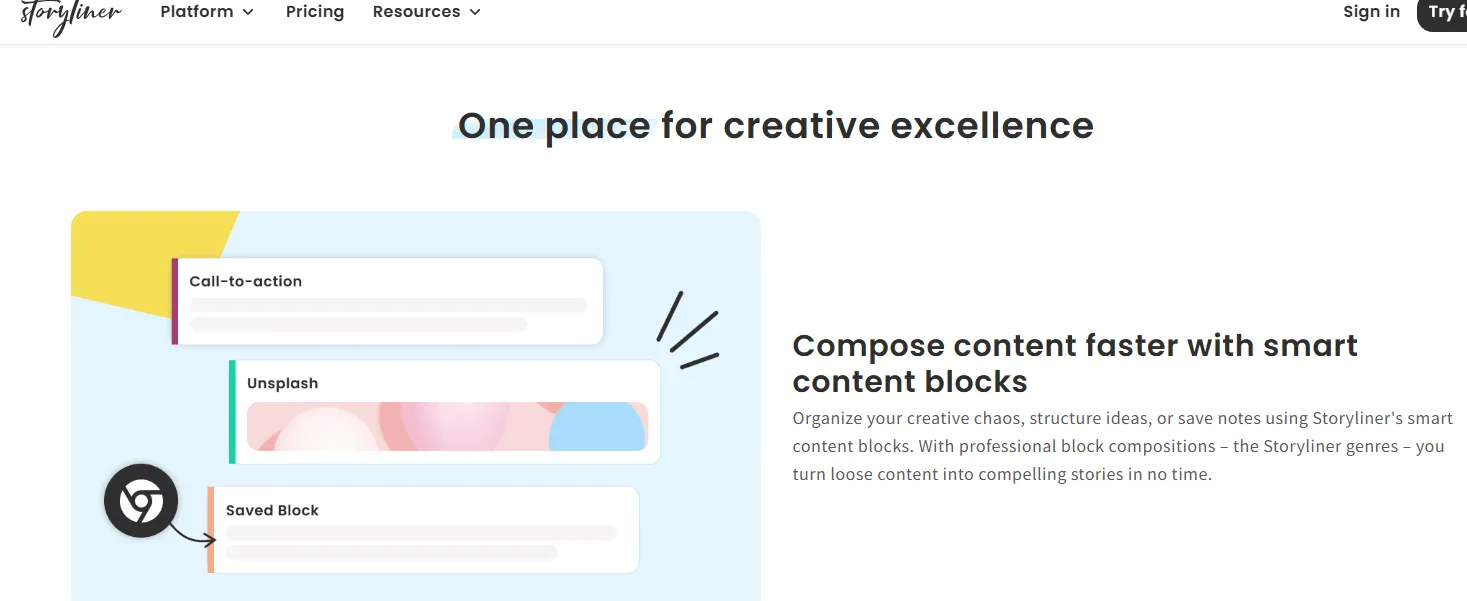
StorylineMatch is the "narrative specialist" of the 2026 AI movie identification world. While other tools focus on identifying specific frames or actors, StorylineMatch is designed to understand the logic of a story. It uses large language models (LLMs) to map your description against a vast database of screenplays and plot synopses, making it the go-to for identifying movies based on vague themes or structural details.
Input Methods: Natural language plot description
⏩Key Features for Movie Lovers
| Features | Detailes |
| Thematic Mapping | Identifies movies based on abstract themes (e.g., "betrayal in a small town with a rainy atmosphere"). |
| Character Archetype Search | Can search by character dynamics (e.g., "grumpy mentor and a rebellious student"). |
| Structural Match | Recognizes movies by their plot beats (e.g., "the protagonist dies in the first ten minutes"). |
| Similarity Scoring | Provides a percentage match to show how closely a result aligns with your description. |
| Interactive Refinement | The AI asks follow-up questions like "Was it a black-and-white film?" to narrow down results. |
⏩Pros & Cons
| Pros | Cons |
| Deep Narrative Intelligence: Understands the "why" and "how" of a story, not just keywords. | Text Only: You cannot upload images or audio clips for identification. |
| Great for Obscure Films: Finds indie or foreign films that follow specific narrative tropes. | Requires Detail: If your description is too short (e.g., "a scary movie"), it will provide too many results. |
| Zero Ads (Community Driven): In 2026, it remains one of the cleanest, most focused interfaces. | No Live Video: It cannot "listen" to a movie or recognize a clip in real-time. |
⏩How to Use StorylineMatch to Identify Movies
StorylineMatch is a web-based platform optimized for natural language:
-
Enter the "Story Thread": Type in everything you remember about the sequence of events.
-
Example: "A detective finds out he is actually the killer he's been hunting, and there's a twist involving a lighthouse."
-
-
Analyze Narrative: The AI breaks your text into "story nodes" (Setting: Lighthouse; Conflict: Identity).
-
Review the Matches: It will present 3–5 movies that fit that specific narrative structure.
-
Verify via Spoilers: It often provides a "Plot Reveal" toggle so you can check if the ending matches your memory without ruining the movie for others.
⏩Fees & Pricing (2026)
-
Public Search: Free. The core "Match" engine is open to the public as a community resource.
-
Storyline+: A premium tier (approx. $1.00/month) for power users that allows for "Creative Writing Mode," where you can use the engine to see if your own original story idea has already been made into a movie.
⏩Who Is StorylineMatch Best For?
✅ Best suited for
-
People trying to remember a forgotten movie
-
Users with strong memory of story details
-
Film enthusiasts & casual viewers
-
Writers & creators
🚫 Who It’s NOT Ideal For
-
Screenshot-based identification users
-
Clip-based users
-
Users with vague memories
-
People wanting exact match tools
8.IMDb Advanced Search - Best All-in-One Movie Finder
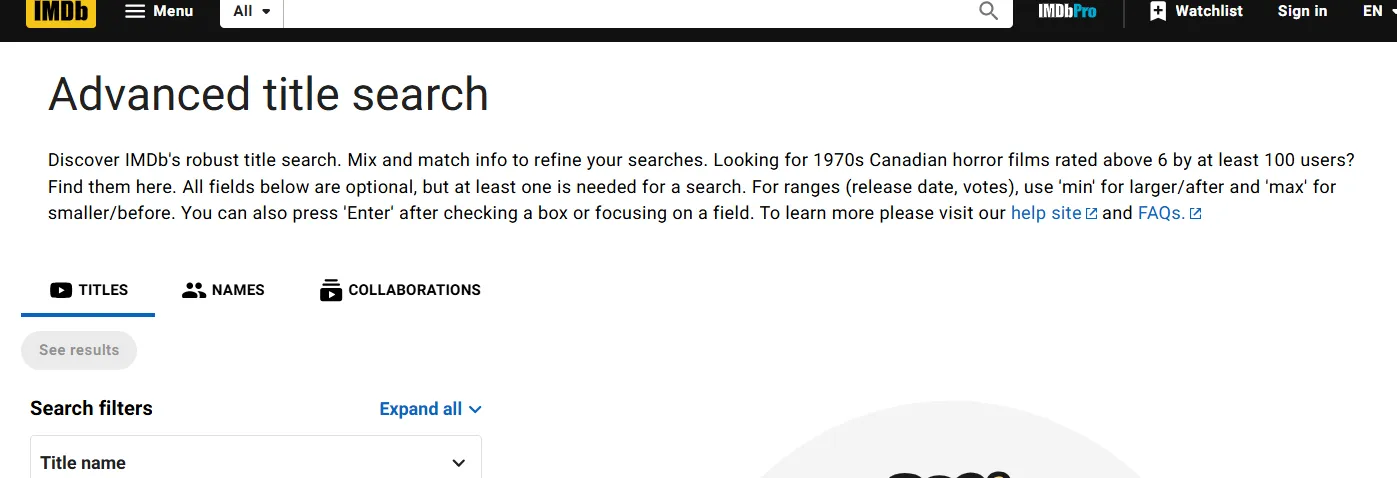
While technically a database rather than a generative AI, IMDb Advanced Search has evolved significantly in 2026 to include semantic filtering. It remains the most authoritative free tool for identifying movies when you have specific data points like a character name, a fragment of trivia, or a filming location.
⏩Key Features for Movie Lovers
| Features | Detailes |
| Topic-Based Search | Filter results specifically within "Quotes," "Trivia," "Plot," or "Goofs." |
| Collaboration Search | Find a movie by entering two people who worked on it together (e.g., a specific actor and cinematographer). |
| Granular Filtering | Narrow down by release date ranges, user ratings, box office performance, and genres. |
| Keyword Exploration | Search via specific plot keywords (e.g., "artificial intelligence," "time loop," or "unreliable narrator"). |
| Biographical ID | Identify a film by searching for details about an actor's specific life events or physical traits linked to a role. |
⏩Pros & Cons
| Pros | Cons |
| Unrivaled Database: Contains almost every film, TV show, and short ever made. | No Visual Recognition: You cannot upload an image or video clip to search. |
| Highly Accurate: Data is verified by a global community of experts and moderators. | Complex UI: The interface can be overwhelming for casual users compared to AI chatbots. |
| Verified Info: Unlike AI, it doesn't "hallucinate" titles; if it's there, it exists. | Manual Work: Requires you to know at least one or two specific facts to start. |
⏩How to Use IMDb to Identify Movies
IMDb's power lies in its deep metadata. To find a movie:
-
Access the Menu: Go to IMDb.com/search.
-
Choose Your Entry Point:
-
If you remember a line: Select "Quotes" from the search menu and type the dialogue.
-
If you remember a weird detail: Select "Trivia" and search for specific production facts (e.g., "actor broke his toe during the scene").
-
If you have multiple plot points: Select "Advanced Title Search" and combine filters like Year, Genre, and Keywords.
-
-
Refine Results: Use the "Sort By" feature to move the most popular or highest-rated films to the top, which usually helps identify mainstream hits quickly.
⏩Fees & Pricing (2026)
-
Public Search: 100% Free. * IMDb Account: Free. Creating an account allows you to save searches and contribute to the database.
-
IMDbPro: This is a paid subscription (approx. $19.99/month) intended for industry professionals (casting, agents, etc.). You do not need this to identify movies.
⏩Who Is IMDb Best For?
✅ Best suited for
-
People who remember partial details
-
Film enthusiasts / researchers
-
Content writers / bloggers
-
International users
🚫 Who It Is NOT Ideal For
-
Screenshot-based users
-
Clip-based identification users
-
People with zero memory clues
-
Users wanting AI-style instant answers
📝How to Choose the Right Free Movie Identifier: Decision Guide
Key Selection Factors (What Actually Matters)
| Factor | What to look for | Why it matters |
|---|---|---|
| Input type | Image / screenshot / text / voice | Some tools only support one format |
| AI strength | Scene + actor + context recognition | Better accuracy = fewer wrong guesses |
| Memory flexibility | Works with vague descriptions | Crucial if you only remember fragments |
| Speed | Instant vs delayed processing | Important for casual use |
| Accuracy transparency | Confidence scores or explanations | Helps you trust results |
| Database size | Movies + TV shows coverage | Bigger = better recognition |
| Cost | Free vs freemium limits | Some tools restrict searches |
| Extra info | Cast, scenes, streaming links | Makes identification more useful |
Step-by-Step: How to Pick the Right Tool
1️⃣Identify your “movie memory style”
Ask yourself:
| If you have… | Best tool type | Example |
|---|---|---|
| A screenshot or photo of a scene | Image-based identifier | Picaloca, Fimo, Google Lens, WMIT |
| A short video clip (under 20 sec) | Video/clip identifier | ClipFix, WMIT, Google Lens (video mode) |
| A quote or line of dialogue | Quote-based search engine | PlayPhrase.me, GetYarn |
| A vague plot description (“a movie about a boy who flies on a bike”) | Natural language plot search | Storylinematch, MovieUncover, DEJAMS |
| A social media video URL (TikTok, IG, YouTube) | URL-based identifier | WMIT |
| A live scene playing on your TV or phone | Real-time camera scanner | Google Lens, Picaloca |
2️⃣Match tool type to use case
| Use case | Best type of tool |
|---|---|
| Screenshot or poster | Image recognition AI (scene analysis tools) |
| Random memory (“that sci-fi movie…”) | Natural language AI search |
| Actor or character-based recall | Character + filmography AI tools |
| Super vague memory | Hybrid “describe anything” systems |
3️⃣Check “real-world usability”
A good free AI movie identifier should:
-
Not require login (or minimal friction)
-
Work with blurry screenshots
-
Give multiple guesses (not just one answer)
-
Include reasoning (“why it thinks it’s this movie”)
4️⃣Consider the "Cost of Speed"
In 2026, "Free" often comes with a catch:
-
Unlimited & Fast: Google Lens and IMDb are completely free with no limits.
-
Credit-Based: Tools like Picaloca or ClipFix may offer 5–10 free searches a day. If you are doing deep research for an article, you might run out of "credits" quickly.
-
Ad-Supported: Apps like Fimo are free but might require you to watch a 5-second ad before revealing the result.
5️⃣Platform Compatibility
-
iOS only? → Picaloca, Fimo, WMIT (also Android), ClipFix (also Android)
-
Android only? → WMIT, ClipFix, Google Lens (built-in)
-
Desktop / laptop (web)? → PlayPhrase.me, Storylinematch, MovieUncover, DEJAMS, GetYarn, Google Lens (via Chrome right-click)
-
Within another app (like ChatGPT)? → Tubi’s ChatGPT integration
📌Quick Decision Cheat Sheet
| If you want… | Choose… |
|---|---|
| Fast screenshot identification | Vision-based movie finder |
| Deep memory reconstruction | AI plot/description search |
| Actor-based identification | Character recognition tools |
| General all-round use | Hybrid AI movie identifier |
⚖️ Pros vs Cons of Free AI Movie Identifiers
| Pros 👍 | Cons 👎 |
|---|---|
| Super fast identification | Accuracy drops with obscure films |
| Works even with vague memories | Some tools rely on limited databases |
| Can use images, text, or both | Free versions often have limits |
| Good for discovering forgotten movies | May return multiple uncertain matches |
| Saves time vs manual searching | Occasionally misidentifies similar scenes |
🎯 Final Advice (this is the real secret)
If you want the best experience overall, don’t rely on just one tool.
👉 The smartest setup is:
-
Image tool (for screenshots)
-
Text-based AI (for plot memories)
-
Backup: IMDb advanced search for verification
That combo basically covers 95% of movie-identification situations.
Tips for Better Movie Identification Results
-
Use clear images: When uploading screenshots, make sure the frame is clear and not too dark or blurry. Faces, text, and distinctive visual elements help the AI identify the movie faster.
-
Provide detailed descriptions: If you’re using a text-based tool like Storylinematch or MovieUncover, include as many details as possible—genres, approximate release year, character names, settings, and key plot points.
-
Try multiple tools: Different AI systems use different databases and algorithms. If one tool doesn’t find your movie, try another. Often, combining results from two or three tools yields the best outcome.
-
Use exact quotes: For dialogue-based search engines like PlayPhrase.me, typing the exact wording of the quote (even if it’s just a few words) dramatically improves accuracy.
-
Check for platform limitations: Some tools are iOS-only, while others work best on the web. Make sure the tool you choose is compatible with your device.
⚒Common FAQs: Troubleshooting Free AI Movie Identifiers
When using AI movie identifiers, users often encounter technical hurdles or database limitations. Below is a summary of the most frequent challenges and their professional solutions to help you get the most out of these 2026 tools.