Tired of watching your monthly subscription fees climb while your "Must-Watch" list gathers dust? While Tubi has long been the king of free cinema, the streaming landscape in 2026 is deeper than ever. If you're looking to slash your entertainment budget without sacrificing quality, several hidden gems offer massive libraries of Hollywood hits and cult classics at zero cost. From ad-supported giants to library-sponsored exclusives, here are 10 best legal and free streaming sites in 2026 — all updated for this year, with detailed reviews to help you pick the right one.
📊Top 10 Legal & Free Streaming Sites: Quick Comparison Table
Below are 10 of the best legal alternatives to Tubi in 2026, available in regions like the US, UK, Canada, and beyond.
| Service | Best For | Content Library | Key Feature | Devices | Ads | Sign-up Required |
|---|---|---|---|---|---|---|
| Pluto TV | Live TV experience | 250+ live channels + on-demand | Cable-like channel surfing | All major platforms | Yes | No |
| Plex | Live TV + personal media | 600+ live channels + 50,000+ on-demand | Combines free streaming with your own library | All major platforms | Yes | Optional |
| The Roku Channel | Roku & Fire TV users | 500+ live channels + on-demand library | Deep device integration | Roku, Fire TV, Web, Mobile | Yes | No |
| Sling Freestream | Curated channel selection | 600+ channels + 5,000+ on-demand | Aggregates free content in one place | All major platforms | Yes | Required |
| Xumo Play | FAST on any device | 350+ live channels + 15,000+ on-demand | Backed by Comcast & Charter | All major platforms | Yes | No |
| Fandango at Home | Recent Hollywood Hits | Large rotating catalog | "Free with Ads" section for major films | All major platforms | Yes | Yes |
| YouTube | Mainstream & classic films | 500+ free movies | No account needed, massive reach | All platforms | Yes | Optional |
| Crackle | Curated movie selection | 1,000+ movies & TV shows | Original series & exclusives | All major platforms | Yes | Optional |
| Hoopla | Ad-free library streaming | 2.5M+ total titles (movies, music, books) | No ads, uses library card | All major platforms | No | Yes (library) |
| Kanopy | Award-winning & indie films | 30,000+ films | Criterion Collection & documentaries | All major platforms | No | Yes (library) |
💡Important Note About Amazon Freevee
As of 2026, Amazon Freevee no longer exists as a standalone service. Amazon shut down the Freevee app in August 2025 and integrated all its free, ad-supported content into Prime Video. Non-Prime members can still access Freevee's former library through Prime Video's "Watch for Free" section, but the separate app is gone. For this reason, Freevee is not included in the list above — but the content lives on within Amazon's ecosystem.
✨Best 10 Websites to Watch Free Movies & TV Shows: Detailed Reviews
1.Pluto TV — The Cable Replacement
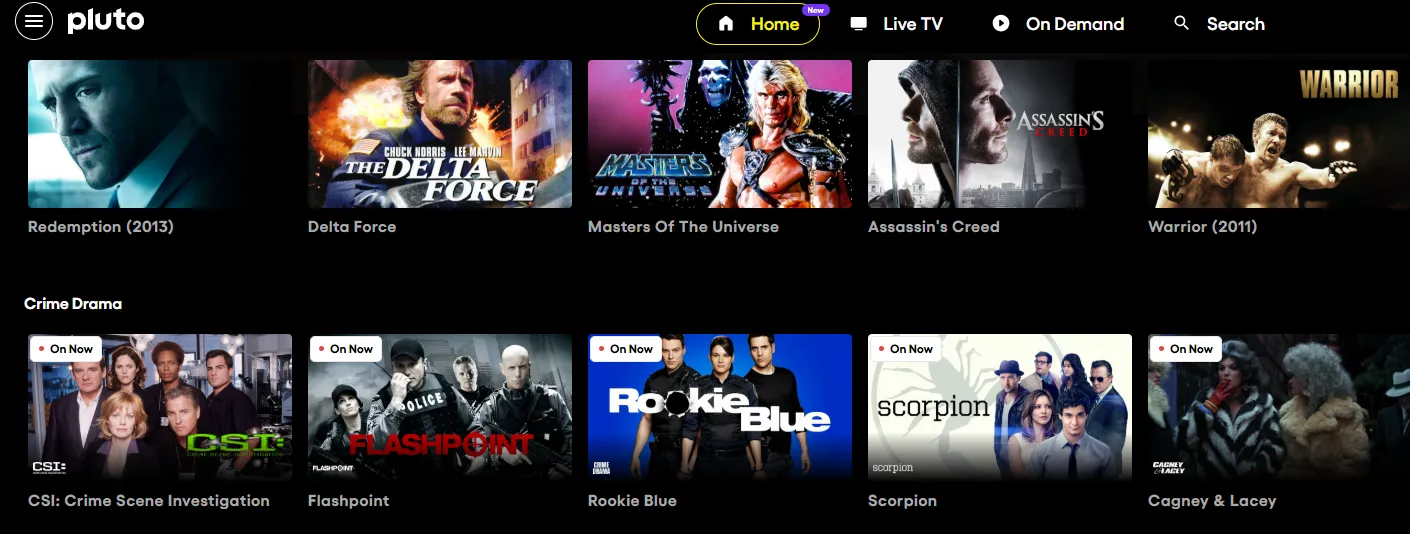
Owned by Paramount Skydance, Pluto TV is the definitive "free cable" alternative for 2026. It pioneered the FAST (Free Ad-supported Streaming TV) model, focusing on a linear "live" experience where you flip through channels just like traditional television, though it also hosts a massive on-demand library.
Platform: Web, iOS, Android, Roku, Fire TV, Apple TV, Samsung, Vizio, PlayStation, Xbox
Account Required: Optional
⏩Key Features
| Feature | Details |
|---|---|
| 100% Free | No subscription fees, supported by ads |
| Live TV Channels | 250+ channels (news, sports, movies, reality TV) |
| On-Demand Library | Thousands of movies & TV episodes |
| No Account Needed | Start watching instantly |
| Multi-Device Support | Smart TVs, mobile, web, streaming devices |
| Regional Content | Channels vary by country (US, UK, EU, LATAM) |
| Cable-Style Guide | Easy channel surfing experience |
⏩How to Use It?
Pluto TV is designed for "lean-back" viewing:
-
Platform Access: Go to Pluto.tv on a browser, or download the app on your Smart TV (Samsung, LG, Sony), Roku, Fire Stick, or mobile device.
-
Live TV vs. On-Demand: * Live TV: Toggle this tab to see the Grid Guide. Select a channel and start watching what is currently airing.
-
On Demand: Toggle this tab to browse by genre (Action, Comedy, 2026 New Releases) and play a movie from the beginning.
-
-
Favorites: If you choose to create a free account, you can "heart" channels to keep them at the top of your guide for easier access.
⏩Pros and Cons
| Pros | Cons |
| Zero Cost: Totally free to use, forever. | Heavy Ad Load: In 2026, users report a high frequency of commercials (sometimes more than traditional TV). |
| Vast Catalog: Huge selection of Paramount/CBS hits like The Godfather and Mission: Impossible. | 720p Resolution: Most content is limited to 720p; there is no 4K streaming option. |
| Nostalgia Factor: Perfect for "background noise" with its 24/7 reruns of classic shows. | Repeated Ads: You may see the same commercial multiple times in a single hour. |
| Broad Compatibility: Works on almost every digital device imaginable. | No DVR: You cannot record live channels to watch later. |
⏩Fees & Subscription Models
| Plan | Cost |
|---|---|
| Pluto TV | 100% Free |
| Ads | Yes (ad-supported model) |
👉 There are no paid tiers, no hidden upgrades, and no subscriptions.
⏩Who is It Best For?
👍 Best Suited For:
-
Cord-cutters who miss live TV
-
Casual viewers who want something always playing
-
Budget-conscious users looking for free entertainment
-
Background TV watchers (news, reality shows, reruns)
-
Users who don’t want to sign up or subscribe
👎 Not Ideal For:
-
Viewers looking for latest blockbuster movies
-
Users who hate ads
-
Binge-watchers who want full seasons on demand only
-
People who prefer full control (pause, rewind live TV, etc.)
2.Plex — Free Streaming + Your Personal Media Server
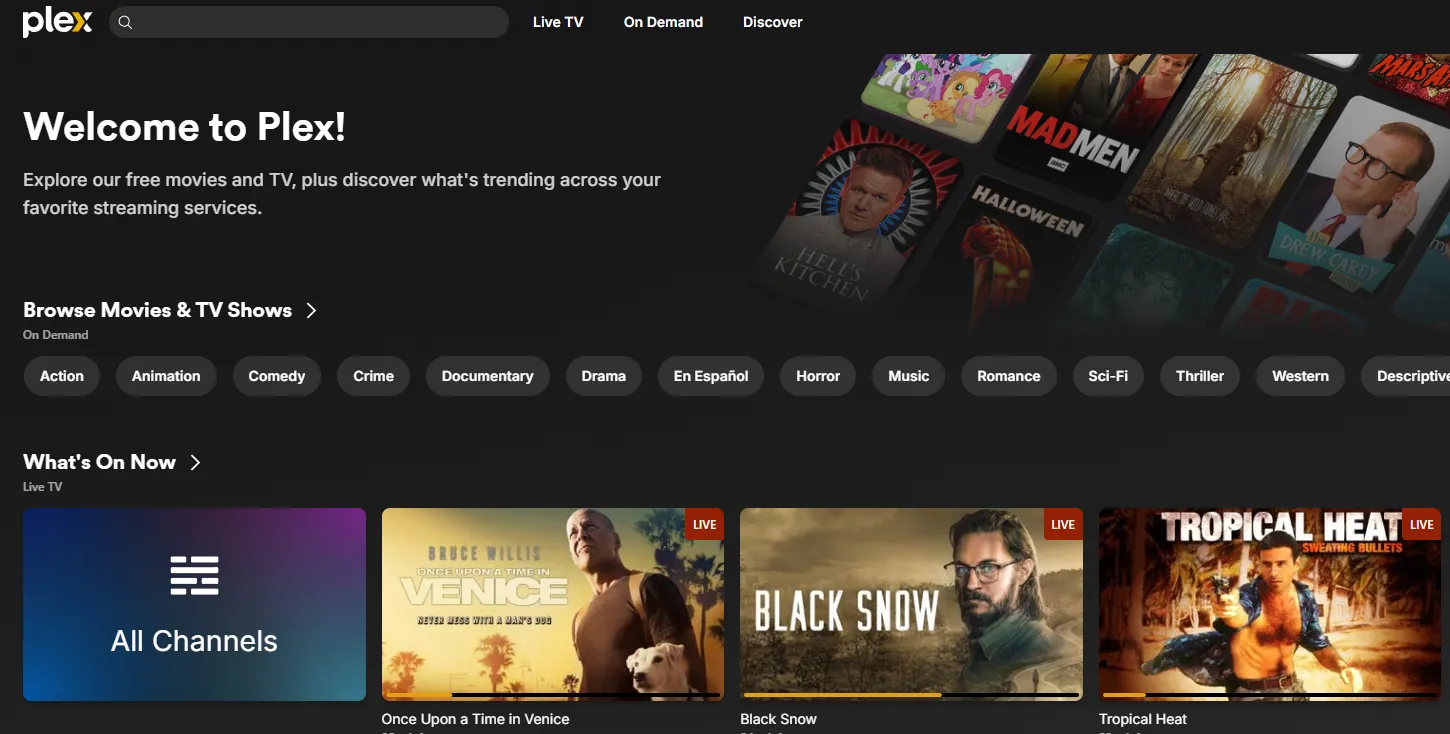
Plex started as a personal media server app that lets you organize and stream your own movie collection. In recent years, it has evolved into a full-fledged free streaming platform — offering over 600 live channels and thousands of on-demand movies and TV shows, all completely free. It's the only service on this list that combines free ad-supported streaming with the ability to host your own media library.
Platform: Web, iOS, Android, Roku, Fire TV, Apple TV, Samsung, LG, PlayStation, Xbox, and 200+ countries
Account Required: Optional for streaming; required for personal media
⏩Key Features
| Feature | Details |
|---|---|
| Free Streaming | Thousands of ad-supported movies & TV shows |
| Live TV | 600+ free channels (news, sports, niche content) |
| Personal Media Server | Organize and stream your own files |
| Cross-Device Sync | Resume watching anywhere |
| Smart Discovery | Aggregates content across services |
| Multi-Platform Support | Web, mobile, smart TVs, consoles |
| Powerful Search | Finds content across libraries & apps |
⏩How to Use It?
Plex offers two ways to watch, depending on your technical level:
-
The Simple Way (Streaming): Just download the Plex app on your TV, phone, or browser. Open the "Movies & TV" or "Live TV" sections and start watching. No technical setup is required for this.
-
The Pro Way (Personal Server): * Install the Plex Media Server software on a computer or NAS where you keep your movie files.
-
Point Plex to your folders. It will automatically add posters and cast info.
-
Sign in to the Plex app on your TV to stream your own collection across your home Wi-Fi.
-
⏩Pros and Cons
| Pros | Cons |
|
100% Free: No subscriptions or credit cards are needed to watch their library. |
Commercials: As a free service, you must watch ads, which some users feel can be frequent. |
|
Massive Content Library: Offers hundreds of Live TV channels and a large library of on-demand movies and shows. |
Mixed Content Quality: While there are good movies, the library is often filled with cult classics or lesser-known content. |
|
Universal Availability: Supported on most devices, including Smart TVs, Roku, Fire TV, Apple TV, and mobile phones. |
Limited Customization: Free accounts can't remove the free streaming sections from the homepage. |
|
Great Interface: Provides an organized, "Netflix-like" UI, as seen on PCMag and YouTube. |
Mobile Activation Fee: While the app is free, playing content on mobile phones requires a one-time fee of roughly |
⏩Fees & Subscription Models
Plex is famously "Freemium." Here is how the costs break down now:
| Plan | Cost |
|---|---|
| Free Plan | ✅ 100% Free (ads included) |
| Plex Pass (Optional) | ~$4.99/month or ~$39.99/year |
🔓 What Plex Pass Adds:
-
Offline downloads
-
Live TV DVR
-
Premium music features
-
Hardware transcoding
👉 Most users can stick with the free version.
⏩Who is It Best For
👍 Best Suited For:
-
Cord-cutters wanting free + flexible streaming
-
Movie collectors with personal media libraries
-
Tech-savvy users who like customization
-
Users who want everything in one place (streaming + personal files)
👎 Not Ideal For:
-
Users who want a simple plug-and-play experience only
-
Viewers looking for latest blockbuster releases
-
People who don’t want ads at all
-
Beginners who don’t want to deal with setup
3.The Roku Channel — Best for Roku & Fire TV Owners
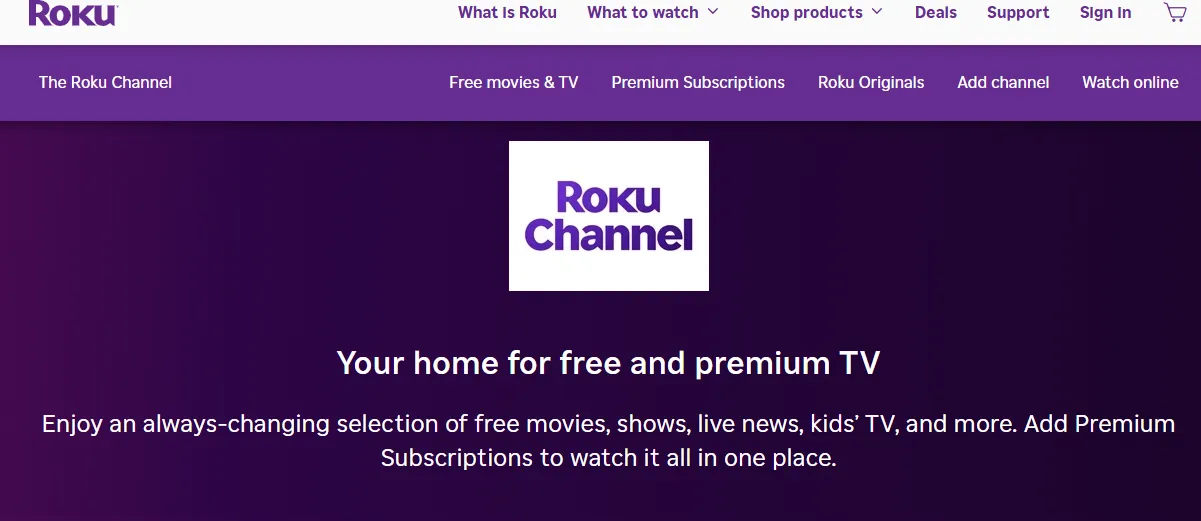
The Roku Channel has solidified its place in 2026 as a premier "FAST" (Free Ad-supported Streaming TV) service. While it was originally designed for Roku hardware, it is now a platform-agnostic powerhouse that competes directly with mainstream paid services by offering high-budget "Roku Originals" alongside a massive library of classic and modern content.
Platform: Roku devices, Fire TV, Web, iOS, Android
Account Required: Optional (Roku account recommended)
⏩Key Features
| Feature | Details |
|---|---|
| 100% Free Streaming | No subscription required (ad-supported) |
| Huge Content Library | 80,000+ titles across genres |
| Live TV Channels | 400–500+ free channels (news, sports, movies) |
| Roku Originals | Exclusive shows & films |
| Easy Discovery | Simple interface + curated recommendations |
| Cross-Platform Access | Works on Roku, web, mobile, smart TVs |
| Premium Add-ons | Optional subscriptions (Starz, AMC+, etc.) |
| Smart Aggregation | Combines free + paid content in one hub |
⏩How to Use It?
You do not need a Roku device to access this channel in 2026:
-
On Roku Devices: It is pre-installed on every Roku TV and Streaming Stick. Just click the app on your home screen.
-
On Web Browsers: Visit TheRokuChannel.com to start streaming immediately on your laptop or PC.
-
On Mobile: Download the free Roku App (iOS/Android) and navigate to the "The Roku Channel" tab.
-
On Other Smart TVs: Many Samsung and Amazon Fire TVs now allow you to download The Roku Channel app directly from their respective app stores.
⏩Pros and Cons
| Pros | Cons |
| Truly Free: No activation fees, monthly bills, or platform charges for core content. | Ad-Supported: You must watch commercials (typically 4–8 minutes per hour in 2026). |
| Exclusive Content: The only place to find award-winning "Roku Originals." | Geographic Limits: Some of the best content is restricted to the US, UK, and Canada. |
| Simplicity: One of the cleanest, most "non-techy" user interfaces in the industry. | Resolution Cap: Most free content streams in 1080p, with 4K usually reserved for specific Originals. |
| Huge Live Selection: Now features over 500 live channels, rivaling basic cable packages. | No "No-Ad" Tier: Unlike Hulu, you cannot pay to remove ads from the free library. |
⏩Fees & Subscription Models
| Plan | Cost |
|---|---|
| Free Plan | ✅ 100% Free (with ads) |
| Premium Add-ons | Optional (varies by channel) |
👉 Roku also introduced a low-cost ad-free add-on (“Howdy”) ~ $2.99/month, but it’s separate from the free channel.
⏩Who is It Best For
👍 Best Suited For:
-
Cord-cutters replacing cable with free TV
-
Casual viewers who want easy, no-login streaming
-
Users who like live TV + on-demand in one place
-
Beginners / non-tech users (super simple UI)
👎 Not Ideal For:
-
Users who want latest blockbuster releases
-
Viewers who hate ads completely
-
People outside supported regions
-
Users looking for deep niche/indie catalogs
4. Sling Freestream — Free TV Curated by Sling
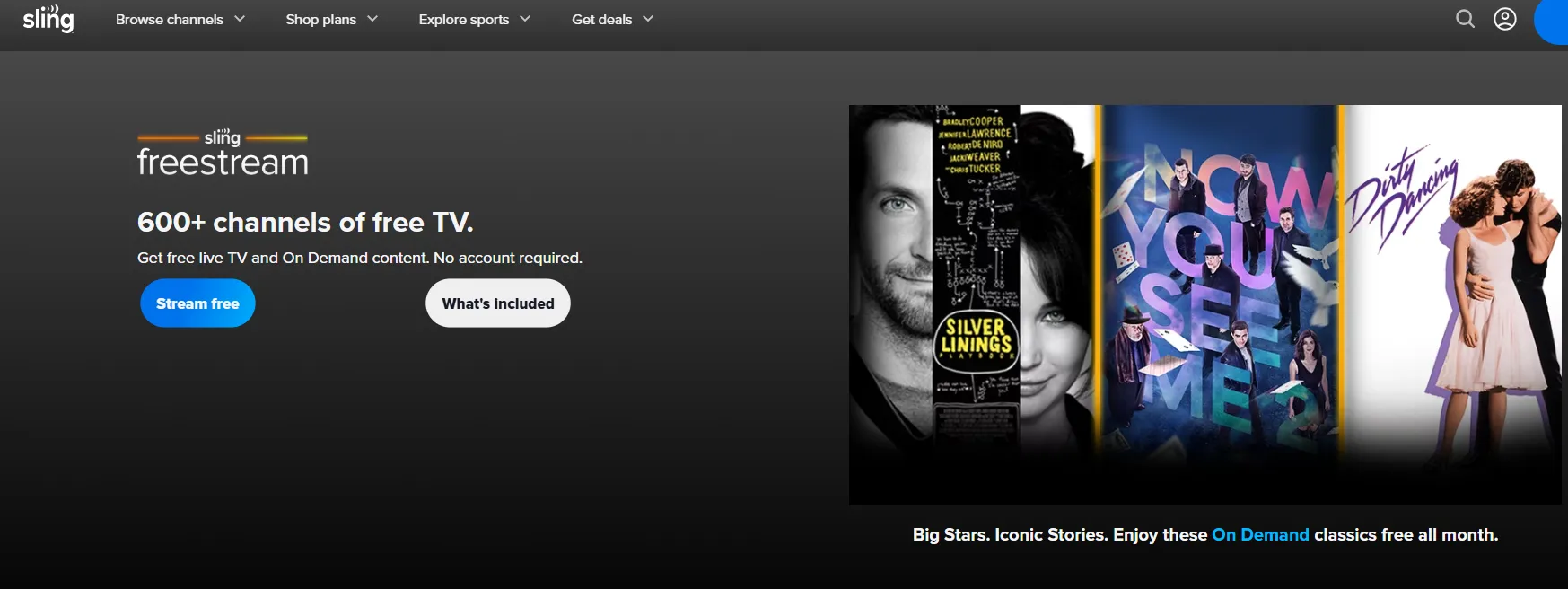
Sling Freestream is the free, ad-supported arm of the major live-TV provider, Sling TV. In 2026, it has solidified its position as one of the most feature-rich "FAST" (Free Ad-supported Streaming TV) services by offering something most free competitors don't: free cloud DVR storage.
Platform: Web, iOS, Android, Roku, Fire TV, Apple TV
Account Required: Yes (free sign-up)
⏩Key Features
| Feature | Details |
|---|---|
| 100% Free | No subscription, no credit card needed |
| Live TV Channels | 600+ channels (news, sports, movies, reality) |
| On-Demand Library | 40,000+ movies & TV shows |
| Free Sports Content | ESPN On Demand, niche sports channels |
| International Content | 20+ languages available |
| Free DVR (with account) | Up to ~10 hours recording |
| Personalization | Watchlists, favorites, profiles |
| Extras | Rewards system + mini games (unique perk!) |
⏩How to Use It?
Sling Freestream is remarkably easy to access because it lives inside the main Sling TV app:
-
Go to Sling.com or download the Sling app
-
Sign up for a free account (email required, no credit card)
-
Browse live channels or on-demand content
-
Use the free 10-hour DVR to record shows
⏩Pros and Cons
| Pros | Cons |
| Free DVR: The only major free service offering a way to record and save live content. | Confusing UI: The interface mixes free and paid channels, which can be annoying to navigate. |
| Massive Variety: Over 600 channels covering niche topics like anime, home improvement, and food. | Resolution: Most live streams are capped at 720p, which may look soft on very large 4K TVs. |
| No Commitment: Use it as a guest or create a free account to sync your watchlist across devices. | Heavy Commercials: Like cable TV, you cannot skip ads during live broadcasts. |
| Reward System: Features a unique "Sling Rewards" program where users can win prizes for watching. | Limited Local News: While it has national news, it lacks many local network affiliates (ABC/CBS/NBC). |
⏩Fees & Subscription Models
| Plan | Cost |
|---|---|
| Sling Freestream | ✅ 100% Free |
| Sling TV Paid Plans | From ~$40+/month (optional upgrade) |
👉 Freestream is completely separate from paid Sling TV—no upgrade required to enjoy free content.
⏩Who is It Best For
👍 Best Suited For:
-
Cord-cutters replacing cable with free live TV
-
Sports fans looking for free niche sports channels
-
Budget users who want the most content for $0
-
Viewers who like live TV browsing (channel surfing)
👎 Not Ideal For:
-
Users who want premium live channels (ESPN, HBO, etc.)
-
Viewers who prefer on-demand Netflix-style experience only
-
People who hate ads completely
-
Users wanting latest Hollywood releases
5.Xumo Play — Comcast & Charter's FAST Powerhouse
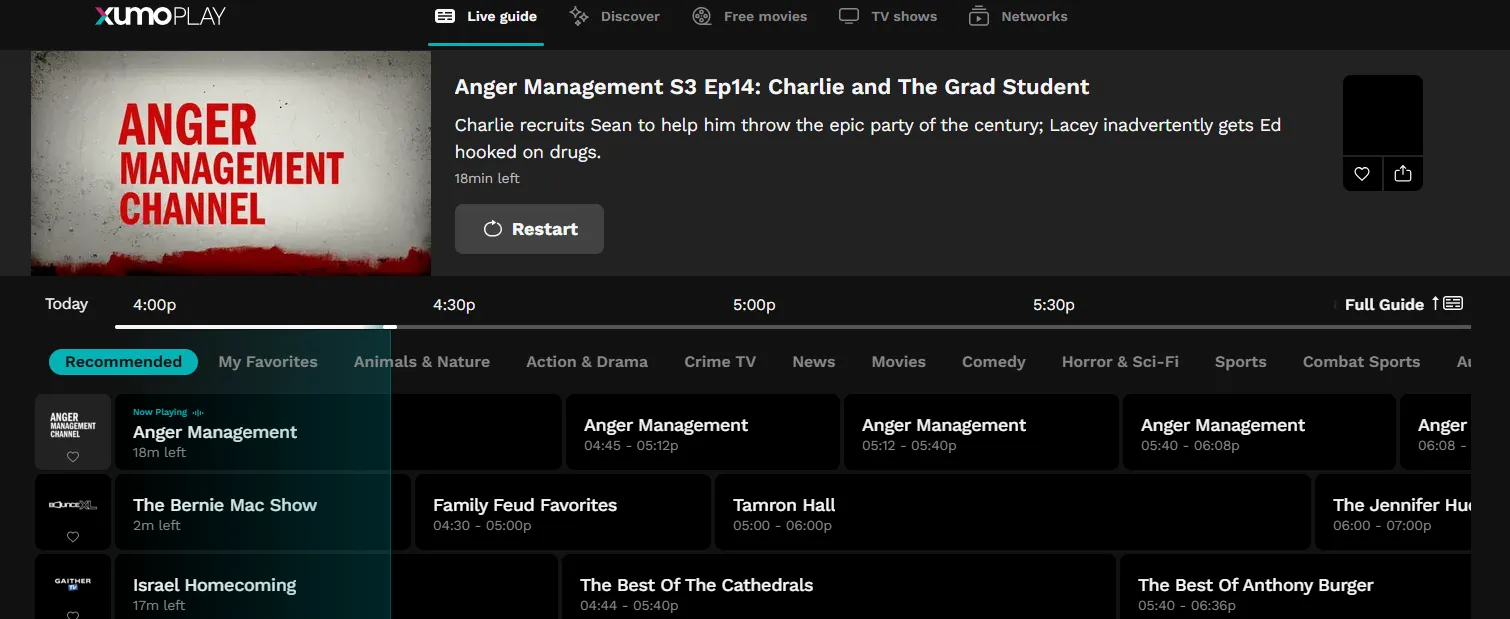
Xumo Play is a joint venture between Comcast and Charter Communications (two of the largest cable companies in the US). The service offers over 350 live channels and 15,000 on-demand titles, all completely free — no login, no credit card, no hassle. Xumo has been rapidly expanding its content through exclusive deals, including a multiyear agreement with Lionsgate for Pay-1 window rights to select films.
Platform: Web, iOS, Android, Roku, Fire TV, Xumo devices, select smart TVs
Account Required: No
⏩Key Features
| Feature | Details |
|---|---|
| 100% Free | No subscription or account required |
| Live TV Channels | 350+ channels (news, movies, sports, lifestyle) |
| On-Demand Library | 15,000–70,000+ movies & TV shows |
| No Login Needed | Instant access (rare advantage) |
| Personalized Recommendations | Based on viewing habits |
| Multi-Device Support | Smart TVs, mobile, web |
| Genre Variety | 25+ categories (crime, kids, Latino, sci-fi, etc.) |
| Simple Interface | Designed for quick, easy browsing |
⏩How to Use It?
Xumo Play is designed to be one of the simplest apps to navigate:
-
Platform Access: Visit or download the app on your Smart TV (Vizio, Samsung, Hisense), Roku, Fire TV, or mobile phone.
-
Live Guide: Click "Live" to open a standard TV grid. You can browse by category (e.g., "Horror," "Combat Sports," or "Kids").
-
On-Demand: Click "Movies" or "TV Shows" in the sidebar to browse the ad-supported library.
-
No Sign-Up: Unlike Plex or Sling, you don't need to provide an email to use the service, though doing so allows you to sync a "Watchlist" across your devices.
⏩Pros and Cons
| Pros | Cons |
|
Completely Free: No subscription fees are required to access content. |
High Ad Load: Features frequent commercial breaks during on-demand |
|
Large Channel Selection: Offers over 300+ curated live channels and thousands of on-demand movies/TV shows. |
Dated Content: Much of the on-demand library consists of older, lesser-known titles. |
|
No Account Required: You can start watching immediately without signing up, though an account can be created. |
Poor Search Function: Lacks a robust search function, making it hard to find specific content. |
|
Easy Interface: Simple, familiar grid guide similar to traditional cable. |
Limited Functionality: No ability to create watchlists or set parental controls. |
|
Good Mobility: Solid mobile app experience |
Technical Issues: Users have reported that the app can be buggy and prone to freezing. |
⏩Fees & Subscription Models
| Plan | Cost |
|---|---|
| Xumo Play | ✅ 100% Free |
| Premium Tier | ❌ Not available |
👉 Like Pluto TV, the “cost” is simply watching ads.
⏩Who is It Best For?
👍 Best Suited For:
-
Cord-cutters who want free live TV
-
Users who don’t want to create accounts
-
Casual viewers (background TV, easy watching)
-
Fans of niche channels (crime TV, reality, classic shows)
👎 Not Ideal For:
-
Users who prefer search-based / on-demand discovery
-
Viewers looking for new blockbuster movies
-
People who want a premium UI experience
-
Users who dislike channel-style browsing
6.YouTube — The Hidden Free Movie Vault
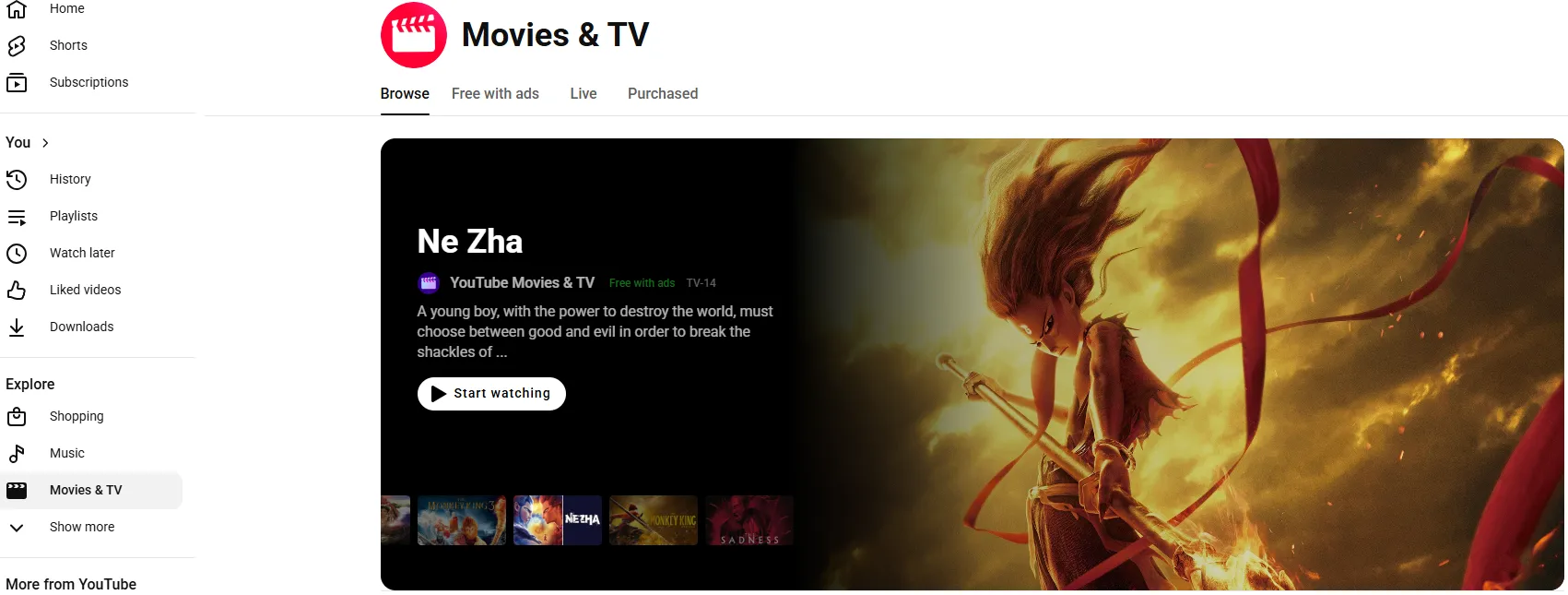
As the world’s largest video-sharing platform, YouTube has expanded far beyond user-generated content. In 2026, it is a formidable competitor in the free streaming space through its official "Movies & TV" hub. While it is famous for its "Rent or Buy" model, it also hosts thousands of full-length Hollywood films and TV shows that are 100% legal and free to watch with ads.
Platform: Web, iOS, Android, smart TVs, game consoles
Account Required: No
⏩Key Features
| Feature | Details |
|---|---|
| 💰 Free Movies (Ad-Supported) | Official full-length films available legally |
| 📺 TV Shows & Episodes | Free via licensed channels |
| 🔍 Powerful Search Engine | Best-in-class content discovery |
| 🌍 Global Availability | Works almost everywhere |
| 📱 Multi-Device Support | Mobile, web, smart TVs, consoles |
| 🎥 User-Generated Content | Clips, scenes, unofficial uploads |
| 🧠 Smart Recommendations | AI-driven personalized feed |
| ⬇️ Offline Viewing | Available with Premium plan |
⏩How to Use It?
YouTube’s free library is often "hidden" behind the search bar. Here is how to find it:
-
Go to YouTube.com
-
Search for "Free Movies" or browse the "Movies & TV" section
-
Look for films marked "Free with ads"
-
Click and watch — no account required
⏩Pros and Cons
| Pros | Cons |
| No New Apps Needed: You likely already have the YouTube app installed on every device you own. | Ad Interruptions: Ads can feel frequent, and unlike some platforms, they are often unskippable. |
| Universal Accessibility: Works flawlessly on every Smart TV, game console, and smartphone. | Region Locking: The "Free with Ads" library is most robust in the US; international availability varies. |
| High Technical Quality: Supports up to 4K resolution and high-bitrate streaming for a crisp picture. | Clutter: The free movies are mixed in with "Rent/Buy" titles, which can be frustrating to navigate. |
| Zero Setup: You don't even need to create a new account if you already have a Google ID. | Limited "New" Hits: While it has classics like Braveheart or Good Will Hunting, brand-new releases are usually rental-only. |
⏩Fees & Subscription Models
| Plan | Cost |
|---|---|
| Free Version | ✅ 100% Free (with ads) |
| YouTube Premium | ~$13.99/month |
🔓 YouTube Premium Includes:
-
Ad-free viewing
-
Offline downloads
-
Background play
👉 Note: Premium does NOT unlock all movies—many still require rental/purchase.
⏩Who is It Best For
👍 Best Suited For:
-
Casual viewers looking for free content
-
Global users outside US/UK (better availability)
-
Movie hunters searching for rare or older titles
-
Users who already use YouTube daily
👎 Not Ideal For:
-
Users wanting a Netflix-like structured library
-
Viewers who want only licensed, curated content
-
People who dislike searching manually
-
Users looking for latest blockbuster movies
7.Crackle — The Veteran Curated Streamer
Crackle is one of the original free streaming services, founded by Sony and now owned by Chicken Soup for the Soul Entertainment. While its library is smaller than Tubi's, Crackle offers a well-curated selection of Hollywood blockbusters, award-winning indies, classic TV, and original content — including over 30 original series and 20 original movies
Platform: Web, iOS, Android, Roku, Fire TV, Apple TV, Xbox
Account Required: Optional
⏩Key Features
| Feature | Details |
|---|---|
| Free Streaming | No subscription required |
| On-Demand Library | Thousands of movies & TV shows |
| Crackle Originals | Exclusive series (e.g. The Oath) |
| Multi-Device Access | Web, mobile, smart TVs |
| Rotating Library | Titles updated regularly |
| Ad-Supported Model | Ads every ~10–15 minutes |
⏩How to Use It?
Crackle is built for simplicity and doesn't force you into a subscription model:
-
Open the App/Web: Visit Crackle.com or download the app on your Roku, Fire TV, PlayStation, or mobile device.
-
Browse Without Logging In: You can start watching immediately as a guest.
-
Optional Sign-Up: Create a free account to unlock Parental Controls, a personalized Watchlist, and the "Continue Watching" feature.
-
Explore "Extras": While playing a movie, check the "Extras" tab (if available) to see bonus content like gag reels or director interviews.
⏩Pros and Cons
| Pros | Cons |
| Exclusive Originals: Shows like Startup and The Oath are high-quality and only available here. | Heavy Ad Load: Users in 2026 report ads roughly every 10–15 minutes of playback. |
| No Subscription: 100% free with no "hidden" paid tiers. | Resolution Limits: Most content is capped at 720p or 1080p; there is very little 4K support. |
| Unique Bonus Content: The addition of DVD-style extras adds value for film buffs. | Smaller Library: Compared to Tubi, the total number of titles is significantly lower. |
| Anime Selection: Has a surprisingly strong "Crackle Anime" hub for classic series fans. | UI Speed: The interface can occasionally feel slower on older Smart TVs or mobile devices. |
⏩Fees & Subscription Models
| Plan | Cost |
|---|---|
| Free Plan | ✅ 100% Free |
| Subscription | ❌ Not available |
👉 Like most FAST services, it relies entirely on ad
⏩Who is It Best For
👍 Best Suited For:
-
Users interested in legacy free streaming platforms
-
Viewers looking for older Hollywood content
-
People researching free streaming history/trends
👎 Not Ideal For:
-
Users wanting reliable streaming in 2026
-
Viewers looking for latest movies or active libraries
-
Anyone wanting a stable, regularly updated platform
8.Hoopla — Free, Ad‑Free, and Legal via Your Library
Hoopla is completely different from the other services on this list. It's a digital media platform offered by public libraries — meaning it's 100% free, 100% legal, and 100% ad‑free. All you need is a valid library card from a participating library. Hoopla provides access to over 2.5 million titles across movies, TV shows, music, eBooks, audiobooks, and comics — all available to stream or download instantly
Platform: Web, iOS, Android, Kindle Fire, Chromecast, Apple TV, Roku, Fire TV
Account Required: Yes (library card required)
⏩Key Features
| Feature | Details |
|---|---|
| 100% Free | No subscription (library-funded) |
| No Ads | Completely ad-free streaming |
| Movies & TV Shows | Mix of mainstream + indie titles |
| All-in-One Platform | Movies, books, audiobooks, music |
| Instant Access | No waitlists or queues |
| Borrow System | Monthly credits (5–20 items typical) |
| Offline Viewing | Download for offline playback |
| Multi-Device Support | Mobile, web, smart TVs |
⏩How to Use It?
Hoopla requires a "Golden Ticket": a valid library card.
-
Get a Card: Visit your local public library (or their website) to sign up for a free library card.
-
Create an Account: Go to hoopladigital.com or download the app. Link your card by selecting your library system and entering your card number and PIN.
-
Borrow & Watch: Browse the "Video" section. When you find a movie, click "Borrow." * Note: Most movies are available for 48–72 hours after you press play.
-
Device Setup: Sync the app to your Roku, Apple TV, Amazon Fire TV, or Android TV using a simple 4-digit pairing code.
⏩Pros and Cons
| Pros | Cons |
| Truly Ad-Free: The only "Free" service on this list that offers a completely uninterrupted viewing experience. | Borrow Limits: Most libraries limit you to 5–10 items per month (some decreased to 5 in 2026 due to rising costs). |
| High-Quality Content: Includes recent Oscar winners, BBC dramas, and the A24 film collection. | Daily Library Caps: If your library hits its daily budget limit, you may have to wait until the next morning to borrow an item. |
| Kid-Proof: Features a "Kids Mode" that only shows age-appropriate content. | Mobile Downloads Only: You can download to a phone or tablet, but you can only stream on a computer or TV. |
| No "Rent or Buy" Teasing: Everything you see in the app is free; there are no hidden paywalls. | Account Expiry: You must occasionally renew your library card in person to keep the service active. |
⏩Fees & Subscription Models
| Plan | Cost |
|---|---|
| Hoopla | ✅ 100% Free |
| Subscription | ❌ Not available |
👉 Your library pays per borrow, not you.
⏩Who is It Best For
👍 Best Suited For:
-
Library users & students
-
People who hate ads (big advantage)
-
Multi-content consumers (movies + books + audiobooks)
-
Offline viewers / travelers
👎 Not Ideal For:
-
Users wanting unlimited binge streaming
-
Viewers looking for latest Hollywood releases
-
People without library access
-
Users expecting HD/4K streaming quality
9.Kanopy — The Criterion Collection for Free
Kanopy is another library-powered streaming service, but with a very different focus than Hoopla. Where Hoopla is a generalist, Kanopy specializes in high-quality, thought-provoking cinema — including the prestigious Criterion Collection, award-winning documentaries, indie films, foreign cinema, and classic movies. Kanopy offers over 30,000 films, all completely free and ad‑free
Platform: Web, iOS, Android, Roku, Fire TV, Apple TV, Samsung
Account Required: Yes (library card or university login required)
⏩Key Features
| Feature | Details |
|---|---|
| 100% Free | No subscription (library-funded) |
| No Ads | Completely ad-free streaming |
| 30,000+ Titles | Indie, classic, documentary-heavy catalog |
| Educational Content | Used by universities & schools |
| Play Credit System | Monthly viewing limit (e.g. ~5–20 titles) |
| Kanopy Kids | Safe, unlimited kids content |
| Offline Viewing | Supported on mobile devices |
| Multi-Platform | Smart TVs, mobile, web |
⏩How to Use It?
To use Kanopy, you need a "key" from a participating institution (Library or University):
-
Find Your Library: Go to Kanopy.com and select "Get Started." Search for your local public library or university.
-
Add Your Card: Enter your library card number and PIN (or your university student/staff login).
-
Create an Account: Use your email to create a profile. This allows you to track your "Ticket" balance and save movies to a watchlist.
-
Redeem Tickets: Each movie has a ticket value (typically 2-4 tickets for a feature film). Once you click play, you usually have 48 to 72 hours to finish watching.
⏩Pros and Cons
| Pros | Cons |
| 100% Ad-Free: No commercial interruptions ever, providing a premium cinematic experience. | Strict Monthly Limits: Once you use your tickets, you must wait until the 1st of the next month to watch more. |
| Elite Library: Home to A24, HBO Documentaries, and PBS—films you won't find on other free sites. | Institutional Dependency: If your local library cancels its subscription due to budget, you lose access. |
| Kanopy Kids: Unlimited streaming for children that doesn't use up your monthly tickets. | Variable Catalog: Each library "buys" different packages, so content varies by your location. |
| Educational Focus: Access to The Great Courses and deep-dive historical documentaries. | No 4K for Everything: While it has 4K content, much of the library is capped at 1080p. |
⏩Fees & Subscription Models
| Plan | Cost |
|---|---|
| Kanopy | ✅ 100% Free |
| Subscription | ❌ Not available |
👉 Important:
- Your library pays per stream, not you
- That’s why monthly limits exist
⏩Who is It Best For
👍 Best Suited For:
-
Students & educators
-
Indie / arthouse film lovers
-
People who hate ads
-
Library users
-
Fans of international cinema
👎 Not Ideal For:
-
Users wanting Hollywood blockbusters
-
Binge-watchers (due to limits)
-
Users without library access
-
People who want Netflix-style recommendations
10.Fandango at Home - Recent Hollywood Hits for Free
Fandango at Home (formerly known as Vudu) is a powerhouse in the 2026 digital landscape, serving as the primary bridge between the movie theater and the living room. While it is famous for being a high-end digital store to "Rent or Buy," it also hosts a massive library of thousands of movies and TV shows that are 100% free to watch with ads.
Platform: Web, iOS, Android,Roku, Fire TV, Apple TV
Account Required: Yes
⏩Key Features
| Feature | Details |
|---|---|
| Free ad-supported streaming | Thousands of movies & TV shows free with ads |
| Rent / buy option | New releases available without subscription |
| Large library | 20,000+ movies + thousands of TV episodes |
| Multi-device support | Works on mobile, smart TVs, web, Apple TV, etc. |
| Offline downloads | Download purchased content for offline viewing |
| Kids Mode | Parental controls + safer viewing options |
| Strong search & filters | Helps find genre, rating, year, etc. |
| Movies Anywhere support | Some purchases sync across platforms |
⏩How to Use It?
Fandango at Home is designed to be a "digital locker." Here is how to find the free stuff:
-
Get the App: Available on Smart TVs, Roku, Fire TV, mobile devices, and consoles (PS5/Xbox).
-
Sign Up: You must create a free account to watch. No credit card is required to access the free library.
-
Find the Free Shelf: Look for the tab or menu item labeled "Free" or "Free on Us."
-
Watch & Manage: Any free movie you watch will appear in your "My Library" section, making it easy to resume later.
⏩Pros and Cons
| Pros | Cons |
| High Bitrate: Offers some of the best visual and audio quality of any free streaming service. | App Bugs: Since the 2024–2025 rebrand from Vudu, some users report glitches with logins and resuming titles. |
| Early Access: Often gets major Hollywood films months before they hit Netflix or Hulu. | Ad Interruption: Like other FAST services, free movies are interrupted by several commercial breaks. |
| Excellent Organization: The "My Movies" lists and "Lists" features are perfect for digital collectors. | Rental Teasing: The interface often mixes free content with paid rentals, which can be confusing. |
| Device Syncing: Your collection follows you everywhere thanks to Movies Anywhere integration. | Strictly Transactional: There is no "all-you-can-eat" monthly subscription for their premium content. |
⏩Fees & Subscription Models
| Category | Cost |
|---|---|
| Free streaming | $0 (ad-supported) |
| Account | Free |
| Rentals | Usually ~$2.99–$5.99 per movie |
| Purchases | ~$9.99–$24.99 depending on title |
| Subscription | ❌ None |
👉 Bottom line: It’s not a subscription platform—you only pay if you rent or buy.
⏩Who is It Best For
👍 Best for:
-
People who want free movies legally with ads
-
Viewers who like older films + rotating catalog
-
Cord-cutters who want extra content beyond Netflix/Prime
-
Users who occasionally rent new releases (not full subscriptions)
👎 Not ideal for:
-
People who hate ads completely
-
Users wanting original exclusive content (Netflix-style)
-
People who want a simple, minimal interface
-
Viewers expecting a fully consistent free library across all devices
📝Choose the Right Free Streaming Service for Yourself: Full Decision Guide
With dozens of legal, free options available in 2026, the challenge isn’t finding a service—it’s finding the one that matches your specific "viewer personality."
Here is your comprehensive decision guide to picking the perfect free platform based on how you watch.
Step 1: Determine Your "Viewing Vibe"
How do you usually approach a movie night? Pick the category that best describes you:
-
"The Channel Surfer": You miss flipping through channels and want the TV to decide for you.
-
Best Match: Pluto TV or Sling Freestream. These focus on a live "Grid Guide" experience.
-
-
"The Intentional Binger": You have a specific movie or show in mind and want to find it instantly.
-
Best Match: Tubi or The Roku Channel. They have the largest on-demand libraries for direct searching.
-
-
"The Ad-Hater": You refuse to watch commercials but also refuse to pay.
-
"The Technical Perfectionist": You care about 4K resolution and high-quality audio.
-
Best Match: Fandango at Home or YouTube. They offer the most consistent high-bitrate streaming for large TVs.
-
Step 2: Evaluate Your Hardware
Your choice might be limited by the device in your hand or on your wall:
| If you use... | Top Recommendation | Why? |
| A Roku TV | The Roku Channel | It’s built into the OS and often features exclusive "Roku Originals." |
| Samsung/LG TV | Samsung TV Plus / LG Channels | These are pre-installed and don't require downloading an extra app. |
| A Smartphone | Fimo or Tubi | Sleek mobile interfaces optimized for vertical scrolling and quick loading. |
| A Game Console | YouTube or Plex | Most reliable apps on PlayStation 5 and Xbox Series X in 2026. |
Step 3: Consider the "Social" Factor
Do you want to share your movie journey with others?
-
Plex is the winner here. Its "Discover" and "Friends" features allow you to see what your contacts are watching, read their reviews, and even see if a movie is trending globally.
-
YouTube is second best for the community aspect, as you can read thousands of comments and timestamps under "Free with Ads" movies.
Step 4: The 2026 Reality Check (Privacy & Logistics)
Before you hit play, check these three final filters:
-
Registration: If you hate giving out your email, choose Xumo Play or Fawesome.tv—they are some of the few remaining services in 2026 that require zero sign-up.
-
Internet Speed: If you have slow Wi-Fi, Pluto TV is better as it handles lower bitrates smoothly. If you have fiber, Fandango at Home will actually make use of your bandwidth.
-
Content Recency: If you want "new" movies (released in the last 2 years), check The Roku Channel or Freevee (inside the Prime Video app). If you want 80s/90s nostalgia, Tubi and Crackle are unbeatable.
📌Summary Selection Chart
| Your Priority | Winner | Runner-Up |
| Catalog Size | Tubi | Plex |
| No Ads | Kanopy | Hoopla |
| Live News | Xumo Play | CBS News |
| Exclusives | The Roku Channel | Crackle |
| Ease of Use | Pluto TV | YouTube |
📍Final Tip
You don't have to choose just one. Free streaming services are complementary, not competitive. You can (and should) use multiple:
-
Tubi for on‑demand movie marathons.
-
Pluto TV for live news and background TV.
-
Plex for your personal media library plus free channels.
-
Hoopla for ad‑free audiobooks and comics.
Mix and match based on what you feel like watching today. That’s the real power of free streaming in 2026.