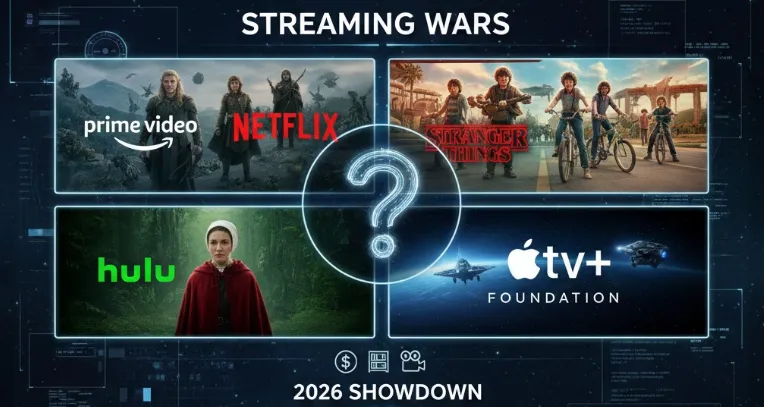
The streaming landscape is more competitive than ever, and choosing the right service for your entertainment needs in 2026 can feel like navigating a maze. With giants like Netflix, Hulu, Apple TV+, and Amazon Prime Video all vying for your monthly subscription dollars, the core question remains: What is the best streaming service? Which platform offers the best overall value? Or which is better Hulu or Netflix or Amazon Prime? We’ve cut through the confusion to deliver a definitive breakdown. This comprehensive guide meticulously analyzes their current subscription costs, the depth and variety of their content catalogs, and the quality of their exclusive original programming to determine the undisputed winner for the year ahead.
💎Prime Video vs. Netflix vs. Hulu vs. Apple TV+ Quick Comparison: At a Glance
This chart compares the four major U.S. streaming services - Amazon Prime Video, Netflix, Hulu, and Apple TV+ — across price, content & catalog strengths, unique platform features, and pros & cons so you can pick the best fit for your viewing habits (movies, originals, live TV, family, budget).
| Service | Best For | Starting Price (Ad-Supported) | Starting Price (Ad-Free) | Key Features | Notable differentiator |
|---|---|---|---|---|---|
| Prime Video | Shoppers & blockbuster fans | $8.99/month (standalone) | $11.98/month (with Prime) | X-Ray, NFL Thursday Night, offline downloads | Bundled with Prime benefits (free shipping, Prime Music, etc.). |
| Netflix | Original series & global content | $7.99/month | $17.99/month | Vast library, 4K HDR, personalized recommendations | Strong global originals & big-budget series; tiered ad/no-ad pricing. |
| Hulu | Current TV shows & live TV | $9.99/month | $18.99/month | Next-day TV episodes, live TV bundle, Disney+ combo | Strong next-day network TV and Disney bundle options. |
| Apple TV+ | Premium, ad-free experience | N/A (no ad-supported tier) | $12.99 / month (after 2025 price increase) | High-quality originals, 4K Dolby Atmos, family sharing | Fewer titles, high production value, strong awards shows. |
📝The Ultimate Streaming Showdown: Prime Video vs. Netflix vs. Hulu vs. Apple TV+
This detailed guide breaks down the four titans of streaming—Netflix, Hulu, Prime Video (Amazon), and Apple TV+—to help you decide which subscription deserves a spot in your monthly budget.
1.Prime Video
Amazon Prime Video, or simply Prime Video, is a U.S. on-demand video-on-demand streaming and rental service of Amazon.com, Inc., available as a standalone service or as part of an Amazon Prime subscription. Amazon Prime costs $119 a year (about $10 a month). Unlike Netflix, which offers three different tiers of membership, Amazon Prime Video only provides one. All subscribers will be able to stream videos online on three devices simultaneously, and some of which support up to 4K.
Amazon Prime Video, which is similar to streaming service Netflix, is arguably Netflix's biggest competitor. It has a growing list of original content, including standout TV shows such as The Expanse, The Boys, Fleabag, and The Man In The High Castle. It also receives films distributed by Amazon Studios, such as The Big Sick, Manchester by The Sea, and Beautiful Boy. Amazon Prime Video also offers live sports programming and currently simulates NFL games with Thursday Night Football. Besides, Prime Video includes hundreds of licensed movies and TV shows, including "Luther," "Viking," "Orphan Black," "Bridget Jones' Diary", and "Dora the Explorer."
If you're a movie buff, Prime Video might be the right choice for you, as a study found that Amazon has four times the number of movies on its platform than Netflix (more than 12,000 titles of movies).
1.1 Content Libraries
Prime Video boasts a mix of licensed movies and TV shows, along with award-winning originals like The Boys and The Lord of the Rings: The Rings of Power. With Amazon's acquisition of MGM, classics like the James Bond series have also been added
1.2 Key Features
-
X-Ray: Lets you view actor bios and trivia while watching.
-
Live Sports: Includes NFL Thursday Night Football and select NBA games.
-
Offline Viewing: Download content to watch later without an internet connection
1.3 Amazon Prime Video Specs
| Name | Value |
|---|---|
| Starting Price | $8.99 per month |
| Supported Platforms | Media Streaming Devices (Apple TV, Chromecast, Fire TV, and Roku), Microsoft Store, Mobile (Android and iOS), Game Consoles (PlayStation and Xbox), Smart TVs, and Web |
| Ads | ✔️ |
| Concurrent Streams | 3 |
| Offline Downloads on Mobile | ✔️ |
| 4K Streaming | Yes |
| Parental Control Tools | Device-based or Kids Mode |
| Audio Descriptions | ✔️ |
| On-Demand Movies and TV Shows | ✔️ |
| Live TV | ❌ |
| Rentals and Purchases | Built-in options |
| Top Original Shows | Bosch, Catastrophe, Electric Dreams, Fleabag, Good Omens, Hanna, Homecoming, Hunters, Jack Ryan, Tales From The Loop, The Marvelous Mrs. Maisel, Patriot, The Boys, Undone, Upload, and Utopia |
| Top Original Movies | Blow the Man Down, Honey Boy, Manchester by the Sea, My Spy, Troop Zero, The Aeronauts, The Big Sick, The Sound of Metal, and The Report |
| Anime | ✔️ |
| Sports Coverage | Thursday Night Football, plus National sports (via Channel add-ons) |
| Thursday Night Football | Prime Video |
| Sunday Football | None |
| Sunday Night Football | No |
| Monday Night Football | No |
| DVR Storage & Retention | None |
| Original Programming | ✔️ |
1.4 Pros and Cons
| Pros | Cons |
|
|
1.5 Plans and Pricing
Amazon Prime Video offers two main ways to subscribe: as a standalone streaming service or as part of a full Amazon Prime membership that includes additional benefits like free shipping
The table below breaks down the available plans and their costs for 2025:
| Plan Type | Monthly Cost | Annual Cost | Key Features & Notes |
|---|---|---|---|
| Prime Video Only | $8.99 | Not Available | Standalone streaming access. Does not include Amazon Prime shopping benefits. |
| Amazon Prime Membership | $14.99 | $139 | Includes Prime Video and other Prime benefits like fast, free shipping. |
| Prime Video (Ad-Free) | +$2.99/month | Not Available | Add-on cost: Removes ads from Prime Video content for either a standalone or full Prime plan. Total cost is $11.98/month for standalone or $17.98/month with full Prime |
1.6 Who is the Ideal Amazon Prime Video Subscriber?
Amazon Prime Video is best for:
-
Users who want a large library of on-demand movies and shows, exclusive Amazon Originals;
-
The convenience of a single membership that bundles streaming with other benefits like free shipping.
-
Viewers who want to stream in 4K, download content for offline viewing, and access exclusive features like the X-Ray function for trivia and cast information while watching.
2.Netflix
Netflix is often people's go-to streaming service for watching TV shows and movies. Even with price increases and tough competition from services like Prime Video, Hulu and Disney Plus, Netflix still stands out as the ultimate option for streaming entertainment, because of its vast selection and user-friendly layout. It also has the largest 4K library around for video-on-demand platforms.
Netflix includes a wide variety of familiar network shows as well as more original series, films, documentaries and specials than any of its myriad competitors. Despite its password crackdown, the phasing out of one of its subscription plans and the addition of an ad-supported tier, the world's first major streaming service remains our favorite choice, thanks to its huge library of constantly refreshed content and its easy accessibility across different devices. And if you want, you can now save money on your subscription by bundling Netflix with other streaming services like HBO Max (via Verizon) or Peacock and Apple TV.
2.1 Content Libraries
Netflix is known for its vast and diverse library, including global hits like Stranger Things, Bridgerton (which garnered over 214 billion viewing minutes in 2024), and The Blind Love. It also produces critically acclaimed original movies, documentaries, and anime
2.2 Key Features
-
Personalized Recommendations: Advanced algorithms suggest content based on your viewing history.
-
4K HDR Streaming: Available on higher-tier plans for an immersive experience.
-
Offline Downloads: Save shows and movies to watch on the go
2.3 Netflix Specs
| Name | Value |
|---|---|
| Starting Price | $7.99 per month |
| Supported Platforms | Media Streaming Devices (Apple TV, Chromecast, Fire TV, and Roku), Microsoft Store, Mobile (Android and iOS), Game Consoles (PlayStation and Xbox), Smart TVs, and Web |
| Ads | ✔️ |
| Concurrent Streams | 2 or 4 |
| Offline Downloads on Mobile | ✔️ |
| 4K Streaming | Requires Premium Plan |
| Parental Control Tools | Profile-based or Kids Mode |
| Audio Descriptions | ✔️ |
| On-Demand Movies and TV Shows | ✔️ |
| Live TV | ❌ |
| Rentals and Purchases | DVD.com (Separate Plan) |
| Top Original Shows | Black Mirror, Bojack Horseman, Dead to Me, Locke and Key, Ma Rainey’s Black Bottom, Never Have I Ever, Orange Is the New Black, Ozark, Russian Doll, Stranger Things, The Crown, The Queen's Gambit, The Stranger, The Umbrella Academy, and The Witcher |
| Top Original Movies | Beasts of No Nation, El Camino: A Breaking Bad Movie, Extraction, I Care A Lot, Roma, The Ballad of Buster Scruggs, The Irishman, The Trial of the Chicago 7, and The Two Popes |
| Anime | ✔️ |
| Sports Coverage | None |
| Original Programming | ✔️ |
| Web Store | ❌ |
2.4 Pros and Cons
| Pros | Cons |
|
|
2.5 Plans and Pricing
Netflix has consistently raised its prices over time, streamlining its plans with its latest price hike. There is no longer a cheap, ad-free option.
|
Plan |
Monthly Cost (Approx.) |
Key Features |
|---|---|---|
|
Standard with Ads |
$7.99 |
|
|
Standard (Ad-Free) |
$17.99 |
|
|
Premium (Ad-Free) |
$24.99 |
|
2.6 Who is the Ideal Netflix Subscriber?
Netflix is best for:
-
Viewers who love original shows and movies;
-
Fans of global / international content;
-
4K HDR home theater users;
-
Binge-watchers who prefer ad-free viewing.
3.Hulu
Hulu built its reputation as a go-to streamer for watching your favorite network TV programs, including shows from ABC, Fox and FX, which premiere on Hulu 24 hours after they air on their networks. Yet over the years, the Disney-owned service has evolved, introducing an impressive catalog of original series, documentaries and movies to its extensive library.
Though it may not have an international reach like Netflix or Disney Plus, Hulu has proved its worth with a stellar lineup of TV hits and movie titles that steadily appeal to its more than 50 million US subscribers. And thanks to the recently launched Hulu on Disney Plus experience and the bundle featuring Hulu, Disney Plus and Max, more people can discover the variety of programming options on the platform. From reality shows and popular procedurals to sitcoms, docuseries and family-friendly animated series, there's something that'll appeal to viewers of all ages.
Simply put, Hulu is a no-brainer if you want an affordable streaming service and aren’t bothered by sitting through commercial breaks to access quality originals, network TV shows and movies.
3.1 Content Libraries
Hulu excels at offering next-day episodes of current TV shows from networks like ABC, Fox, and NBC. Its original series, such as The Handmaid's Tale, have also received critical acclaim. Additionally, Hulu provides access to classic series like Grey's Anatomy, which accumulated nearly 48 billion viewing minutes in 202
3.2 Key Features
-
Live TV Bundle: Subscribers can access live news, sports, and entertainment channels.
-
Bundling Options: The Disney Bundle (with Disney+ and ESPN+) offers a comprehensive entertainment package.
-
User-Friendly Interface: Simple navigation and curated hubs for networks
3.3 Hulu Specs
| Name | Value |
|---|---|
| Starting Price | $11.99 per month; $88.99 per month |
| Regular Season National NHL Coverage | ABC, ESPN, TBS, and TNT |
| RSN Coverage | NBC Sports |
| DVR Storage & Retention | Unlimited; 9 Months |
| Concurrent Streams | 2 or Unlimited (at home) and 3 (mobile devices) |
| 4K Live Streams | ❌ |
| MLB Playoffs Coverage | FOX, FS1, and TBS |
| World Series Coverage | FOX |
| Regular Season National NBA Coverage | ABC, ESPN, and TNT |
| NBA Finals | ABC |
| Thursday Night Football | FOX and NFL Network |
| Sunday Football | CBS and FOX; NFL RedZone (via Add-On) |
| Sunday Night Football | NBC |
| Monday Night Football | ESPN |
| Anime | ✔️ |
| Original Programming | ✔️ |
| Ads | ✔️ |
| Web Store | ❌ |
| Sports Coverage | International*, National, & Regional |
| On-Demand Movies and TV Shows | ✔️ |
| Live TV | ✔️ |
| Offline Downloads on Mobile | ✔️ |
3.4 Pros and Cons
| Pros | Cons |
|
|
3.5 Plans and Pricing
⏩Hulu Standalone Plans
These plans give you access to Hulu's on-demand library of shows and movies, including Hulu Originals.
| Plan | Monthly Cost | Annual Cost | Key Feature |
| Hulu (With Ads) | $11.99/month | $119.99/year | Full library access with limited commercial breaks. (Annual plan saves approx. $23) |
| Hulu Premium (No Ads) | $18.99/month | N/A | Ad-free viewing on most titles, plus the ability to download content for offline viewing. |
| Hulu Student Discount | $1.99/month | N/A | A heavily discounted price for the (With Ads) plan, available to eligible college students. |
⏩ Hulu + The Disney Bundle
These plans package Hulu with Disney+ and ESPN Select, offering significant savings compared to buying all three separately.
| Bundle Plan | Monthly Cost | Included Services |
| Basic Bundle | $12.99/month | Hulu (With Ads) + Disney+ (With Ads) |
| Trio Bundle (Ad-Supported) | $19.99/month | Hulu (With Ads) + Disney+ (With Ads) + ESPN Select (With Ads) |
| Trio Bundle Premium | $29.99/month | Hulu (No Ads) + Disney+ (No Ads) + ESPN Select (With |
⏩ Hulu + Live TV Plans (The Cord-Cutter's Choice)
These plans are the most comprehensive, replacing a traditional cable subscription with 95+ live channels and Unlimited Cloud DVR, while also including all three streaming services (Hulu, Disney+, and ESPN Select).
| Plan | Monthly Price | What's Included |
|---|---|---|
| Hulu + Live TV (With Ads) | $89.99 (price may vary slightly by source) | 95+ live channels, unlimited cloud DVR, two simultaneous streams, and the ad-supported versions of Hulu, Disney+, and ESPN+. |
| Hulu (No Ads) + Live TV | $94.99 (price may vary slightly by source) | Everything in the base live plan, but with ad-free viewing for Hulu and Disney+ on-demand libraries. Live |
3.6 Who is the Ideal Hulu Subscriber?
Hulu is best for:
-
Viewers who watch TV series regularly and want current-season network shows.
-
Users who want a mix of originals and licensed content — especially for series rather than big blockbuster films.
-
Those who might also value live channels (news, sports, local) and are okay paying a bit more for that option.
-
Bundlers — people already using Disney+ or ESPN who can benefit from the combined offering.
4.Apple TV+
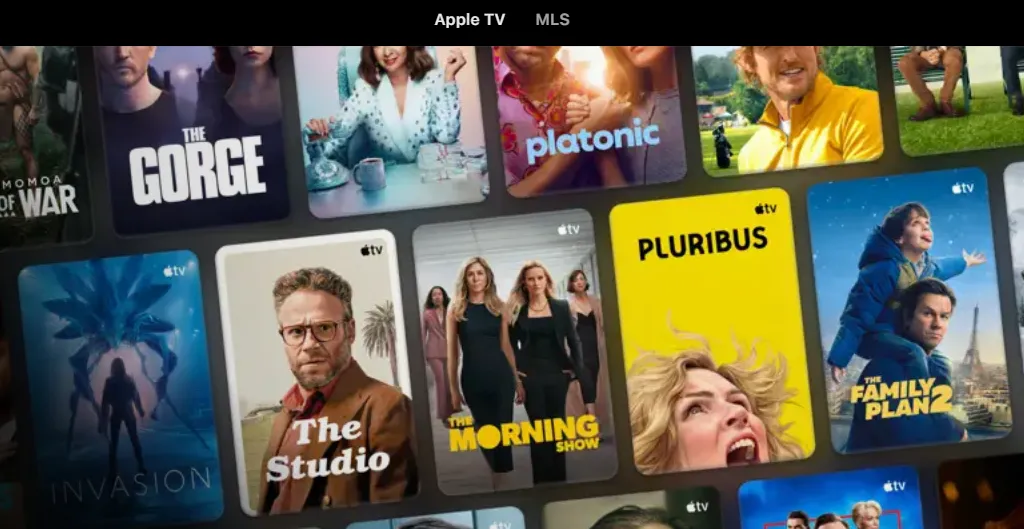
Apple made its official entry into the streaming wars in November 2019. Apple TV+ debuted weeks before Disney Plus, putting both streaming services in the competitive spotlight. Apple TV+ is the lowest-priced premium, ad-free streaming platform around, but it still packs high-end features like 4K resolution, HDR and mobile downloads -- as well as some of Hollywood's biggest stars, such as Jennifer Aniston, Jason Momoa, Tom Hanks and Samuel L. Jackson.
One of the youngest streamers in the game, Apple TV+ produces high quality, award-winning content. Its feature film CODA earned an Oscar, making it the first streaming service to win Best Picture. While the popular comedy show Ted Lasso has garnered multiple honors, other releases such as The Morning Show, Pachinko, The Tragedy of Macbeth and Severance showcase how Apple TV+ invests in premium content.
The platform now has more than 60 original exclusive TV shows and movies and began streaming its first live sports events with Friday Night Baseball for Major League Baseball's 2022 season. But in some ways, the service is still an underdog. The number of titles on the streamer is tiny compared to Netflix, Disney Plus or HBO Max, in part because Apple TV+ has almost no back catalog of shows and movies.
4.1 Content Libraries
While Apple TV+ has a smaller library compared to others, it focuses on high-quality originals like The Morning Show, Ted Lasso, and the Oscar-winning film CODA. It's also expanding into sports streaming with MLB and MLS games
4.2 Key Features
- Ad-Free Experience: All content is free of commercials.
-
4K Dolby Atmos: Premium video and audio quality included with every plan.
-
Seamless Integration: Optimized for Apple devices, with easy family sharing
4.3 Apple TV+ Specs
| Name | Value |
|---|---|
| Starting Price | $12.99 per month |
| RSN Coverage | None |
| MLB Playoffs Coverage | None |
| World Series Coverage | None |
| DVR Storage & Retention | None |
| Concurrent Streams | 6 |
| Live TV | ❌ |
| On-Demand Movies and TV Shows | ✔️ |
| Original Programming | ✔️ |
| Anime | ❌ |
| Ads | ❌ |
| Offline Downloads on Mobile | ✔️ |
4.4 Pros and Cons
| Pros | Cons |
|
|
4.5 Plans and Pricing
In 2025, Apple TV+ offers a simple, single ad-free subscription plan with a recently updated price. The service is best known for its award-winning original shows and movies, all available in 4K with family sharing.
The table below summarizes the main subscription options for Apple TV+ in 2025:
| Plan Type | Monthly Cost | Key Features & Details |
|---|---|---|
| Standard Monthly Plan | $12.99 | Single ad-free plan. 4K streaming, offline downloads, share with up to 5 family members. 7-day free trial for new subscribers. |
| Annual Subscription | $99.99/year | Pay upfront. Saves about $56 vs. monthly plan over a year. |
| Apple One Bundle (Individual) | $19.95/month | Includes Apple TV+, Apple Music, Apple Arcade, and 50GB iCloud+. Saves ~$9/month vs. separate subscriptions |
Tip: Apple offers a seven-day trial, but you must provide a payment method.
4.6 Who is the Ideal Apple TV+ Subscriber?
Apple TV+ is best for:
-
Fans of high-quality, curated content: Ideal subscribers want award-winning dramas, comedies, and films like The Morning Show and CODA, and are less concerned with having a vast library of shows from many different studios.
-
Existing Apple users: Users already invested in the Apple ecosystem, particularly those who receive a free trial or bundle with a new device purchase, are a great fit.
-
Serious soccer fans: The MLS Season Pass is a significant draw, and dedicated soccer fans may find the cost worthwhile for this exclusive content alone.
-
Budget-conscious students and families: Students who bundle Apple TV+ with Apple Music or families who share an Apple One plan can get the service for a discounted price.
-
Those seeking a "boutique" streaming service: People who view streaming as less of a "big-box" library and more of a curated, premium experience will appreciate the focused selection
📍Streaming Services Full Comparison: Side by Side
💰Price Comparison (As of 2025)
Based on current information for 2025, the pricing for these four major streaming services varies based on factors like ads, video quality, and the number of simultaneous streams. The table below provides a clear comparison to help you see the differences at a glance.
Key Takeaways for Comparison
Here is how each service stacks up based on your priorities:
⏩The Lowest Price Point (With Ads)
-
Winner: Netflix ($7.99/month)
-
Netflix offers the absolute cheapest entry point for a dedicated, single-service streaming platform.
-
-
Contender: Prime Video ($8.99/month)
-
This is the next cheapest option for the standalone Prime Video service.
-
⏩The Best Value for Ad-Free Content
-
Winner: Apple TV+ ($12.99/month)
-
Apple TV+ is the only one on this list that provides its entire library, in 4K quality, with 6 simultaneous streams, and no ads for a very competitive price. This makes it an exceptional value for families who want to share a high-quality experience.
-
-
Contender: Prime Video Ad-Free ($11.98/month)
-
Adding the $2.99 ad-free fee to the standalone Prime Video brings it just under the Apple TV+ price, but the quality and stream count may vary depending on the content.
-
⏩The Best for Bundling and Ecosystem
-
Winner (Content): Hulu/Disney+ Bundle ($19.99/month)
-
For $19.99, you get three major services (Hulu, Disney+, ESPN Select), offering an unparalleled variety of movies, TV shows, and live sports.
-
-
Winner (Ecosystem): Full Amazon Prime ($14.99/month) or Apple One ($19.95/month)
-
If you value free shipping, Prime is the essential utility. If you use Apple Music, iCloud, and Arcade, the Apple One bundle is a better long-term money-saver.
-
🎬Content Library & Platform Focus
Each service has carved out a distinct niche in terms of content.
1. Prime Video (Amazon)
| Category | Details |
| Focus | A massive content repository, leveraging the Amazon ecosystem. |
| Key Content | Thousands of included movies/TV shows. Free content often rotates monthly. Crucially, it's a rental/purchase hub for new releases. |
| Genre Strengths | High-budget Sci-Fi/Fantasy, Action, and access to a wide variety of rentable digital content. |
| Must-Watch Originals | The Lord of the Rings: The Rings of Power, The Boys, Jack Ryan, Reacher. |
2. Netflix
| Category | Details |
| Focus | Maximize volume and variety (global appeal). |
| Key Content | Massive library of licensed movies/TV. Industry-leading original content ("Netflix Originals"). |
| Genre Strengths | True Crime, Stand-up Comedy, International (Non-English) Dramas, Reality TV. |
| Must-Watch Originals | Stranger Things, Squid Game, The Crown, Wednesday. |
3. Hulu
| Category | Details |
| Focus | Next-day streaming of current network television and deep US-based cable content. |
| Key Content | Quick access to new episodes from ABC, NBC, and Fox. A strong library of critically acclaimed FX Originals. |
| Genre Strengths | Network TV shows, prestige dramas, and strong adult animation. |
| Must-Watch Originals | The Handmaid's Tale, Only Murders in the Building, The Bear, Shōgun. |
4. Apple TV+
| Category | Details |
| Focus | Quality over quantity. 100% original content. |
| Key Content | A small, highly curated library of exclusive, high-production-value series and films. |
| Genre Strengths | High-concept Sci-Fi, Award-winning Dramas, and feel-good comedies. |
| Must-Watch Originals | Ted Lasso, Severance, Silo, For All Mankind. |
💹Pros and Cons Comparison
| Service | 👍 Strengths | 👎Weaknesses |
| Prime Video |
|
|
| Netflix |
|
|
| Hulu |
|
|
| Apple TV+ |
|
|
Final Verdict:
-
If you only want ONE service: Netflix still provides the most reliable content for the most people.
-
If you are on a budget & shop Amazon: Prime Video is the essential, default choice.
-
If you watch current cable/network TV: Hulu is necessary, ideally through the Disney Bundle.
-
If you want the best quality streaming experience: Apple TV+ is the best second service.
💻Features & Streaming Services Compared
One of the most important features of any streaming service is the max number of viewers who can stream content simultaneously.
| Amazon Prime Video | Netflix | Hulu | Apple TV+ | |
|---|---|---|---|---|
| Top titles | Marvelous Mrs. Maisel, The Boys, Reacher, The Wheel of Time | Stranger Things, Squid Game, Bridgerton, Ozark, Money Heist | Handmaid's Tale, Pen15, Lost, Bob's Burgers | Ted Lasso, The Morning Show, CODA, Severance |
| Mobile downloads | Yes | Yes | Yes | Yes |
| 4K HDR available | Yes | Yes (on Premium plan) | Yes | Yes |
| Number of streams: | 2 | 1 (2 for Standard, 4 on Premium) | 2 (Unlimited with Live TV $9.99 add-on) | 6 |
🔎User experience
There are plenty of ways to stream and enjoy Netflix, Amazon, and Hulu — whether it’s from your mobile device, TV, or your computer’s web browser. Netflix has a sleek interface across all of its platforms, accented by its signature red and black. Amazon Prime Video presents a smartly-oriented interface as well as a home page that holds your other apps. Hulu’s interface incorporates a useful top menu for easy navigation, and its interface is pleasing to the eye.
⏩Amazon Prime Video supported devices:
|
|
⏩Netflix supported devices:
|
|
⏩Hulu supported devices:
|
|
⏩Apple TV+ supported devices:
|
Apple devices:
TVs and streaming devices
|
Gaming consoles:
Other devices:
|
🌟 Detailed Breakdown: Which Streaming Service is Right for You?
✴️Who Should Subscribe to Each?
⏩Prime Video: The Utility Streamer
-
You should subscribe if: You already use or want the benefits of a full Amazon Prime membership (free shipping, music, photos, etc.)
-
The Verdict: While the Prime Video interface can feel cluttered (mixing free content with paid rentals/purchases), it offers the best value per dollar if you factor in the entire Amazon Prime bundle. It's also the best choice for movie fanatics and NFL fans.
⏩Netflix: The All-in-One Entertainer
-
You should subscribe if: You need a single streaming service for a household with many different tastes (kids, movies, docuseries, reality, foreign-language shows) and want a seamless, reliable experience.
-
The Verdict: Netflix is still the most well-rounded and globally dominant service. While it's getting pricier for ad-free 4K, its massive catalog of originals and its excellent, personalized user experience keep it a core subscription for most households.
⏩Hulu: The TV Time Machine
-
You should subscribe if: You want to cut the cable cord but still need to watch current episodes of shows from major networks (like ABC and FOX) the day after they air, or if you want the Hulu + Disney+ + ESPN Select bundle for maximum variety.
-
The Verdict: Hulu's strength is its dual nature: it's the best for recent broadcast TV and has strong, critically-acclaimed Originals. Its full Live TV package makes it a true cable replacement.
⏩Apple TV+: The Prestige TV Specialist
- You should subscribe if: You prioritize critical quality over quantity and are looking for cinematic, award-winning content (Ted Lasso, Severance, The Morning Show).
- The Verdict: Apple TV+ offers the best viewing quality features (4K, ad-free, 6 streams) for the lowest price among the ad-free, high-quality tiers. It is the perfect second service to pair with a larger library like Netflix or Hulu
✴️What Each Service Is Best For - Which Type of Viewer
The "best" service depends entirely on your viewing habits:
-
Go with NETFLIX if... You want the most choice, the easiest user experience, and a constant flow of diverse, global originals. It's the best all-rounder.
-
Go with PRIME VIDEO if... You are already an Amazon Prime member and want a vast content library as an added benefit, plus easy access to renting new movie releases.
-
Go with HULU if... You want to cut the cord but still watch current, prime-time network TV shows the day after they air, or you love acclaimed FX dramas.
-
Go with APPLE TV+ if... You prioritize quality over quantity, want prestige, high-budget, award-winning dramas and comedies, and appreciate a clean, simple platform.
✴️How to Choose the Right Service for You?
-
Choose Prime Video if: You're an Amazon Prime member looking for added value, enjoy blockbuster originals, and want access to live sports and unique features like X-Ray.
-
Choose Netflix if: You prioritize a vast, diverse library of original content and global hits, and you’re willing to pay a premium for an ad-free, high-definition experience.
-
Choose Hulu if: You want to stay up-to-date with current TV shows shortly after they air, and you’re interested in bundling with Disney+ and ESPN+ for a complete entertainment package.
-
Choose Apple TV+ if: You seek a curated selection of high-quality, ad-free originals and value premium 4K HDR streaming at an affordable price
📌 Which Service Might Be “Best” for You — According to What You Care About
| If You Care About… | Consider… |
|---|---|
| Lowest cost, even with ads | Netflix (ads) or Prime Video (standalone with ads) |
| Simple, ad‑free, no decision‑making | Apple TV+ |
| Large library, variety of movies + shows | Netflix or Prime Video |
| Frequent TV shows / network‑style content | Hulu |
| Streaming + extra perks (shopping, ecosystem) | Prime Video (with full membership) |
| High quality originals + clean interface | Apple TV+ (or Netflix premium) |
| Multiple users / family shared streaming | Netflix (higher tier), Prime Video (with membership), or Hulu (depending on plan) |
⚠️ Trade‑Offs & What to Watch Out For
-
Small vs. large library: Services like Netflix and Prime Video have huge libraries; Apple TV+ tends to have fewer titles but often more exclusive content.
-
Ads vs. cost: Cheaper plans often mean ads; clean ad‑free streaming costs more (and sometimes significantly more).
-
Content taste matters: If you like “prestige originals,” “network‑style TV,” “big movie selection,” or “new releases,” your best service may differ.
-
Value beyond streaming
: Bundles (like Prime’s shopping perks or Apple’s ecosystem integration) can change what “value” means — not just movies, but overall convenience.
💡Final Recommendations
To make the most of your streaming experience, consider these tips:
-
Take Advantage of Free Trials: Many services offer free trial periods—test them to see which interfaces and libraries you prefer.
-
Mix and Match: No single service has it all. You might subscribe to one primary platform (e.g., Netflix) and supplement with another (e.g., Apple TV+) based on your interests.
-
Look for Bundles: Bundling services like Hulu, Disney+, and ESPN+ can save you money while expanding your content options
🔔FAQs: Quick Answers You Can Reuse
1.Is Netflix still worth it in 2025?
Yes if you value a large originals slate and global content; choose the ad or no-ad plan based on budget.
2.Should I get Prime for Prime Video?
Prime is a better value if you use Amazon shopping benefits; otherwise standalone Prime Video is cheaper but lacks the shopping perks.
3.Can I bundle these services?
Hulu offers Disney+/ESPN bundles; Apple announced a discounted Apple TV + Peacock bundle in 2025; other bundle promotions appear seasonally. Check each provider’s bundle page for current deals.
Netflix and Amazon Prime differ in their content lineup. So you’ll need a Netflix subscription if you want to watch something available only on Netflix.
Netflix is a standalone streaming service.
Netflix has more subscribers worldwide, but Amazon Prime has more users in the United States.