Podcasts have become a staple of modern life, accompanying us during commutes, workouts, and quiet moments at home. With a universe of content ranging from gripping true crime to insightful business interviews, there is a podcast for everyone. However, the experience of finding, organizing, and listening to these shows is heavily influenced by the app you choose. In 2026, the landscape of podcast apps is more diverse and feature-rich than ever. From all-in-one music platforms to specialized players with powerful listening controls, the options can be overwhelming. In this guide, we’ll compare the best free and paid podcast apps, highlight their key features, pricing, and ideal users, and help you choose the right platform for your listening style.
Top Podcast Platforms & Apps for iOS & Android: Quick Comparison Table
To help you quickly compare the leading players in the podcast world, we've created a handy reference table. This table includes major platforms that are either dedicated podcast apps or have integrated podcast support
| App Name | Best For | Platform | Price | Key Unique Feature |
|---|---|---|---|---|
| Pocket Casts | Cross-platform power users | iOS, Android, Web, Desktop, Wearables | Free / Plus/ Patron | Perfect cross-device sync & "Archive" feature |
| Overcast | Audio quality purists on iOS | iOS, iPad, Mac, Apple Watch | Free / Premium | "Smart Speed" & "Voice Boost" audio tech |
| Podcast Addict | Android power users | Android only | Free (ads) / Premium | Per-podcast settings & handles YouTube/Twitch |
| Spotify | All-in-one music & podcast listeners | iOS, Android, Web, Desktop | Free / Premium | Massive library & video podcast support |
| AntennaPod | Privacy-focused Android users | Android only | Free (Open-source) | No ads, no trackers, open-source |
| Apple Podcasts | Seamless Apple ecosystem experience | iOS, Mac, Apple Watch, CarPlay | Free | Deep Siri & Handoff integration; interactive transcripts |
| Downcast | Subscription-averse Apple users | iOS, Mac, Apple Watch | One-time purchase ($2.99 iOS / $4.99 Mac) | One-time fee, feature-rich |
| Snipd | AI-powered learning & note-taking | iOS, Android | Free / Premium | AI-generated summaries & export to Notion/Obsidian |
| Castbox |
Free, cross-platform podcast app | iOS, Android | Free |
Huge podcast library and 70+ language support |
| Over 20+ million free podcasts, | iOS, Android | Free / Premium |
Excellent for discovery and allows you to manage massive libraries without installing local software |
|
|
|
Millions of shows across all genres | iOS | Free |
Native integration, improved search, curated recommendations |
|
Browse top charts, categories, networks, and live shows |
iOS, Android | Free / Premium |
Live audio and audiobook sections in-app |
|
|
|
Managing audio content beyond podcasts |
iOS | Free / Premium |
"Sideload" feature for personal audio files, per-podcast settings, queue management |
|
|
Combining live radio and podcasts |
Web, Mobile, Desktop | Free / Premium |
Live sports, news, radio stations, and podcasts all in one place |
|
Best for UK listeners |
iOS, Android, Web | Free |
BBC podcasts, live radio, on-demand audio |
|
|
Video podcasts & visual content |
Web, Mobile, Desktop | Free / Premium |
Massive video podcast library, migration from Google Podcasts, background play (Premium) |
|
|
Exclusive, high-quality original content |
iOS, Android | Free / Premium |
High-quality originals, curated shows, includes audiobook hours, creator-focused |
|
|
Music lovers who also enjoy podcasts |
Web, Mobile, Desktop | Free / Premium |
Music & podcasts in one app, categorized podcasts, "Flow" for music discovery |
|
|
Best for Radio + podcast fans |
iOS, Android, Web | Free |
Live radio stations, podcasts, playlists |
|
|
Podcast recorder and radio app |
iOS, Android, Web | Free |
19 podcast topics, 2 million podcasts, almost all languages of the world |
Top 8 Podcast Platforms Recommended: The Deep Dive
Now, let's explore the most popular and highly recommended platforms in detail. We'll look at what makes each one special, who it's for, and how its pricing works.
1.Spotify – The King of Convenience
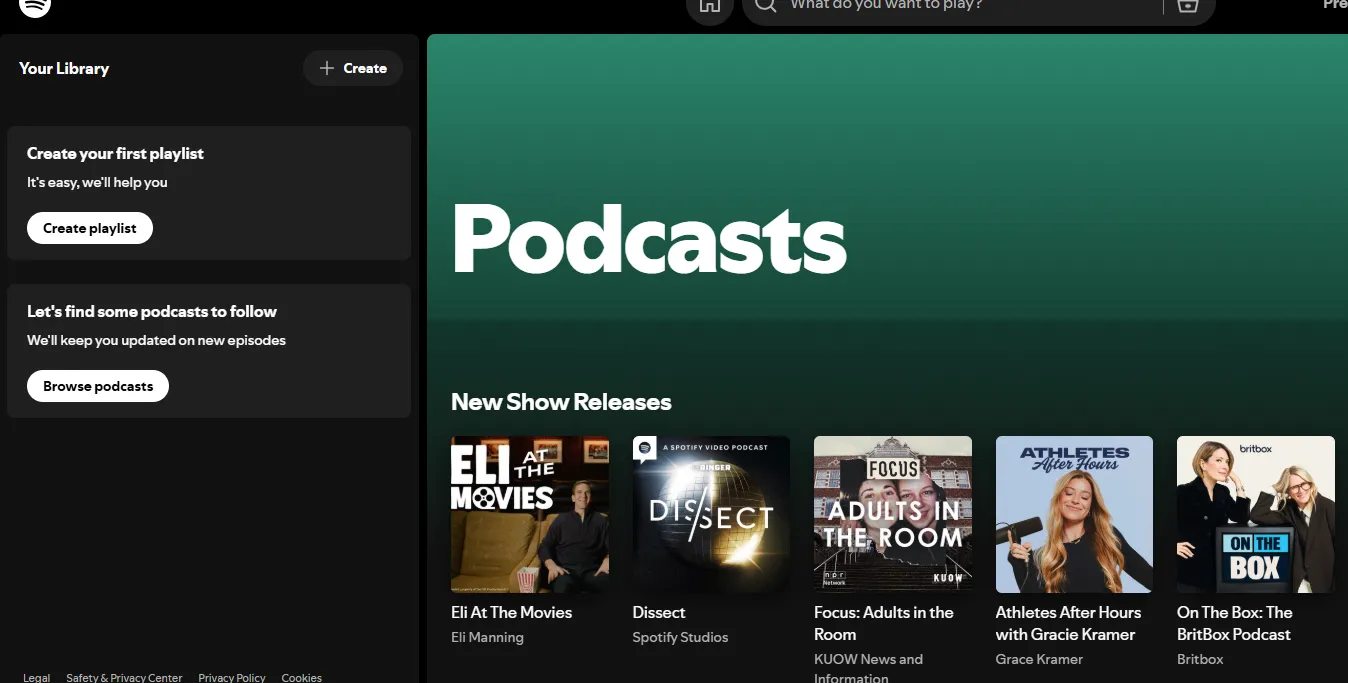
Spotify has successfully transformed from a pure music service into a global audio powerhouse. Its massive user base and investment in exclusive content make it a major player. The app excels at personalized discovery, serving up podcast recommendations alongside your daily music mixes .
In 2026, Spotify remains a top choice for its seamless integration of video podcasts and its intuitive, user-friendly interface. For listeners who enjoy both music and spoken-word content, having everything in one place is a significant convenience.
⏩Key Features
Spotify has become one of the world’s largest podcast platforms, combining music, podcasts, and audiobooks in a single streaming ecosystem.
| Features | What it Does for You | Why Fans Love It |
| Integrated Video | Seamlessly toggle between audio-only and full-screen video. | Perfect for watching visual segments or "reactions." |
| Interactive Tools | Built-in Polls, Q&As, and Comment sections on episode pages. | Feels like a community; you can talk directly to hosts. |
| AI Taste Profile | AI curates "Podcast Mixes" based on specific vibes (e.g., "Productive Morning"). | No more "decision fatigue"—the app knows what you want. |
| Short-form Clips | 90-second "Clips" (TikTok style) to preview episodes. | Great for discovering new shows without committing to a full hour. |
| Smart Speed/Chapters | Automatic silence removal and easy navigation between segments. | Saves time and lets you skip to the "good parts." |
| Cross-Platform Sync | Pick up exactly where you left off on Alexa, Tesla, or Web. | Frictionless transitions between devices. |
⏩Pros & Cons
| Pros | Cons |
| Unified Library: Keep your music, podcasts, and audiobooks in one app. | Price Hikes: Frequent price increases have made it the most expensive major streamer. |
| Superior Discovery: Its "Made for You" algorithm is the best at suggesting new shows. | App Clutter: The UI can feel "busy" with too many different types of content competing for space. |
| Offline Freedom: Easy downloading for flights or subway rides. | Privacy Concerns: Heavy data tracking to power its recommendation engine. |
| Social Features: Easy to share "timestamps" directly to Instagram or TikTok. | Exclusive Content: Some shows are locked to Spotify, forcing you to use the app even if you prefer others. |
⏩Pricing & Subscription Model (2026)
Spotify podcasts are mostly free to listen to, but the platform also offers premium subscription plans.
| Plan | Price (Est. 2026) | Access / Model |
| Free Plan | $0 | Access podcasts with ads and recommendations |
| Premium Individual | ~$10.99–$12.99/month | Ad-free music, offline downloads, higher audio quality |
| Premium Student | ~$5.99–$6.99/month | Discounted premium plan |
| Premium Duo | ~$14.99–$18.99/month | Two premium accounts |
| Premium Family | ~$16.99–$21.99/month | Up to six accounts |
Important note: Even with Premium, some podcasts may still contain host-read ads or sponsorship segments embedded by creator
🎯 Who is It Best For?
Spotify is ideal for the following users:
-
The "Heavy" Streamer: If you spend 5+ hours a day with headphones on and want your music and talk content merged.
-
Video Lovers: If you prefer seeing the host's studio, guest expressions, and visual aids.
-
Social Listeners: If you enjoy participating in polls and sharing timestamped clips to Instagram or TikTok.
-
Discovery Seekers: If you are bored with your current library and want an AI to find your "next favorite show."
2.Overcast - The Audio Engineer's Choice
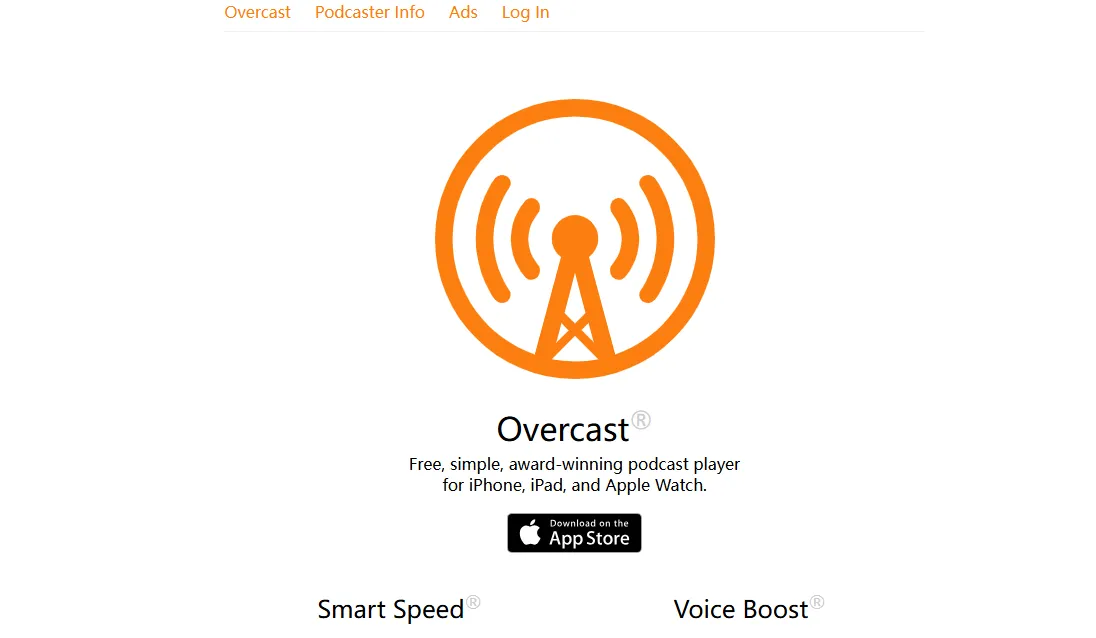
Overcast is a popular podcast player designed primarily for iPhone, iPad, and Apple Watch users. Known for its high-quality audio processing and advanced playback tools, Overcast focuses on improving the listening experience rather than building a large content ecosystem.
Unlike platforms such as Spotify, Overcast works with the open RSS podcast ecosystem, meaning it simply plays podcasts hosted elsewhere instead of creating exclusive content.
⏩Apps: iOS
⏩Key Features
Exclusive to Apple devices, Overcast is a fan favorite developed by a single independent creator.
| Features | What it Does for You | Why Fans Love It |
| Smart Speed | Dynamically shortens silences in talk shows without distorting voices. | Saves hours of time per year while keeping audio sounding natural. |
| Voice Boost | Normalizes volume levels for all speakers (remastering engine). | Great for listening in noisy environments like cars or subways. |
| Smart Playlists | Advanced filtering by show, priority, length, or excluded episodes. | Automatically keeps your "Daily Commute" or "True Crime" list fresh. |
| Clip Sharing | Create and share audio or video snippets (up to 60s) from any show. | The easiest way to recommend a specific moment to a friend. |
| Standalone Watch App | Direct cellular streaming and offline downloads on Apple Watch. | Go for a run and listen without needing your iPhone nearby. |
| Sleep Timer + Undo | Set sleep timers and use the "48-hour Undo" to recover accidental skips. | Peace of mind when you accidentally lose your place in an episode. |
⏩Pros & Cons
| Pros | Cons |
| Audio Excellence: Smart Speed and Voice Boost are the best in the industry. | iOS Exclusive: Only available on iPhone, iPad, Mac, and Apple Watch. No Android/Windows. |
| World-Class Privacy: No third-party tracking, analytics, or invasive data collection. | No Transcripts: Unlike Apple Podcasts or Spotify, it lacks native real-time transcripts. |
| Lightweight & Fast: Minimalist design ensures the app never feels sluggish. | Utilitarian UI: The focus is on function over "beauty," which some find boring. |
| Independent: Built by a single developer (Marco Arment), not a giant corporation. | Manual Discovery: It doesn't use AI to push content; you have to find your own shows. |
⏩Pricing & Subscription Model (2026)
Overcast follows a "Free with Supporters" model. It does not lock its core audio features behind a paywall, making it one of the most generous apps available.
| Plan | Price | Benefits |
|---|---|---|
| Free Version | Free |
|
| Overcast Premium | ~$14.99/year | Removes ads, unlocks listening stats and additional premium features |
🎯 Who is It Best For?
Overcast is best suited for the following listeners:
-
The Efficient Listener: If you want to listen to a 60-minute podcast in 45 minutes without the host sounding like a chipmunk.
-
The Commuter: If you often listen in a loud car and need "Voice Boost" to hear quiet guests over road noise.
-
The Apple Minimalist: If you want an app that feels like a native part of your iPhone but offers way more control than Apple’s default app.
-
The Privacy Advocate: If you are tired of apps selling your listening habits to advertisers.
3.Pocket Casts – Still the Cross-Platform Champ
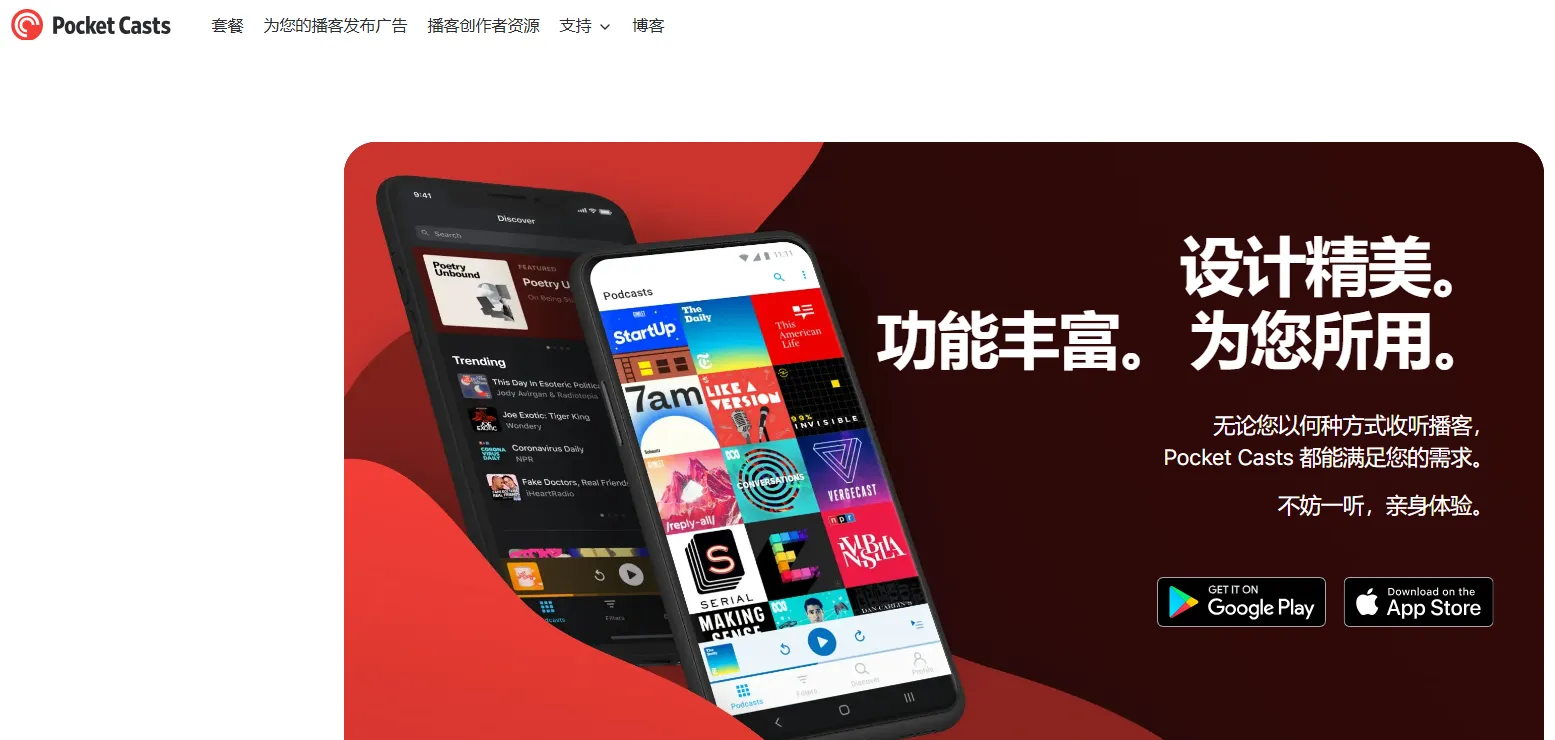
Pocket Casts is widely considered one of the most powerful independent podcast apps, designed for listeners who want advanced playback controls, cross-device syncing, and a clean listening experience.Unlike platforms such as Spotify, Pocket Casts focuses purely on podcast listening and supports the open RSS podcast ecosystem, allowing users to follow almost any podcast feed without being locked into a proprietary platform.
In recent updates, the service has also made its web, Windows, and Mac players free to access, making it easier to listen on any device without a subscription.
⏩Key Features
| Features | What it Does for You | Why Fans Love It |
| Seamless Sync | Syncs your "Up Next" queue and play position across iOS, Android, and Web. | Start an episode on your Android phone; finish on your Mac or iPad perfectly. |
| Smart Folders | Automatically groups your 100+ subscriptions by genre or topic. | New for 2025/2026: Keeps a massive library organized without manual work. |
| AI Transcripts | Generates real-time, searchable text for almost any podcast. | Perfect for finding a specific quote or "reading" a show in a quiet meeting. |
| Podcasting 2.0 | Supports "Chapters," "Funding Tags," and "Live" status. | You can tip creators or jump to specific segments with one tap. |
| Apple Watch/Wear OS | Full standalone playback and cellular streaming on your wrist. | No need to carry a phone during workouts or runs. |
| Custom File Cloud | Upload your own audio files (audiobooks, lectures) to play in-app. | Turns the app into a universal player for all your personal audio. |
⏩Pros & Cons
| Pros | Cons |
| True Cross-Platform: The best sync engine in the industry. | Subscription Cost: The 2026 price hike ($3.99/mo) is steep for some users. |
| Open Standards: Unlike Spotify, it embraces the "Open Web" (RSS) and Podcasting 2.0. | No Native Video: While it supports some video RSS, it's primarily an audio app. |
| Customization: Change app icons, themes, and playback settings per-podcast. | Ads in Free Tier: The free version now contains banner ads (introduced in late 2025). |
| Free Web Player: The desktop and web players are now free for basic listening. | Learning Curve: The "Filters" and "Folders" system takes a moment to master. |
⏩Pricing & Subscription Model (2026)
Pocket Casts has moved to a tiered model to support its open-source development.
| Plan | Price (Est. 2026) | Access / Model |
| Free Version | FREE | Includes mobile apps, the web player, and standard playback features (Trim Silence, Volume Boost). Supported by unobtrusive banner ads. |
| Plus | ~$3.99/month or ~$39.99/year | Cloud storage, folders, bookmarks, wearable apps, exclusive content, customization themes |
| Patron | ~$99.99/year | All Plus features plus early access to new features and additional cloud storage |
🎯 Who is It Best For?
Pocket Casts works best for listeners who want a dedicated podcast player with powerful controls rather than a multi-media streaming app.
-
The Multi-Device User: If you use an Android phone but a MacBook for work, this is the only app that will keep your place perfectly.
-
The "Power Collector": If you subscribe to 50+ podcasts and need Smart Folders to keep them from becoming a mess.
-
The Tech Enthusiast: If you care about "Podcasting 2.0" standards and supporting an open, decentralized internet.
-
The Audiobook/Lecture Listener: If you have MP3 files of your own that you want to listen to using the same "Trim Silence" features as your podcasts.
4. Apple Podcasts – The Gold Standard for iOS
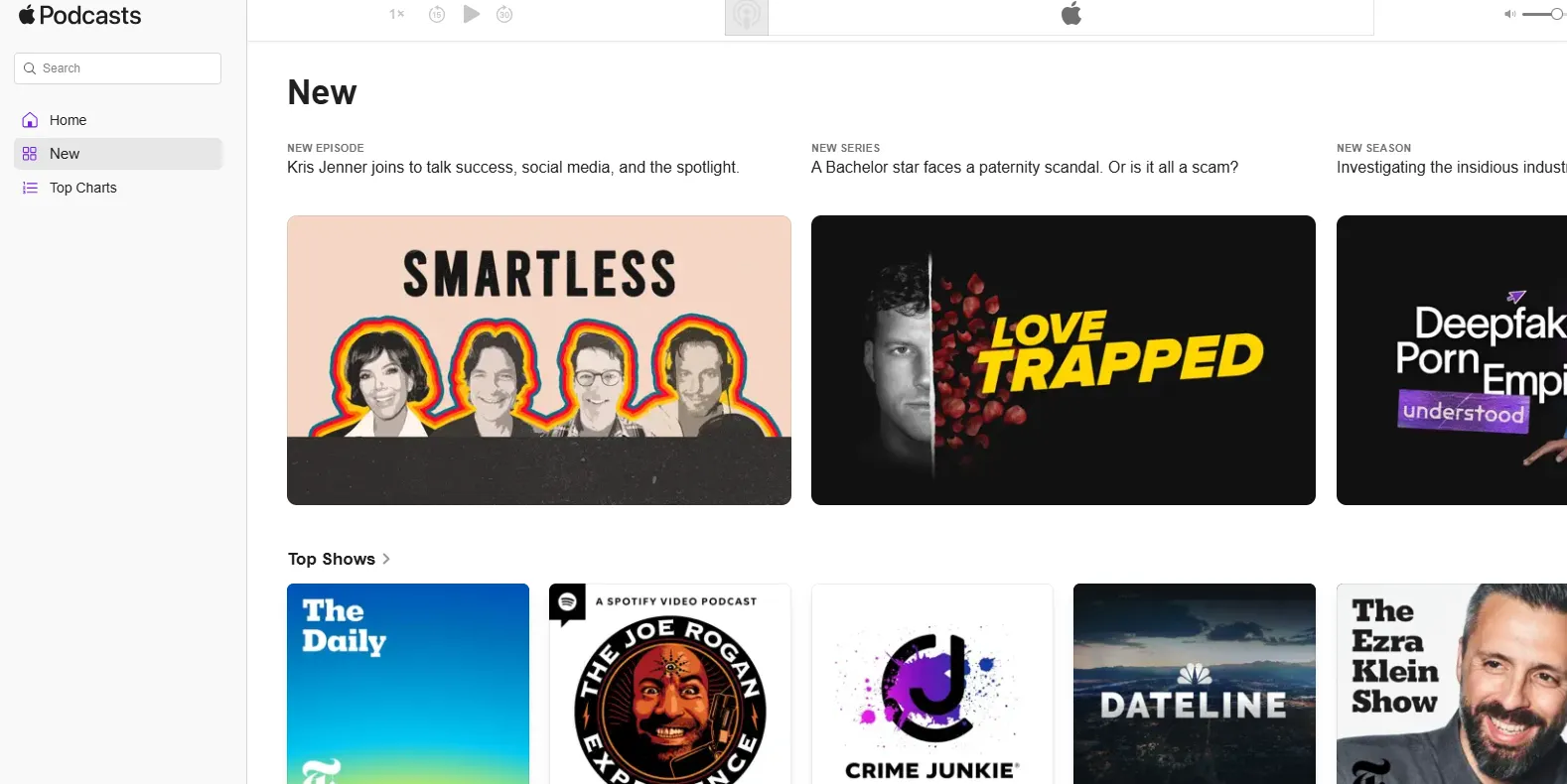
Apple Podcasts is one of the largest and most established podcast platforms, pre-installed on all iPhones, iPads, and Macs. It provides access to millions of shows across virtually every genre and continues to expand its subscription and premium podcast offerings. (apple.com)
Apple Podcasts works natively with the Apple ecosystem, including Siri, CarPlay, and Apple Watch, making it the default choice for many iOS users.
⏩Apps: iOS
⏩Key Features
| Features | What it Does for You | Why Fans Love It |
| HLS Video Support | Seamlessly switch between watching a show and listening in the background. | You can watch the video at home and continue as audio in the car without skipping a beat. |
| Auto-Generated Transcripts | Provides full text for over 125 million episodes in 13+ languages. | Makes shows fully searchable; you can tap any sentence to play from that exact moment. |
| Dialog Enhancement | Uses on-device AI to boost voices and reduce background noise. | Makes "indie" podcasts with poor recording quality sound like professional studio productions. |
| Subscription Channels | One-tap access to ad-free or bonus content from top networks. | No need for third-party payment sites; it’s all tied to your Apple ID. |
| Siri & Car Integration | Deep system-level control via voice or Apple CarPlay. | The most hands-free experience for drivers and HomePod users. |
| Timed Links & Chapters | Clickable links that appear in the player exactly when the host mentions them. | No more digging through "Show Notes" to find a product or website. |
⏩Pros & Cons
| Pros | Cons |
| Ecosystem Synergy: Syncs perfectly across iPhone, Mac, Apple Watch, and Vision Pro. | Apple Only: There is still no official Android app (Web and Windows versions are limited). |
| Privacy First: No cross-app tracking or selling of your listening data to third parties. | Storage Management: Automatic downloads can quickly eat up your iPhone’s local storage. |
| World-Class Search: Transcripts mean you can search for a phrase spoken inside an episode. | Limited Discovery: The "Browse" tab often feels more like an editorial shop than a personal discovery engine. |
| Clean, Modern UI: Ad-free interface (except for the podcasts themselves). | Video Rollout: Video is newer here than on Spotify, so fewer "indie" shows have it yet. |
⏩Pricing & Subscription Model (2026)
Apple Podcasts supports both free and premium podcast subscriptions.
| Plan | Price (Est. 2026) | Access / Model |
| Free Plan | Free | All core features (Transcripts, Smart Playlists, HLS Video) are included with iOS. |
| Individual Podcast Subscription | ~$4.99–$9.99/month per show | Ad-free episodes, bonus content, early access |
| Family Sharing | Included with subscription | Share access with up to 6 Apple IDs |
| Apple Podcasts Bundle | Varies by publisher | Multiple shows from the same network offered together |
🎯 Who is It Best For?
Apple Podcasts is best for these Apple device users:
-
The iOS Power User: If you own more than one Apple device, the synchronization is unbeatable.
-
The "Skimmer": If you prefer reading parts of a podcast or searching for specific information within an episode rather than listening to the whole thing.
-
The Safety-Conscious Driver: If you rely on CarPlay and Siri to stay focused while managing your queue.
-
The Privacy Seeker: If you want a "Big Tech" app that doesn't treat your listening habits as a product to be sold.
5. Downcast: The One-Time Purchase Hero
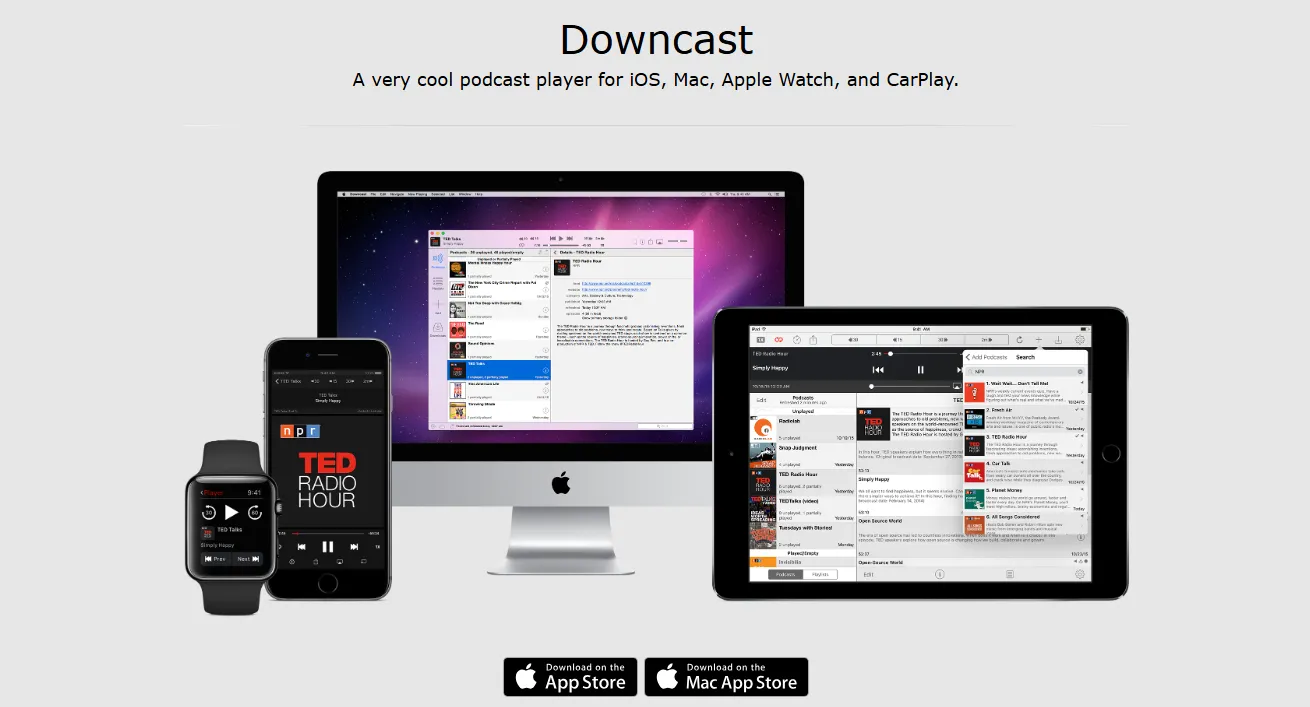
Downcast is a powerful podcast player for iOS and macOS, known for its robust subscription management, advanced playback features, and extensive control over podcast organization. Unlike Spotify or Apple Podcasts, Downcast focuses purely on podcast listening and supports open RSS feeds, giving listeners full access to any podcast globally. (downcast.fm)
It is particularly popular among power users who manage large podcast libraries and want precise control over downloads, playlists, and playback.
⏩Apps: iOS
⏩Key Features
| Features | What it Does for You | Why Fans Love It |
| Granular Playback Control | Adjust playback speed in precise 1/4x increments (up to 3x). | Complete control over exactly how fast you listen. |
| Custom Skip Intervals | Set unique skip-forward and skip-back times for each show. | Skip a 15s intro on one show and a 2-minute ad block on another. |
| Local File Import | Import MP3, M4A, or M4B files via iCloud or local storage. | Use the same powerful player for your audiobooks and lectures. |
| Advanced Auto-Cleanup | Set rules like "Keep only the 3 most recent unplayed episodes." | Keeps your storage from getting cluttered without manual effort. |
| Geofenced Refreshing | Automatically refreshes feeds when you arrive at home or work. | Your episodes are downloaded and ready before you even open the app. |
| Search by URL | Directly subscribe to any private RSS feed or hidden URL. | Perfect for Patreon supporters or private member-only shows. |
⏩Pros & Cons
| Pros | Cons |
| One-Time Cost: No monthly subscriptions; pay once and own it forever. | Apple Exclusive: No Android or Windows versions (Mac/iOS only). |
| Video Support: Excellent native support for video podcasts and external displays. | Dated UI: The interface feels "functional" but lacks the polish of Spotify. |
| Extreme Customization: Almost every setting can be toggled per-podcast. | Manual Discovery: No AI to recommend new shows; you must know what you want. |
| Privacy: Operates locally; no third-party servers tracking your listening. | iCloud Sync Quirk: Syncing between Mac and iPhone can occasionally be slow. |
⏩Pricing & Subscription Model (2026)
Downcast is one of the last remaining "buy-it-once" premium apps. In a world of "Everything-as-a-Service," its pricing model is its biggest selling point.
-
iOS/iPadOS/WatchOS: $2.99 (One-time purchase).
-
macOS App: $4.99 (One-time purchase).
-
Subscription Fees: None. There are no monthly or yearly costs to access features.
-
Support the Developer: The app includes a "Tip Jar" option (ranging from $2.99 to $11.99) for fans who want to support the independent developer, but this is entirely optional.
🎯 Who is It Best For?
Downcast is best for these fans:
-
The "Value" Hunter: If you hate monthly subscriptions and want a professional tool for the price of a coffee.
-
The Video Enthusiast: If you watch video podcasts on your Mac or via AirPlay to your TV.
-
The Organization Freak: If you want to set specific rules for every single show (e.g., "This show starts 60 seconds in and deletes after 24 hours").
-
The "Old School" Listener: If you prefer to manage your own RSS feeds and don't want an algorithm telling you what to listen to.
6. Podcast Addict: Best Free Android App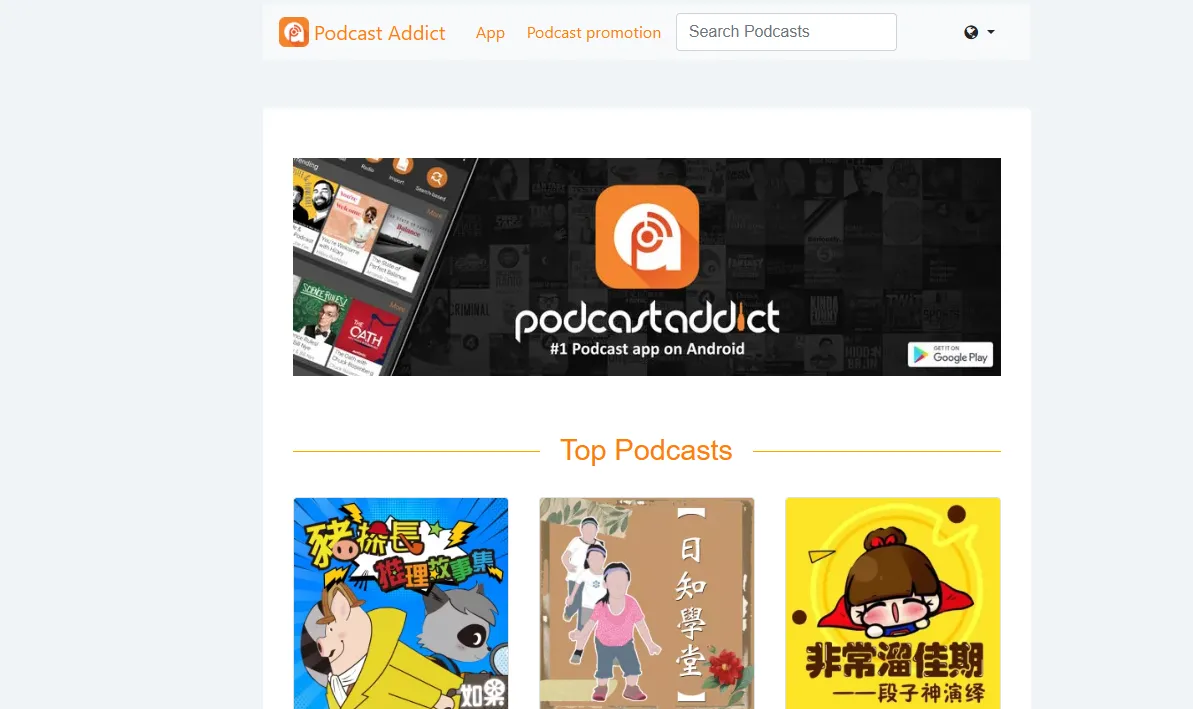
Podcast Addict is a feature-packed app that can do almost everything. With a database of millions of podcasts, it allows for deep customization of every aspect of your listening experience . You can manage multiple shows with auto-download rules, organize episodes into playlists, and even access live radio streams.
While its interface can feel dense compared to sleeker competitors, its functionality is unparalleled for those who want to fine-tune every setting.
⏩Apps:Android
⏩Key Features
| Features | What it Does for You | Why Fans Love It |
| Complete Automation | Set rules for downloading, deleting, and sorting every show. | You can "set it and forget it"; the app manages your storage perfectly. |
| Virtual Podcasts | Turn any local folder on your phone into a podcast feed. | Best for listening to university lectures or "sideloaded" audiobooks. |
| Advanced Search | Search by show, episode, or use the Podcast Index engine. | Finds niche indie shows that Spotify or Apple might hide. |
| Global/Per-Pod Settings | Change playback speed, skip times, or "Voice Boost" for one specific show. | You can speed up news podcasts but keep music podcasts at 1.0x. |
| Radio & YouTube | Supports RSS, YouTube channels, Twitch, and 50,000+ radio stations. | It is a true "all-in-one" media hub for everything except music. |
| Stats & Analytics | Detailed breakdown of your listening habits and time saved. | See exactly how many days of your life you've saved using "Skip Silence." |
⏩Pros & Cons
| Pros | Cons |
| Infinite Customization: Every single button and behavior can be changed. | Steep Learning Curve: The settings menu can be overwhelming for beginners. |
| Android Specialist: Deeply optimized for Android; supports Tasker and Intent. | Android Only: There is no iOS version, and no official desktop/web sync. |
| Active Development: The developer (Xavier) releases updates and bug fixes weekly. | Utilitarian Design: It looks like a tool, not a lifestyle app (no "minimalist" vibes). |
| Aggregator Power: Can manage RSS, SoundCloud, and YouTube in one queue. | Ads in Free Tier: The free version has banner ads; 2026 added a "pause-screen" ad. |
⏩Pricing & Subscription Model (2026)
Podcast Addict has transitioned in early 2026 to a subscription-first model for its "Ad-Free" version to ensure long-term sustainability.
| Plan | Price (Est. 2026) | Access / Model |
| Free (Ad-Supported) | $0.00 | Full access to all features. Includes a bottom banner ad and a "Pause Screen" ad. |
| Premium (Yearly) | $9.99/year | Removes all ads, supports the developer, and unlocks custom "Themes." |
| Premium (Monthly) | $0.99/mo | For those who want to test the ad-free experience without a long commitment. |
There is no recurring subscription fee — just a small one‑time payment to remove in‑app ads. No premium plans are required for playback or advanced features.
🎯 Who is It Best For?
Podcast Addict is best for the "power user" on Android who wants absolute control over their podcast experience .
-
The Android Enthusiast: If you refuse to use an iPhone and want an app that uses every feature of the Android OS.
-
The "Tinkerer": If you enjoy spending 20 minutes setting up the "perfect" playback rules so you never have to touch your phone again.
-
The Data Miser: If you listen in areas with bad signal and need powerful offline download management and data-saving toggles.
-
The Independent Supporter: If you prefer supporting a solo developer over a massive corporation like Google or Amazon.
7. AntennaPod: The Open-Source Champion
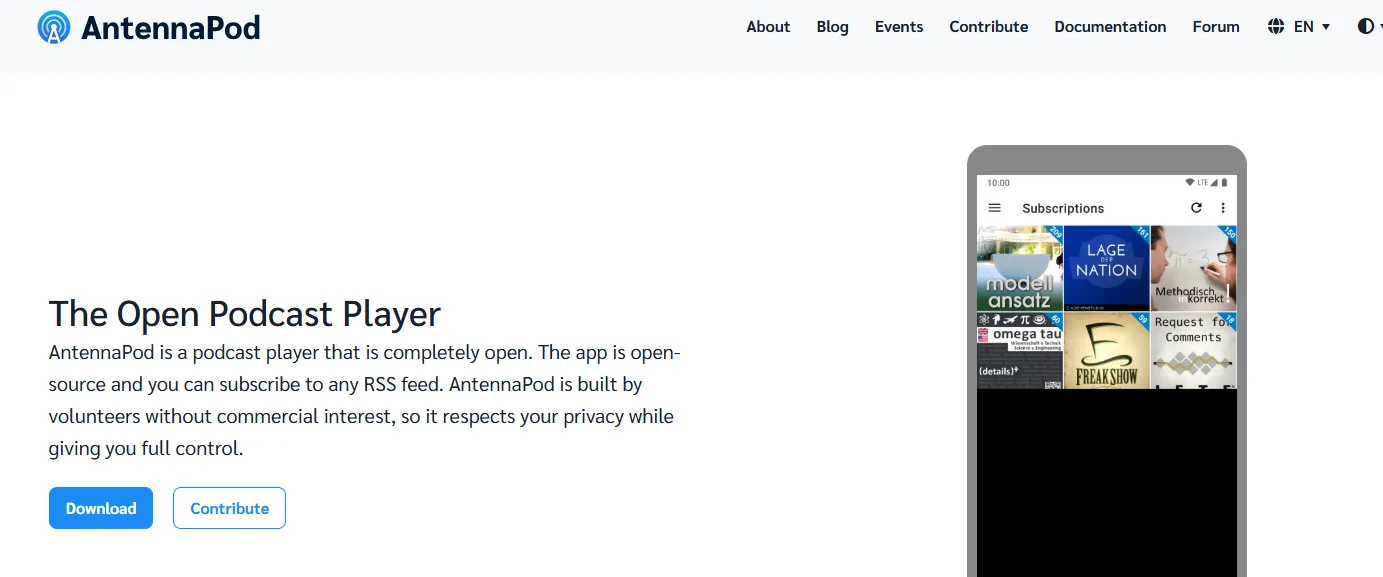
⏩Apps: Android
⏩Key Features
| Features | What it Does for You | Why Fans Love It |
| Privacy First | No account required, no tracking, and zero data collection. | Your listening habits remain yours alone; no "targeted ads." |
| Open RSS Support | Subscribe to any valid podcast URL or private feed. | No "walled gardens"—if it's on the web, you can listen to it. |
| Unified "Inbox" | New episodes land in a central triage area before your queue. | Makes it easy to "preview" shows without cluttering your library. |
| Nextcloud Sync | Syncs your playback position using your own personal cloud. | Allows cross-device syncing without relying on a corporate server. |
| Local Playback | Plays audio and video files stored directly on your phone. | Perfect for "sideloaded" content or offline audiobooks. |
| gpodder.net Integration | Connect to a global, open-source sync service. | An alternative to commercial sync engines like Apple's or Spotify's. |
⏩Pros & Cons
| Pros | Cons |
| 100% Free & No Ads: No subscription, no banners, and no "pro" features. | Android Only: Not available on iOS, Windows, or macOS (officially). |
| Lightweight: Very small app size; won't drain your battery or RAM. | No AI Discovery: No algorithm to suggest shows; you must find them yourself. |
| Community Driven: Open-source code that anyone can audit for security. | Manual Setup: Requires more "tinkering" to get cross-device sync working. |
| Clean Design: Modern "Material You" interface that follows your phone's theme. | Limited Video: Supports video RSS, but lacks the polished player of YouTube. |
⏩Pricing & Subscription Model (2026)
AntennaPod is famous for its "Anti-Subscription" philosophy. In 2026, while other apps have increased prices, AntennaPod remains committed to the open web.
| Plan | Price (Est. 2026) | Access / Model |
| App Download | $0.00 | Available on Google Play and F-Droid (Privacy store). |
| Monthly Fee | $0.00 | All features are unlocked by default for all users. |
| Donations | Optional | You can donate to the project, but it unlocks no extra features. |
Unlike most commercial podcast apps, AntennaPod never charges for features like offline downloads, advanced controls, or RSS imports — it’s all free by design.
🎯 Who is It Best For?
AntennaPod is best for:
-
The Privacy Advocate: If you are uncomfortable with Spotify or Google knowing exactly what you listen to and when.
-
The FOSS (Free & Open Source) User: If you prefer apps from F-Droid and want to support the volunteer developer community.
-
The Minimalism Fan: If you just want a list of your shows and a "Play" button without social feeds, polls, or news headlines.
-
The Budget Listener: If you want a "Pro" experience (Trim Silence, Variable Speed) without paying a monthly $3–$15 subscription fee.
8.Castro Podcast: The Queue Master for Apple Devices
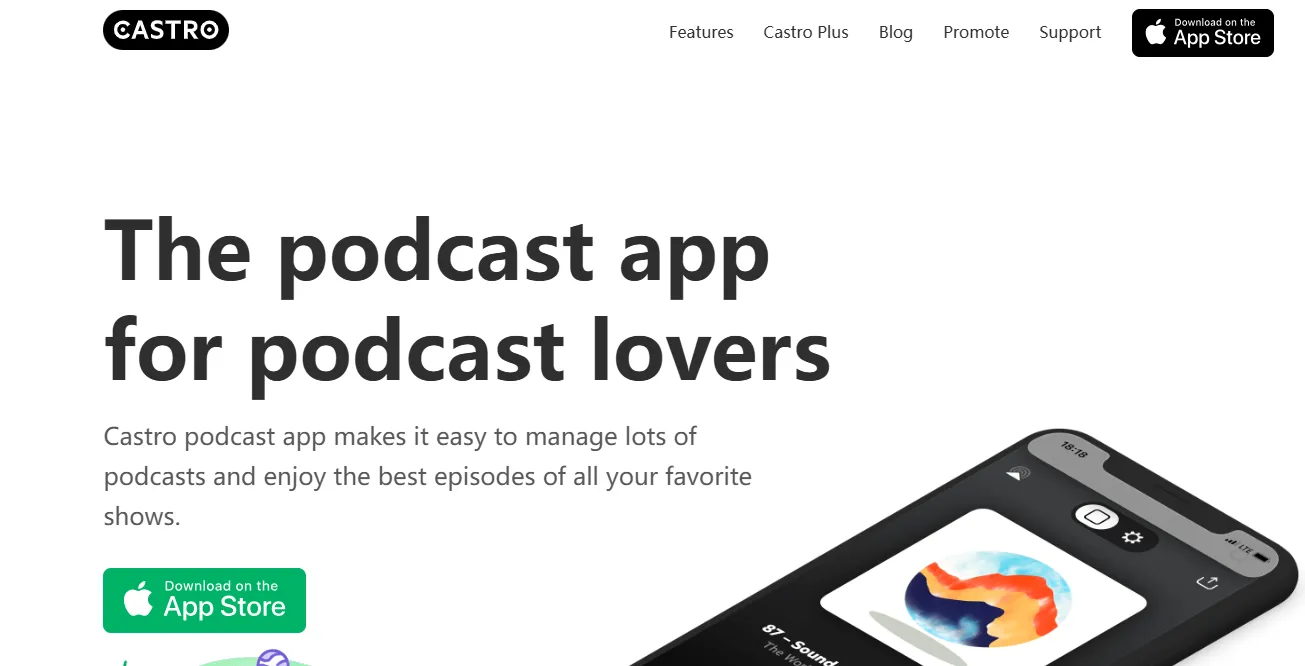
Castro is another iOS-exclusive app that stands out for its unique approach to episode management. Instead of a standard subscription feed, it uses an Inbox system. All new episodes go to your Inbox, and you can decide whether to add them to your queue, delete them, or mark them as played . Its Sideload feature (in the Plus version) is also a standout, allowing you to import any audio file—like audiobooks or conference talks—into the app, keeping all your spoken-word audio in one place.
Rather than just showing every new episode automatically, Castro lets you triage, queue, and prioritize episodes so you only listen to what matters most — a workflow especially appreciated by power listeners who subscribe to many shows.
⏩Apps: iOS
⏩Key Features
| Features | What it Does for You | Why Fans Love It |
| The Inbox | New episodes land here first, not in your playlist. | Prevents your library from feeling overwhelming. |
| Queue Management | A simple drag-and-drop list for your "up next." | You can plan your entire day's listening in seconds. |
| Trim Silence | Automatically removes dead air and pauses. | Saves time without making the host sound like a chipmunk. |
| Sideloading | Upload your own DRM-free audio files to the app. | Great for listening to audiobooks or YouTube rips. |
| Voice Enhancer | Normalizes volume and boosts speech. | Perfect for indie podcasts with poor audio quality. |
| Smart Widgets | Dynamic iOS widgets for your home screen. | Quick access to your queue and latest "Inbox" count. |
⏩Pros & Cons
| Pros | Cons |
| Superior Workflow: The best app for people who subscribe to 50+ shows but only listen to some episodes. | iOS Only: No Android version (though the parent company develops Android apps, Castro remains an iOS darling). |
| Clean Aesthetic: Modern, minimalist design that feels native to iPhone. | Weak Discovery: Finding new shows within the app isn't as robust as Spotify or Apple. |
| Indie Focused: Owned by a small dev team that actually listens to user feedback. | Paywall: Many core features (like Trim Silence) require a paid subscription. |
| CarPlay Support: One of the most stable and well-designed CarPlay interfaces. | No Web Player: You can't really sync and listen on a Windows/PC browser easily. |
⏩Pricing & Subscription Model (2026)
Castro uses a freemium subscription model — the app is free to install and use, but some features sit behind a premium tier.
| Plan | Price (Est. 2026) | Access / Model |
| Basic (Free) | Free | Ad-supported; basic playback and "Inbox" triage. |
| Castro Plus (Monthly) | $3.99 / month | Full features, no ads, voice enhancement, trim silence. |
| Castro Plus (Annual) | $24.99 - $34.99 / year | Best value; includes a 1-week free trial for new users. |
| Family Plan | $49.99 / year | Share Plus features with up to 5 family members via iCloud. |
Castro’s pricing is generally in line with other premium podcast players, with monthly, annual, and limited one‑time lifetime options.
🎯 Who is It Best For?
Castro is an iOS‑exclusive podcast app, so it’s best for thses fans:
-
Subscription Heavy Listeners: Listeners who subscribe to many shows — and want to manage which episodes to play next — will love Castro’s inbox + queue workflow.
-
Organized Listeners: If you like a clean and minimalist UI with strong control over what you listen to, Castro’s design philosophy fits well.
-
Casual & Daily Listeners: The app balances simplicity and power, making it ideal for a wide range of users — from casual listeners to daily commuters.
How to Choose the Perfect Podcast Apps for You: A Complete Decision Guide
Choosing the perfect podcast app can feel overwhelming with so many great options available. The right choice depends entirely on your listening habits, the devices you use, and the features you value most.
Here is a simple, step-by-step guide to help you find your ideal podcasting companion.
1️⃣Consider Your Device Ecosystem
| Device | Recommendation |
|---|---|
| iOS (iPhone/iPad) | Apple Podcasts, Overcast, Castro, Pocket Casts |
| Android | Podcast Addict, Pocket Casts, AntennaPod, Castbox |
| Cross-Platform (Web/Desktop) | Pocket Casts, Spotify, Castbox |
Tip: Pick a player that works seamlessly across the devices you use. Cross-device syncing is essential if you switch between phone, tablet, and computer.
2️⃣Decide on Free vs. Premium Features
| User Type | Recommended Approach |
|---|---|
| Casual Listeners | Free apps like Apple Podcasts, Spotify Free, or AntennaPod cover most needs. |
| Power Users | Premium apps (Overcast, Pocket Casts Plus, Castro Plus) offer advanced playback tools, playlists, and cloud syncing. |
| Privacy-Conscious Users | AntennaPod or Overcast — minimal trackers, ad-free experience. |
3️⃣Check Playback and Listening Features
Consider features that affect how you experience podcasts:
-
Playback speed & silence trimming — saves time
-
Queue & playlist management — organizes multiple subscriptions
-
Offline downloads — essential for travel or low connectivity
-
Chapter support & bookmarks — easier navigation for longer episodes
Apps like Overcast, Pocket Casts, and Downcast excel in these areas.
4️⃣Look at Discovery Tools
Some listeners want help finding new podcasts, while others prefer importing via RSS feed links.
| Discovery Style | Recommended Apps |
|---|---|
| Curated Recommendations | Spotify, Apple Podcasts, Castbox |
| Manual RSS / Control over subscriptions | Overcast, Downcast, AntennaPod, Podcast Addict |
5️⃣Identify Your Listening Style
Be honest about how you actually listen to podcasts.
| If you... | Your Priority is... | Best Apps |
| Listen to 1-5 shows and already use Spotify for music. | Convenience: One app for everything; video support. | Spotify, YouTube Music |
| Listen to 50+ shows and need to "triage" your inbox. | Management: Managing a massive queue without feeling buried. | Castro, Pocket Casts |
| Want the best audio for noisy environments or commutes. | Audio Quality: Features like Voice Boost and Smart Speed. | Overcast, Podcast Addict |
| Take notes or learn while you listen. | AI & Productivity: Summaries, transcripts, and "clipping" ideas. | Snipd, Fountain |
6️⃣Consider User Interface and Workflow
-
Minimalist and clean UI — apps like Castro and Overcast make it easier to manage many episodes.
-
Inbox or queue-based workflow — helps filter out episodes you don’t want to listen to immediately.
-
Widgets & home screen shortcuts — useful for Android users (Podcast Addict, AntennaPod).
7️⃣Pricing and Value
-
Free apps: Great for casual listeners; may include ads.
-
One-time purchase: Downcast or Podcast Addict ad removal license.
-
Subscription model: Overcast Plus, Castro Plus, Pocket Casts Plus — best for serious listeners who want advanced tools.
8️⃣Privacy Considerations
-
Some apps like AntennaPod or Overcast are privacy-focused with no ads or trackers.
-
Spotify and Castbox may collect usage data for recommendations or targeted ads.
-
Decide how important privacy is for your podcast listening experience.
‼️The Verdict: Which App Wins in 2026?
The "winner" truly depends on your personal listening habits, but here's a clear breakdown:
-
The Overall Winner (Especially for Multi-Device Users): Pocket Casts . Its flawless sync, polished interface, and powerful features make it the most versatile and enjoyable app for anyone who listens on more than one device. The fact that its core features are now free makes it an incredibly easy recommendation .
-
The Winner for Audio Quality (iOS Only): Overcast . If you listen in noisy places or simply want the cleanest, most natural-sounding speech, its Smart Speed and Voice Boost are in a league of their own.
-
The Winner for Android Power Users: Podcast Addict . Nothing else on Android offers this level of per-podcast customization. It's the ultimate tool for controlling your feed.
-
The Winner for Privacy & Simplicity (Android): AntennaPod . It proves that "free" doesn't have to mean selling your data. It's simple, respectful, and reliable.
-
The Winner for the Apple Ecosystem: Apple Podcasts . It has matured into a fantastic app, and for users who live entirely within Apple's walled garden, its seamless integration is hard to beat.
-
The Winner for AI Enthusiasts: Snipd . If you treat podcasts as a learning tool and want to capture, transcribe, and save key insights directly to your note-taking app, Snipd is the future of podcast listening.
Podcast App & Platform FAQs: A Quick Guide
Even with the perfect app, listeners often run into frustrating issues. Whether you are struggling to discover new shows, manage storage space, or deal with audio inconsistencies, these problems usually have simple fixes. Below is a quick-reference table to help you troubleshoot the most common podcast listening pain points.
| Common Question | Typical Issue / Pain Point | Suggested Solution |
|---|---|---|
| How do I find new podcasts? | Overwhelmed by too many options; discovery can be difficult | Use curated sections, trending charts, or recommendation features on apps like Spotify, Apple Podcasts, or Castbox |
| Are podcast apps free or paid? | Confusion about subscription fees and in-app purchases | Check app pricing: free apps (AntennaPod, Apple Podcasts), one-time purchase apps (Downcast), or subscription apps (Overcast Plus, Pocket Casts Plus) |
| Can I listen offline? | Many apps require downloads or stable internet | Enable offline downloads in supported apps; most premium apps allow batch downloads |
| How do I manage multiple subscriptions? | Hard to organize dozens of shows | Use apps with queue, folder, or inbox features (Castro, Pocket Casts, Podcast Addict) |
| What devices are supported? | App may not work on all devices | Choose apps compatible with your ecosystem: iOS (Apple Podcasts, Overcast), Android (Podcast Addict, AntennaPod), or cross-platform (Pocket Casts) |
| How to skip ads or get ad-free listening? | Interruptions disrupt listening experience | Subscribe to premium tiers like Overcast Plus, Castro Plus, or remove ads via one-time purchase (Podcast Addict) |
| How to track listening progress across devices? | Listening on multiple devices can lose track | Pick apps with cross-device syncing: Pocket Casts, Overcast, Apple Podcasts |
| Is my data private? | Some apps collect usage data or serve targeted ads | Choose privacy-focused apps: AntennaPod, Overcast, Downcast |
Navigating the world of podcast apps doesn't have to be a challenge. By understanding your listening habits and knowing how to troubleshoot common issues, you can transform a frustrating experience into a seamless one. Choose the tool that fits your life, and let the stories flow.