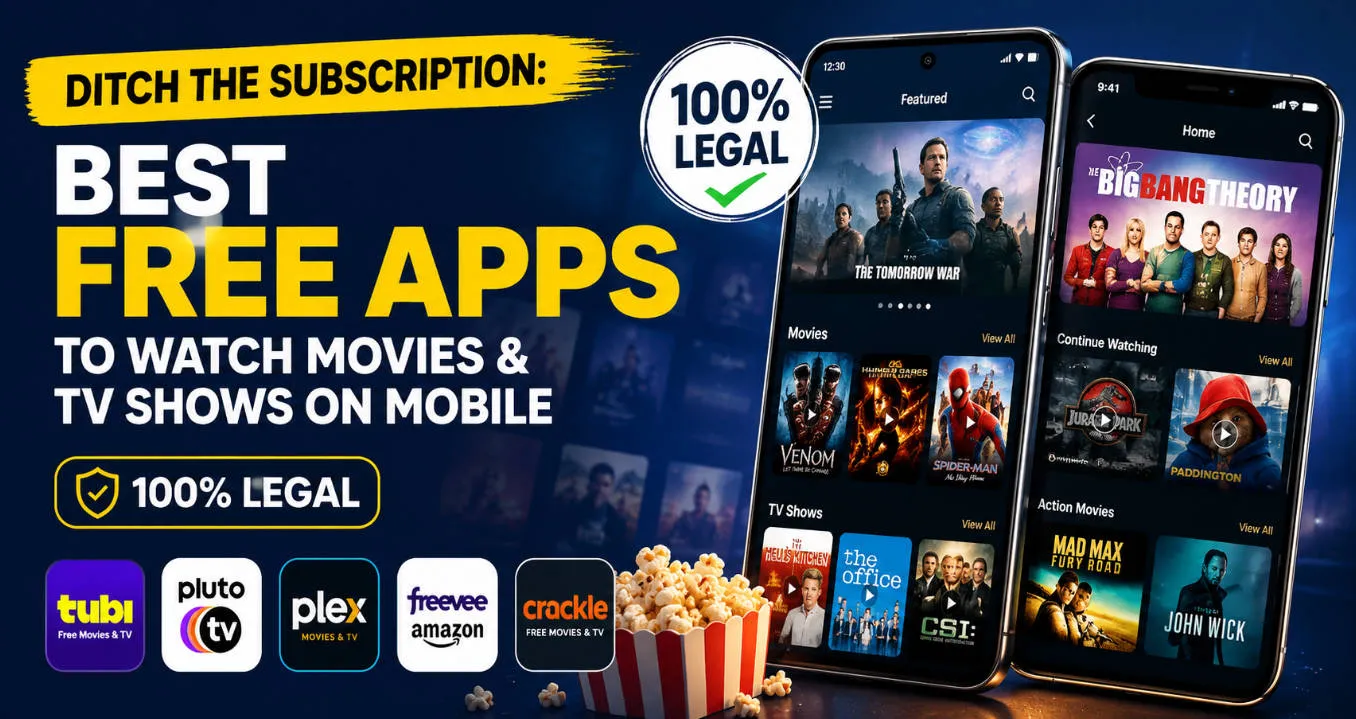
Tired of watching your monthly subscription fees skyrocket? You’re not alone. With major streaming giants constantly hiking prices, budget-conscious cord-cutters are looking for alternatives. But here is the big question: can you actually stream high-quality cinema on your iOS or Android device without paying a dime? And more importantly, is it safe, or will it land you in hot water with piracy laws? Don’t worry—you don't need to risk shady APK downloads or shady websites anymore. In this guide, we have rounded up the absolute best smartphone applications that let you binge-watch your favorite content completely on the house. From hidden Hollywood gems to trending reality shows, these mobile options offer crystal-clear playback. Best of all? They are entirely authorized and safe to use. Let’s dive into the top choices keeping your wallet happy this year.
📊Best Free Movie & TV Shows Apps on Mobile: at a Glance
Below is a quick overview of the absolute best, 100% legal mobile applications that let you binge-watch your favorite content completely on the house.
| Apps | Content Variety | Key Feature | Pricing Model | Android |
iOS | Download |
| Tubi | Hollywood hits, indies, anime, reality TV | Largest free library | 100% Free (With Ads) | ✅ |
✅ | Google Play / App Store |
| Pluto TV | Live TV channels, on-demand crime, comedy | Cable-like grid guide | 100% Free (With Ads) | ✅ |
✅ | Google Play / App Store |
| Plex | Classic films, shows, personal media server | Curate your own server | Free (Paid upgrades) | ✅ |
✅ | Google Play / App Store |
| Kanopy | Award-winning indies, docs, world cinema | Ad-free with library card | 100% Free (No Ads) | ✅ |
✅ | Google Play / App Store |
| Hoopla Digital |
Movies, TV, Audiobooks |
Library-supported streaming |
100% Free (No Ads) |
✅ |
✅ |
Google Play / App Store |
| The Roku Channel | Roku Originals, Hollywood dramas, sitcoms | Premium interface | 100% Free (With Ads) | Limited |
✅ | Google Play / App Store |
| Fandango at Home | Mainstream blockbusters, family movies | Free tier + rentals | Free (With Ads / Pay to rent) | ✅ |
✅ | Google Play / App Store |
| Crunchyroll | Anime series, Japanese dramas, movies | Best for anime lovers | Free tier (Paid premium) | ✅ |
✅ | Google Play / App Store |
| Crackle |
Most live channels of any free service |
600+ live channels + free DVR |
Free (ad-supported) |
✅ |
✅ |
Google Play / App Store |
| Xumo Play |
Live TV & on-demand |
No sign-up required |
Free (ad-supported) |
✅ |
✅ |
Google Play / App Store |
| Sling Freestream |
Most live channels of any free service |
600+ live channels + free DVR |
Free (ad-supported) |
✅ |
✅ |
Google Play / App Store |
| Fawesome |
Most movies |
Family-friendly & genre collections |
Free (Ads) |
✅ |
✅ |
Google Play / App Store |
| Amazon Freevee* |
Movies, TV Shows |
Amazon originals & licensed content |
Free (Ads) |
✅ |
✅ |
Available via Prime Video App (Google Play / App Store) |
| Filmrise |
Movies |
Large catalog of classic TV |
Free (Ads) |
✅ |
✅ |
Google Play / App Store |
| YouTube |
Free Movies & Channels |
Massive free content library |
100% Free |
✅ |
✅ |
Google Play / App Store |
Note: Availability varies by country. Some services are geo-restricted and may not be available outside certain regions.
✨Top 7 Free Streaming Apps for Android & iPhone: Detailed Reviews
1️⃣Tubi - Best Overall for the Ultimate Content Library
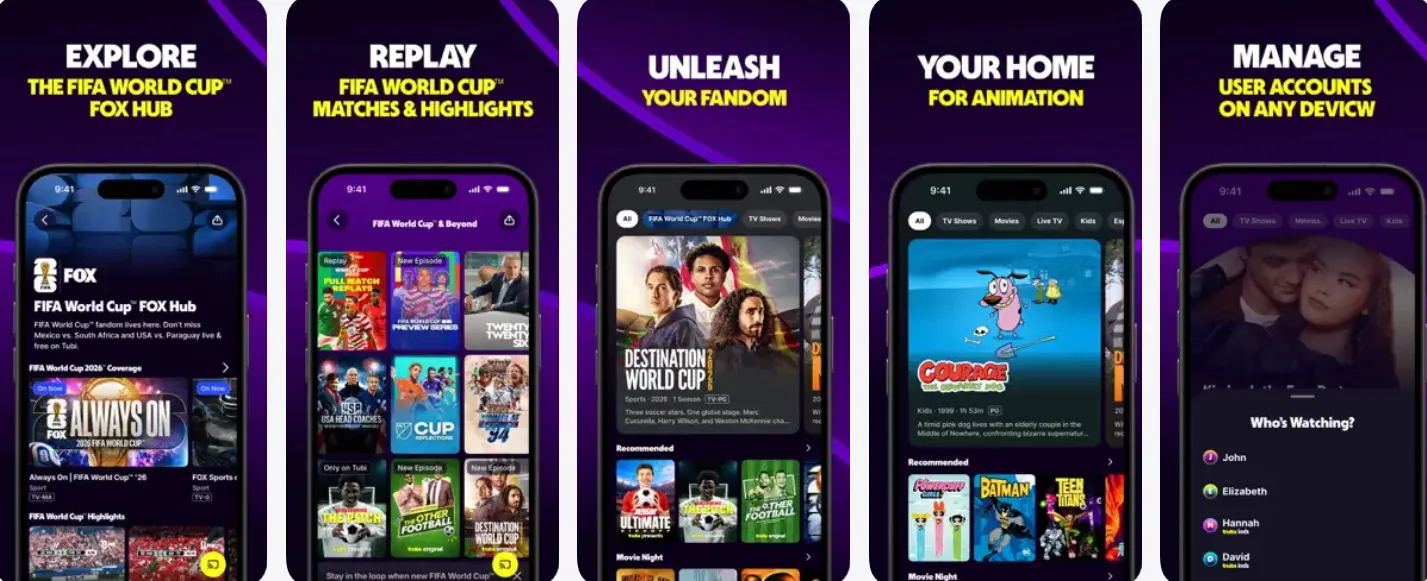
If you're looking for a completely legal way to watch movies and TV shows without paying a monthly subscription, Tubi is one of the best options available. Owned by Fox Corporation, Tubi is an ad-supported streaming service (AVOD) that offers a massive catalog of movies, TV series, live TV channels, and Tubi Originals—all without requiring a subscription or credit card. It is available on Android, iPhone, smart TVs, streaming devices, and web browsers.
-
Ads: Moderate — short breaks every 15–20 minutes
-
Streaming quality: 720p cap
-
Account required: No, but signing up unlocks watchlists and recommendations
-
Great for: Comedy, action, anime, horror, family
-
Not so great for: New releases
🚀 Key Features
Tubi offers features that easily rival premium apps like Netflix or Disney+. Here is a breakdown of its core capabilities:
| Feature | How It Works on Mobile (Android & iPhone) |
| Massive Library | Access to over 50,000 titles from major studios like Paramount, Lionsgate, and MGM. |
| No Registration Option | You don't even need an account. Download the app, click play, and start watching. |
| Watchlist & Syncing | If you do create a free account, it saves your progress and lets you create a custom watchlist across your phone, tablet, and TV. |
| Kids Mode | A dedicated, safe streaming area for children with age-appropriate cartoons and family movies. |
| Live TV Channels | Includes live streaming channels for local news, sports (like FOX Sports), and entertainment. |
⚖️ Pros & Cons
While Tubi is incredible, it does come with a few trade-offs because it is a free service.
| Pros 👍 | Cons 👎 |
|---|---|
| ✅ Completely free forever | ❌ Advertisements during playback |
| ✅ No subscription or credit card required | ❌ No offline downloads |
| ✅ Massive movie & TV library | ❌ Latest blockbuster releases are limited |
| ✅ Hundreds of free live TV channels | ❌ Content varies by country |
| ✅ Works on almost every device | ❌ Some titles leave the catalog due to licensing |
| ✅ Optional account for watchlists and recommendations | ❌ 4K support is limited |
| ✅ Family-friendly categories and Kids section | ❌ Not every movie includes multiple language options |
💰Pricing & Fees (2026)
| Plan | Monthly Price | Ads | Movies & TV Shows | Live TV | Notes |
|---|---|---|---|---|---|
| Free Plan | $0 | ✅ | ✅ | ✅ | No subscription required |
| Premium Plan | Not Available | — | — | — | Tubi currently has no paid subscription tier |
Unlike Netflix, Disney+, or Hulu, Tubi does not offer Premium or ad-free plans. The service remains entirely free and is funded through advertising.
🎯 Who is Tubi Best For?
Tubi is a must-have application if you fit into any of these categories:
-
The Budget-Conscious Cord-Cutter: If you are tired of Netflix and Hulu price hikes and want to slash your monthly bills to zero.
-
The Casual Viewer: Perfect if you love putting on "background TV" like nostalgic 90s sitcoms, classic reality shows, or Gordon Ramsay marathons.
-
The B-Movie & Cult Classic Fan: Tubi is famous for hosting an unmatched selection of indie horror, sci-fi, and nostalgic throwbacks that paid platforms usually ignore.
-
The Account-Fatigued Streamer: If you hate filling out forms, remembering passwords, and managing subscriptions, Tubi’s "just tap and watch" philosophy is incredibly refreshing.
2️⃣Pluto TV - Best for Traditional Cable Lovers & Channel Surfing
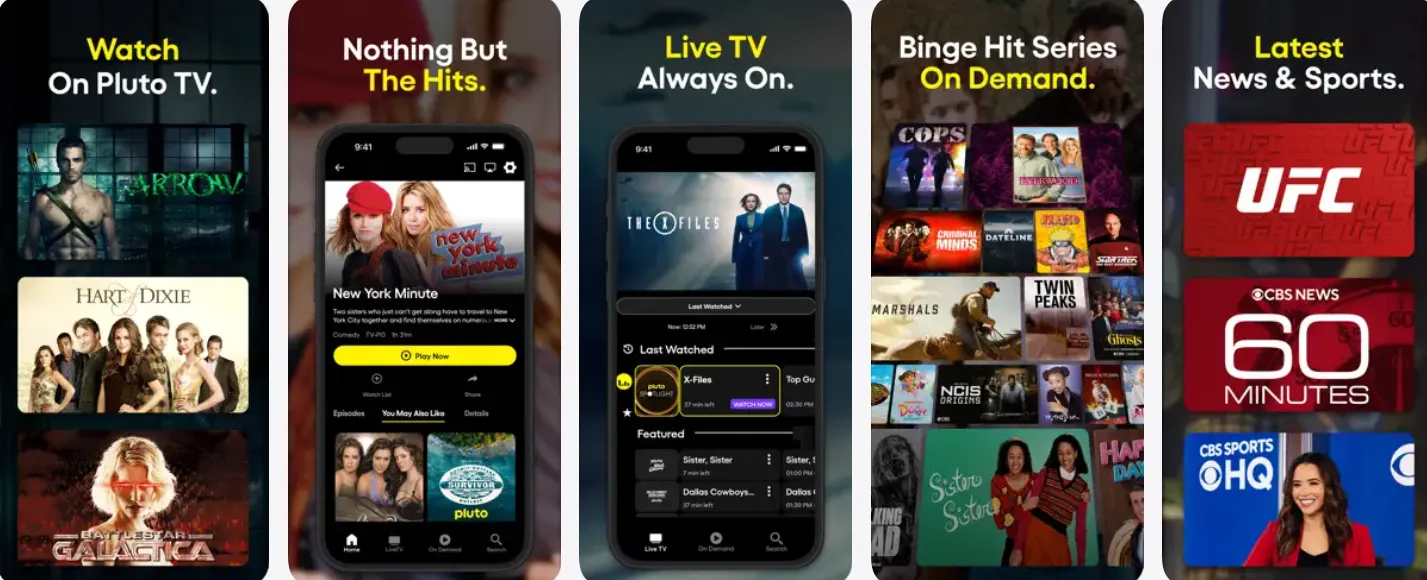
If you miss the experience of channel-surfing, Pluto TV is your answer. Owned by Paramount, it delivers more than 250 live channels ranging from news and sports to classics and drama, plus a solid selection of on-demand movies. You’ll find titles like Forrest Gump, Gladiator, and The Truman Show available to stream.
-
Ads: Standard commercial breaks
-
Account required: No — you can start watching immediately
-
Great for: Live TV channels, channel surfing
-
Not so great for: Action and comedy movies
🚀 Key Features
Pluto TV’s features are highly optimized to give mobile users a premium, seamless lean-back entertainment experience.
| Feature | How It Works on Mobile (Android & iPhone) |
| Live Virtual Cable Grid | A scrollable TV guide interface displaying over 250 live linear channels organized by genre (News, Comedy, Sports, Reality). |
| Paramount Back-Catalog Vault | Deep integration with Paramount's legendary archives, offering massive franchises like Star Trek, CSI, Survivor, and SpongeBob SquarePants. |
| On-Demand Streaming | A separate tab packed with thousands of full-length movies and binge-worthy TV series that you can play from the beginning anytime. |
| "Binge Channels" | Dedicated 24/7 channels that play only one single show continuously (e.g., a non-stop Hell's Kitchen or Doctor Who channel). |
| Watchlist & Progress Syncing | Creating a free account lets you star your favorite channels, pause a movie on your phone, and resume it later on your Smart TV. |
⚖️ Pros & Cons
Pluto TV is a stellar application, but it comes with specific architectural trade-offs that mobile users should be aware of.
| Pros 👍 | Cons 👎 |
|---|---|
| ✅ Completely free with no subscription | ❌ Commercial breaks during content |
| ✅ 250+ live TV channels | ❌ No offline downloads |
| ✅ Thousands of free on-demand movies & TV shows | ❌ Content library varies by country |
| ✅ No credit card required | ❌ Latest blockbuster releases are limited |
| ✅ Cable-like channel guide | ❌ Some channels simply replay older content |
| ✅ Excellent selection of news, sports, and entertainment | ❌ Video quality is generally Full HD rather than widespread 4K |
| ✅ Works on nearly every major streaming device | ❌ Interface can feel overwhelming for users who only want on-demand streaming |
💰Pricing & Fees (2026)
| Plan | Monthly Price | Ads | Live TV | On-Demand Movies | Notes |
|---|---|---|---|---|---|
| Free Plan | $0 | ✅ | ✅ | ✅ | No subscription or payment required |
| Premium Plan | Not Available | — | — | — | Pluto TV does not currently offer a paid or ad-free tier |
Unlike Netflix, Hulu, or Disney+, Pluto TV follows a "Stream Now. Pay Never." model and remains completely free for users
🎯 Who is Pluto TV Best For?
Pluto TV is the absolute perfect addition to your phone if you fit any of these profiles:
-
The Defiant Cord-Cutter: Anyone who misses the simple comfort of old-school cable TV channel surfing but refuses to pay an expensive monthly cable bill.
-
The "Background Noise" Streamer: Perfect for users who want something casual playing on their phone while cooking, working out, or folding laundry without having to manually pick individual episodes.
-
The Die-Hard Franchise Fan: If you can endlessly rewatch entire seasons of Star Trek: Voyager, Criminal Minds, Top Gear, or classic Nickelodeon cartoons.
-
The News and Reality Junkies: Perfect for staying up-to-date with rolling live news networks or mindless reality show marathons on the move.
3️⃣The Roku Channel - Best for Premium Originals and Sitcoms
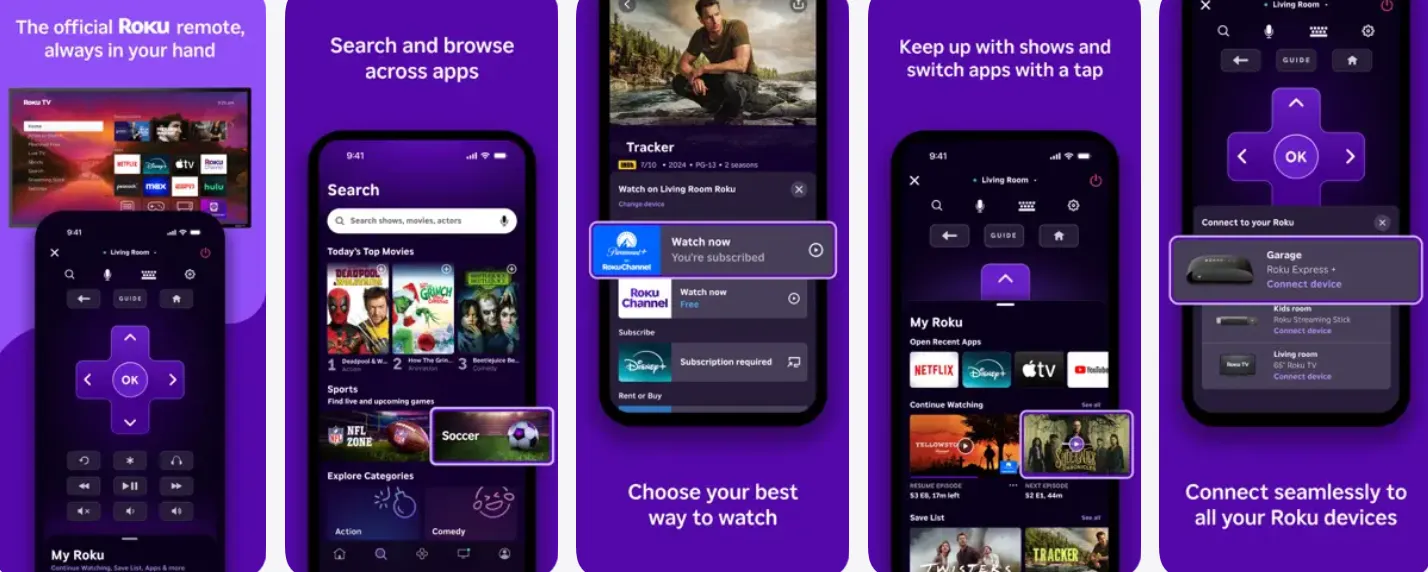
If you thought The Roku Channel was only available for people who own a Roku streaming stick or a Roku TV, think again! Roku has expanded its ecosystem into a massive, standalone mobile application for both iOS and Android. It delivers a heavy-hitting mix of Hollywood films, classic network sitcoms, live TV networks, and its own exclusive award-winning "Roku Originals."
-
Ads: Standard commercial breaks
-
Account required: No
-
Great for: Curated free content, hidden gems
🚀 Key Features
Beyond its content library, The Roku Channel mobile app acts as a dual-purpose software—serving as both a streaming pocket-theater and a smart utility device.
| Feature | How It Works on Mobile (Android & iPhone) |
| Roku Originals Hub | Exclusive home to Emmy-nominated series, reality competitions, and hit movies (like WEIRD: The Al Yankovic Story) that you can't find anywhere else. |
| 400+ Live Linear Channels | A massive, seamlessly built live TV grid guide covering 24/7 news, weather, movies, music playlists, and classic TV reruns. |
| Espacio Latino | A massive, dedicated segment within the app offering thousands of hit Spanish-language movies, telenovelas, and over 65 live Spanish channels. |
| Smart TV Remote Utility | The app doubles as a fully functional remote control and voice-search pad for any physical Roku TV or streaming player connected to your Wi-Fi network. |
| Private Listening Mode | A fantastic feature that lets you stream audio from your TV directly into your mobile headphones so you don't wake up anyone else in the room. |
⚖️ Pros & Cons
| Pros 👍 | Cons 👎 |
|---|---|
| ✅ Completely free for movies, TV shows, and live TV | ❌ Commercial breaks during free content |
| ✅ 500+ free live TV channels | ❌ Offline downloads are unavailable |
| ✅ Roku Originals exclusive content | ❌ Primarily available in the U.S., Canada, and the U.K. on mobile and web |
| ✅ No Roku device required | ❌ Some premium content requires separate subscriptions |
| ✅ Excellent user interface | ❌ Content library changes regularly due to licensing |
| ✅ Works on Android, iPhone, web, and many smart TVs | ❌ Latest blockbuster movies are limited |
| ✅ Family-friendly programming and Kids section | ❌ Availability differs by country |
💰Pricing & Fees (2026)
| Plan | Monthly Price | Ads | Free Movies & TV | Live TV | Premium Channels |
|---|---|---|---|---|---|
| Free Plan | $0 | ✅ | ✅ | ✅ | Optional add-ons |
| Premium Subscriptions | Varies by service | Depends on provider | Via subscription | Some services | Optional (e.g. STARZ, Paramount+, AMC+, MGM+) |
The Roku Channel itself is free forever. If you choose, you can subscribe to premium streaming services directly within the app, but they are completely optional.
🎯 Who is The Roku Channel Best For?
The Roku Channel is an absolute essential mobile app if you identify with any of these descriptions:
-
The Roku Hardware Ecosystem Owner: If you already own a Roku TV or streaming stick, this app is an absolute no-brainer to control your living room and take your favorite shows on the move.
-
The "Premium Free" Consumer: Viewers who want the high-budget feel of Netflix Originals but have a budget of exactly zero dollars.
-
Bilingual & Spanish-Speaking Homes: Anyone looking for the absolute best, most robust free selection of premium Spanish-language entertainment (Espacio Latino).
-
The Midnight Viewer: Great for night owls who love using the app's "Private Listening" feature to stream audio straight to their phone's Bluetooth headphones while watching the big screen
4️⃣Kanopy - Best Ad-Free Experience
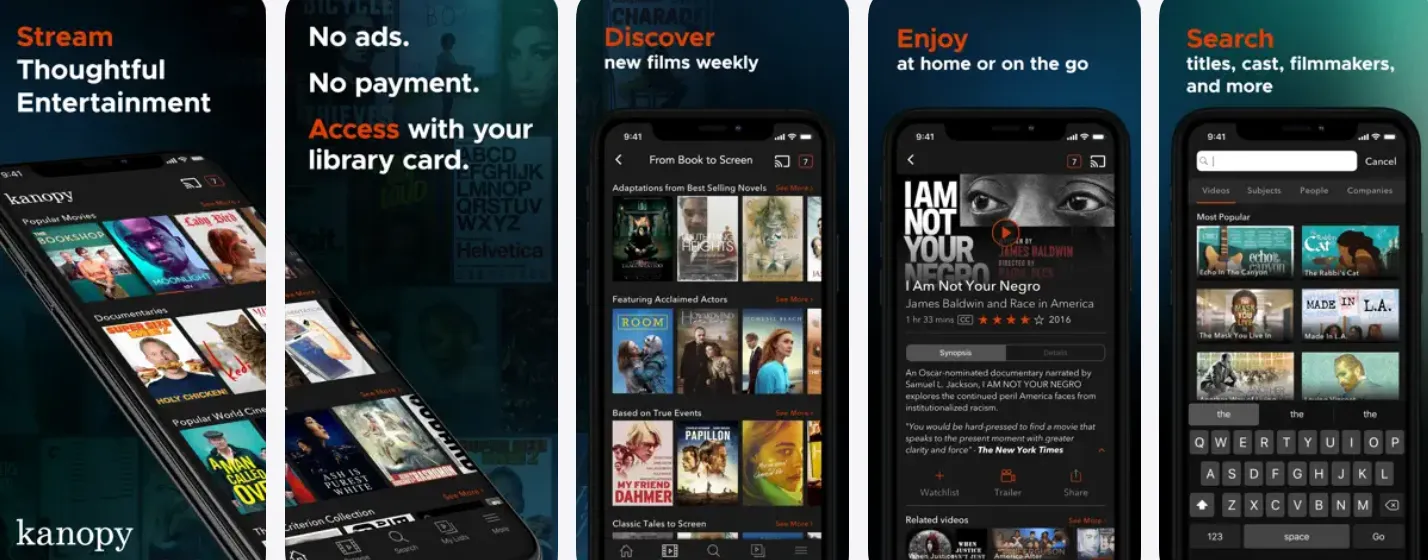
Kanopy is unique among free streaming services: it has zero ads. Instead, it’s funded through library and university licensing agreements. All you need is a participating library card or university login to access a carefully curated collection of Oscar-nominated films, foreign and indie cinema, documentaries, and educational courses. Titles include Lady Bird, Moonlight, and First Reformed.
-
Ads: None
-
Account required: Yes — library card or university login
-
Great for: Oscar nominees, foreign and indie films, documentaries
-
Not so great for: Comedy and action
🚀 Key Features
Kanopy doesn’t chase mainstream reality TV or popcorn flicks; instead, its features are tailored for high-brow entertainment and cinematic appreciation.
| Feature | How It Works on Mobile (Android & iPhone) |
| A24 & Indie Cinema Hub | Offers an incredible catalog of award-winning independent films from major indie studios like A24, The Criterion Collection, and Neon. |
| World & Foreign Films | An unmatched collection of international cinema, subtitled classics, and film festival favorites from around the globe. |
| Kanopy Kids | A dedicated section with unlimited streaming (does not use up monthly tickets) featuring educational shows, animated storybooks, and family favorites. |
| Deep-Dive Documentaries | Includes access to thousands of hard-to-find social, historical, scientific, and political documentaries (including PBS and Great Courses content). |
| Cross-Platform Syncing | Start watching an indie thriller on your iPhone during your commute and pick up right where you left off on your Android tablet or Android TV at home. |
⚖️ Pros & Cons
| Pros 👍 | Cons 👎 |
|---|---|
| ✅ Completely free with a participating library or university | ❌ Requires a library card or university account |
| ✅ 100% ad-free streaming | ❌ Not every library offers Kanopy |
| ✅ Excellent collection of award-winning and independent films | ❌ Monthly viewing limits (tickets or credits) vary by library |
| ✅ Includes documentaries, foreign films, and educational content | ❌ Smaller Hollywood blockbuster library than Tubi or Pluto TV |
| ✅ Kanopy Kids offers unlimited family-friendly programming at many libraries | ❌ Offline downloads are not supported |
| ✅ High-quality curation instead of overwhelming catalogs | ❌ Interface and search filters are more limited than major streaming services |
| ✅ Works on mobile devices, smart TVs, and web browsers | ❌ Regional availability depends on participating institutions |
💰Pricing & Fees (2026)
| Plan | Monthly Price | Ads | Library Card Required | Notes |
|---|---|---|---|---|
| Kanopy | $0 | ❌ | ✅ | Free through participating libraries or universities |
| Premium Plan | Not Available | — | — | Kanopy does not offer a consumer subscription |
Although Kanopy is free, each participating library sets its own borrowing rules. Many libraries use a monthly ticket system, while others allow a fixed number of streams each month.
🎯 Who is Kanopy Best For?
Kanopy is an absolute must-have mobile application if you fit any of these profiles:
-
The Cinephile & Arthouse Lover: If your favorite movies come from A24, Neon, or The Criterion Collection, and you prefer film festival winners over standard Hollywood formula films.
-
Students, Professors, and Lifelong Learners: Anyone with an active university login who wants to watch premium educational series, historical documentaries, and deep dives into culture or science.
-
Parents Seeking Smart Screen Time: Perfect for parents who want high-quality, non-commercial, and educational programming for their children via Kanopy Kids.
-
The Absolute Ad-Hater: If you refuse to use free apps like Tubi because you cannot stand commercial interruptions, Kanopy is your only premium, legal alternative.
5️⃣Plex - Best for Multi-Taskers and Media Organizers
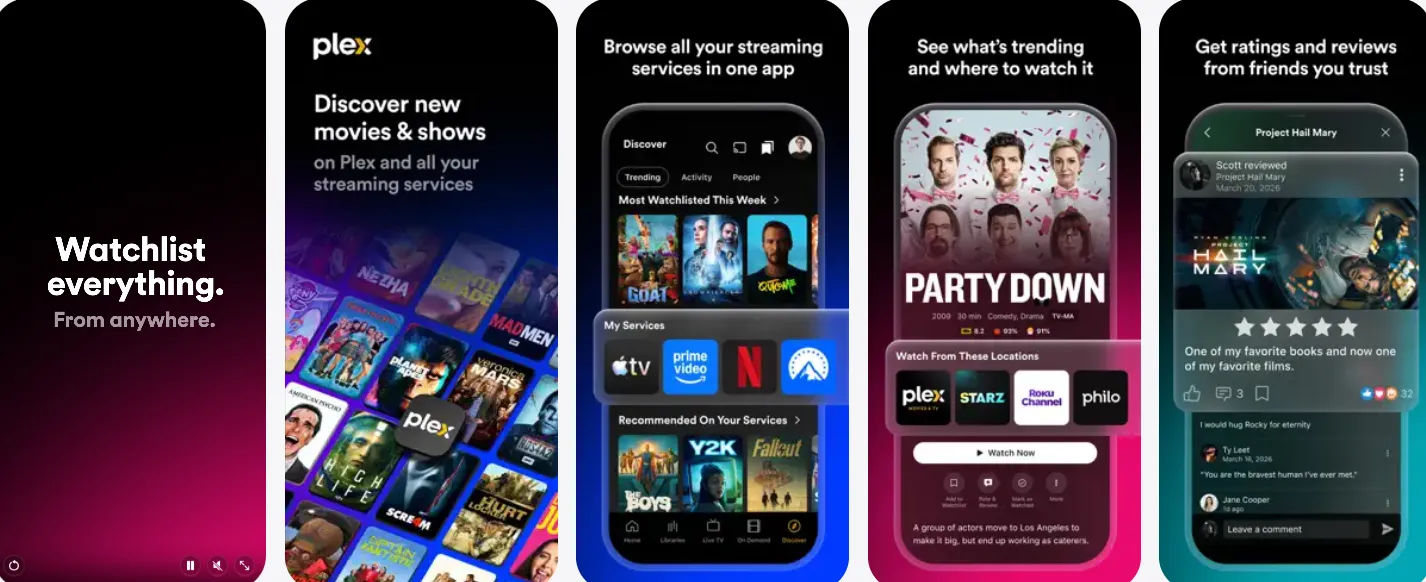
While most cord-cutters only think of Plex as a tech-savvy software used to organize personal media servers, it has quietly transformed into one of the largest free streaming portals in the world. Merging a slick, modern design with an ad-supported vault, Plex delivers over 50,000 on-demand titles, hundreds of live virtual cable channels, and a newly integrated social discovery platform directly to your mobile device.
-
Ads: Yes, on free content
-
Account required: Free account recommended
-
Great for: Live TV enthusiasts and media collectors
🚀 Key Features
Plex stands out from standard apps because it acts as a unified universal interface for your entire digital entertainment life.
| Feature | How It Works on Mobile (Android & iPhone) |
| Universal Watchlist & "Discover" | A groundbreaking aggregator tool. You can search for any movie in existence, and Plex will tell you exactly which streaming service (Netflix, Hulu, etc.) is hosting it, allowing you to launch it instantly. |
| Social Recommendations & Lists | Features a community hub where users can curate custom movie lists, write reviews, and start public "Discussions" with friends directly inside the app. |
| Massive Free On-Demand Vault | Partnerships with major Hollywood studios bring a heavy volume of award-winning indies, classic blockbusters, and niche documentaries. |
| Personal Server Integration | If you have video files saved on your computer, the free Plex app lets you build your own private, beautifully organized "personal Netflix" to stream home videos or legal backups. |
⚖️ Pros & Cons
| Pros 👍 | Cons 👎 |
|---|---|
| ✅ Thousands of free movies and TV shows | ❌ Ads appear during free streaming |
| ✅ 600+ free live TV channels | ❌ Offline downloads require Plex Pass |
| ✅ Organize and stream your own media library | ❌ Personal media server setup can be confusing for beginners |
| ✅ Universal search across multiple streaming platforms | ❌ Some premium features require a subscription |
| ✅ Available on nearly every major device | ❌ Free content library varies by region |
| ✅ Supports 4K HDR personal media playback | ❌ New Hollywood releases are limited in the free catalog |
| ✅ Great for movie collectors with NAS or home servers | ❌ Remote streaming of personal media has new subscription requirements for many use cases introduced in 2025–2026 |
💰Pricing & Fees (2026)
| Plan | Monthly Price | Ads | Free Movies & TV | Live TV | Personal Media | Best For |
|---|---|---|---|---|---|---|
| Free | $0 | ✅ | ✅ | ✅ | ✅ | Most users |
| Remote Watch Pass | $1.99/month or $19.99/year | — | ❌ | ❌ | ✅ Remote streaming access | Users streaming shared personal libraries remotely |
| Plex Pass | $6.99/month | — | ✅ | ✅ | ✅ Premium features | Power users and media collectors |
| Plex Pass Annual | $69.99/year | — | ✅ | ✅ | ✅ Premium features | Better yearly value |
| Plex Pass Lifetime | $249.99 (one-time) | — | ✅ | ✅ | ✅ Lifetime premium access | Long-term Plex enthusiasts |
Note: The free streaming catalog remains free even if you don't subscribe. Plex Pass mainly unlocks advanced features such as offline downloads for personal media, hardware transcoding, DVR functionality, enhanced parental controls, and other server-related capabilities
🎯 Who is Plex Best For?
Plex is an absolute essential mobile app if your readers fit into these categories:
-
The Fragmented Streamer: If you subscribe to multiple platforms (Netflix, Prime, Apple TV+) and want one single master app on your phone to track, search, and organize your universal watchlist.
-
The Social Cinephile: Perfect for those who love talking about movies, reading what their friends are watching, and looking at user-curated lists rather than relying on stale AI algorithms.
-
The Hybrid Media User: Anyone who wants a high-quality free movie library but also wants a sleek way to stream their own personal collection of music, photos, or home videos on the go.
6️⃣Sling Freestream - 650+ free live channels with no account required
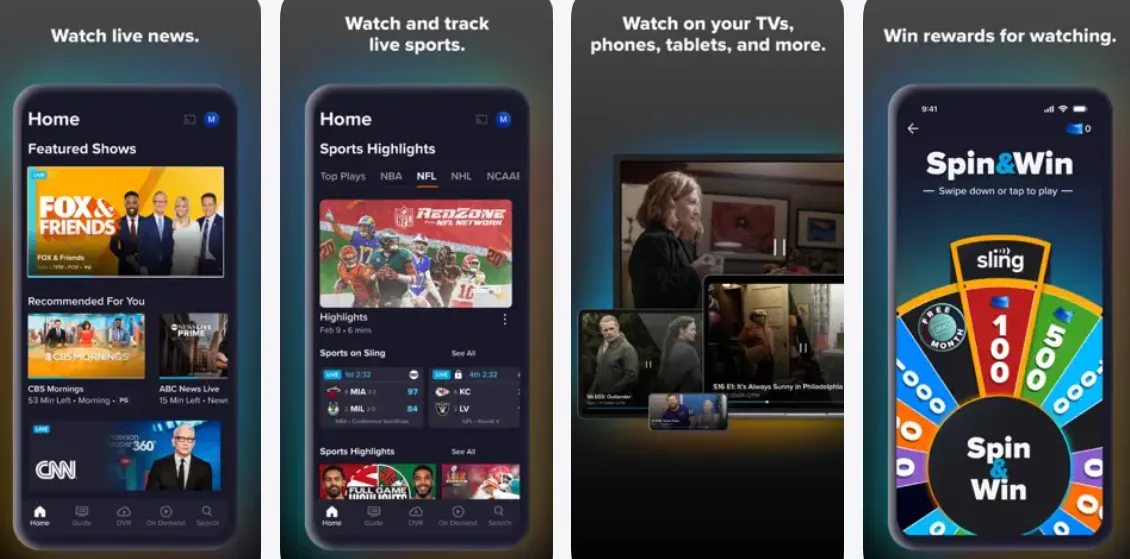
Sling Freestream is the free, ad-supported streaming service built into the Sling TV app. It lets you watch 650+ live TV channels and 40,000+ on-demand movies and TV shows without paying a subscription fee. Unlike Sling's paid TV plans, Sling Freestream is completely free, and you don't even need a credit card to start watching.
-
Ads: Standard commercial breaks
-
Account required: Free account recommended
-
Great for: Live TV variety, DVR recording
🚀 Key Features
Sling Freestream stands out from other free apps because it provides features usually locked behind high-end premium paywalls.
| Feature | How It Works on Mobile (Android & iPhone) |
| Free 10-Hour Cloud DVR | A massive game-changer. If you create a free account, you can actually record live free channels to your phone's profile and watch them later on your own schedule. |
| 650+ Live Channels | One of the largest linear grids on the market, covering national news (ABC News Live, CBS News), live sports hubs, reality TV, and home renovation networks. |
| Built-in "Arcade" Mini-Games | The mobile app includes a built-in gaming center where you can play retro classics like Pac-Man and Tetris directly inside the video interface. |
| On-Demand Binge Vault | Over 120,000 episodes and movies ready to stream anytime, including heavy reality TV portfolios like Hell's Kitchen and crime dramas like Forensic Files. |
⚖️ Pros & Cons
| Pros 👍 | Cons 👎 |
|---|---|
| ✅ Completely free with no subscription | ❌ Advertisements during movies and TV shows |
| ✅ 650+ live TV channels | ❌ No offline downloads |
| ✅ 40,000+ on-demand movies & TV episodes | ❌ Latest blockbuster movies are limited |
| ✅ No credit card required | ❌ Some content is U.S.-only |
| ✅ Optional free account with watchlists and profiles | ❌ Paid Sling TV content is mixed into the interface, which can be confusing |
| ✅ Works on nearly every major streaming device | ❌ Many premium cable channels require a paid Sling subscription |
| ✅ Great selection of news, lifestyle, and reality channels | ❌ Doesn't offer as many exclusive originals as some competitors |
💰Pricing & Fees (2026)
| Plan | Monthly Price | Ads | Live TV | On-Demand Library | Best For |
|---|---|---|---|---|---|
| Sling Freestream | $0 | ✅ | ✅ | ✅ | Free streaming with no commitment |
| Sling Orange (Optional) | From $45.99/month | Limited | ✅ | ✅ | Sports and family entertainment |
| Sling Blue (Optional) | From $45.99/month | Limited | ✅ | ✅ | News and entertainment channels |
| Sling Orange + Blue (Optional) | From $60.99/month | Limited | ✅ | ✅ | Maximum live TV channel selection |
Note: You do not need a paid Sling TV subscription to use Sling Freestream. The paid plans simply unlock additional premium cable channels and features.
🎯 Who is Sling Freestream Best For?
Sling Freestream deserves a permanent spot on your reader's phone if they match any of these profiles:
-
The Live Sports & News Fanatic: If you need to keep up with rolling national news networks or free live sports broadcasts on the move.
-
The Busy Streamer (Who Needs a DVR): Perfect for users who love live television programs but are rarely home when they actually air—the 10-hour free DVR is an unmatched perk.
-
The "Maybe One Day" Cable Cord-Cutter: Ideal for people testing the waters of dropping their cable bills, as it lets you stream free content smoothly while keeping the door open for easy, temporary channel passes when needed.
-
The Retro Gamer & Multi-tasker: Anyone who loves the novel concept of playing a quick game of Tetris on their smartphone screen while a live show plays in the picture-in-picture window.
7️⃣Xumo Play - Best No-Sign-Up Option
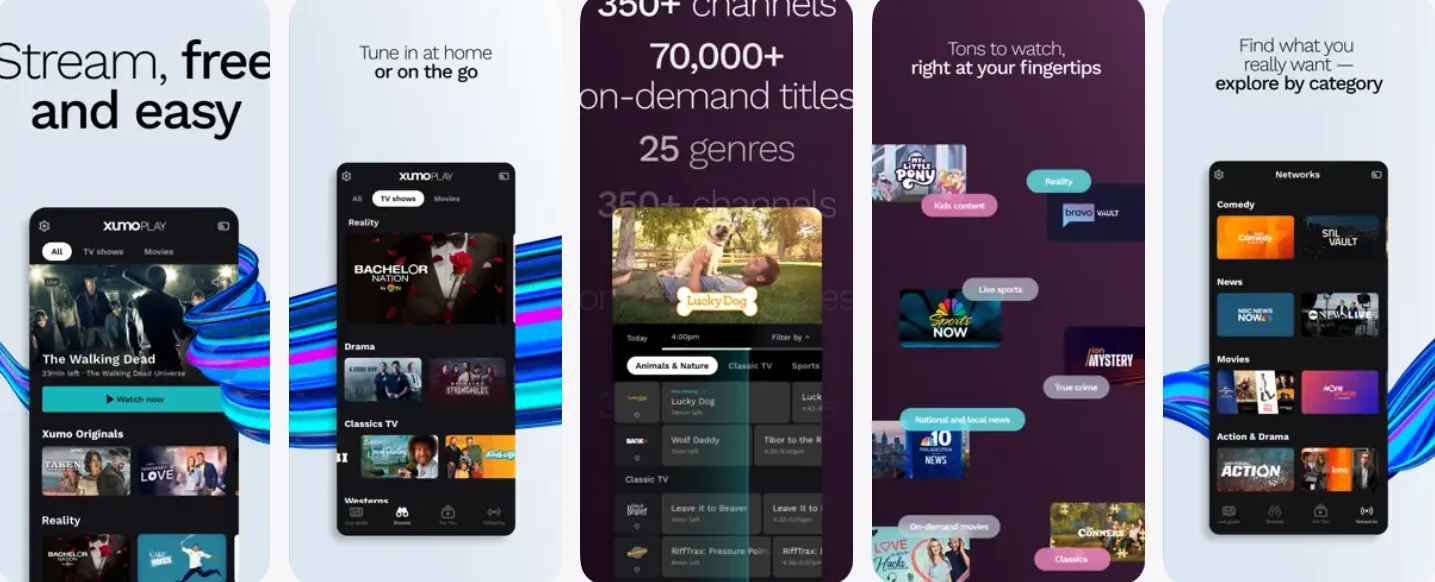
Xumo Play offers a straightforward free streaming experience with no account required. It provides a mix of live channels and on-demand movies and TV shows. The interface is clean and simple, making it a great choice if you just want to press play and watch without any friction.
-
Ads: Standard commercial breaks
-
Account required: No
-
Great for: Quick, hassle-free streaming
🚀 Key Features
Xumo Play excels at providing a smooth mobile experience with highly organized, niche thematic programming.
| Feature | How It Works on Mobile (Android & iPhone) |
| 350+ Live Linear Channels | A massive, beautifully structured channel guide covering local and national news, weather networks, network comedies, and sports channels. |
| Zero-Sign-In Launching | Engineered for immediate playback. The moment you open the app, a live stream starts playing automatically behind the channel menu. |
| 15,000 On-Demand Titles | A dedicated library packed with thousands of curated Hollywood hits, indie movies, full television series, and reality programs. |
| Deep Local News Network | Features a highly robust network of rolling local news stations covering almost every major metropolitan area in the United States. |
| Smart Curation Across 26 Genres | Extremely easy navigation tabs that break down content into ultra-specific categories like Crime TV, Game Shows & Daytime TV, Action & Drama, and Latino. |
⚖️ Pros & Cons
| Pros 👍 | Cons 👎 |
|---|---|
| ✅100% free | ❌Ad interruptions (frequent) |
| ✅No sign-up needed | ❌No ad-free plan available |
| ✅Huge channel lineup | ❌Content rotates (not everything always available) |
| ✅Easy to use | ❌Search/navigation can be limited on some devices |
| ✅Works on most devices | ❌Less premium/new releases vs paid platforms |
| ✅Good for background TV | ❌Quality varies by channel |
💰Pricing & Fees (2026)
| Fee Type | Price | What You Get / Requirements |
| Subscription Fee | $0.00 (Free Forever) | Full access to over 350+ live television channels and a library of 15,000+ on-demand titles. |
| Premium Tiers / VIP Upgrades | ❌ | Xumo Play does not offer a premium option. Every single feature is available to all users. |
| Credit Card Required? | ❌ | You do not need to link a credit card, debit card, or PayPal account to use the application. |
👉 Bottom line: It’s completely free because it’s ad-supported (like YouTube or Pluto TV).
🎯 Who is Xumo Play Best For?
Xumo Play is an absolute must-download mobile app if your readers fit into these categories:
-
The Absolute Minimalist: Viewers who suffer from "app fatigue" and hate creating profiles, remembering passwords, or filling out lengthy email signup forms.
-
The Local News & Weather Watcher: Perfect for commuters and travelers who want to check live, local breaking news streams from major metropolitan areas on their phone.
-
The Classic Network Television Fan: Anyone who loves to endlessly binge award-winning dramas (Mad Men), classic reality television series (The Bachelor archive), or vintage game shows.
-
The Passive "Lean-Back" Viewer: Ideal for users who just want to turn on a channel dedicated to 24/7 Gordon Ramsay or true crime, letting it play smoothly in the background while multitasking.
🧭How to Choose the Right Free Streaming App: A Quick Guide
With so many incredible, zero-cost options available on the App Store and Google Play, you don't have to limit yourself to just one. However, to build the ultimate, clutter-free mobile entertainment setup, you need to know how to pick the apps that match your personal viewing habits.
Here is our expert checklist and crucial safety tips to help you choose the perfect pocket theater:
1️⃣ Identify Your Streaming Style
Before downloading, think about how you like to consume media:
-
The "On-Demand" Movie Buff: If you hate schedules and want to browse a massive catalog of films to watch whenever you want, make Tubi or Fandango at Home your primary app.
-
The Classic Channel Surfer: If you miss the nostalgia of flipping through TV channels and want immediate background noise while cooking or working, Pluto TV or Xumo Play are your gold standards.
-
The Smart Watchlist Organizer: If you already subscribe to multiple paid apps and want one single master dashboard to track your shows across the internet, download Plex immediately.
2️⃣Check the Account Requirements (Privacy vs. Features)
Different apps handle your personal data differently:
-
Zero Friction (No Sign-Up): If you value absolute privacy and want to stream instantly without handing over your email address or creating another password, stick to Tubi, Pluto TV, or Xumo Play.
-
Feature Unlocks (Sign-Up Required): If you want advanced features like a free 10-hour cloud DVR (available on Sling Freestream) or a universal watchlist shared across your phone and smart TV (available on Plex and The Roku Channel), taking 30 seconds to create a free account is well worth it.
3️⃣Match Your Favorite Genres
Don't waste storage space on apps that don't host what you love:
-
For Award-Winning Indies & Docs: Kanopy is unmatched (just remember you need a valid public library card or university login to access it).
-
For B-Movies, Cult Horrors, & Reality TV: Tubi has the deepest, most chaotic, and most brilliant archive on the planet.
-
For Major Network Franchises: Pluto TV (backed by Paramount) is the best home for massive hits like Star Trek and classic Nickelodeon shows.
📌Quick Decision Guide – Best App by Use Case
| If you want… | The best choice is… | Account needed? | Ad experience |
|---|---|---|---|
| The largest movie & TV library | Tubi | No | Moderate ads |
| Live TV channels and channel‑surfing | Pluto TV | No | Standard commercials |
| The most live channels (600+) with DVR | Sling Freestream | Recommended | Standard commercials |
| Ad‑free films, indie & documentaries | Kanopy | Library card required | None – completely ad‑free |
| Action, thriller & sci‑fi movies | Crackle | Optional | Standard commercials |
| Live TV + your own media collection | Plex | Recommended | Standard commercials |
| No sign‑up, just press play | Xumo Play or The Roku Channel | No | Standard commercials |
⚠️ Crucial Safety Warnings & Things to Keep in Mind
While every application recommended in this guide is 100% legal and verified, streaming free content on a mobile phone comes with a few mandatory trade-offs that you must keep in mind:
-
Embrace the Commercial Ads: Remember, "legal and free" means these apps pay for multi-million dollar movie licenses by showing commercials. If an app promises you brand-new, theater-release blockbusters with zero ads and no fees, it is highly likely an illegal piracy app that could compromise your phone’s cybersecurity or infect it with malware.
-
Beware of Data Consumption: Free apps stream in high-definition (HD) by default. If you are binging a series on the subway using your cellular network instead of Wi-Fi, keep an eye on your mobile data limits, as streaming can easily chew through several gigabytes per hour.
-
Geographical Library Restrictions (Geo-fencing): Due to strict international licensing laws, many of these platforms (especially Sling Freestream, The Roku Channel, and Xumo Play) are heavily optimized for users based in the United States, UK, or Canada. If you are traveling abroad, your mobile app library might change, or the app may temporarily refuse to load until you return home.
💡 The Ultimate Insider Tip: Mix and Match!
Since all of these applications cost exactly $0.00, the smartest strategy is to download a combination of two or three. Combine Tubi for your on-demand movie nights, Pluto TV for casual daytime channel surfing, and Plex to keep your entire digital entertainment world organized!
✂️Free Movie & TV Streaming Apps FAQs: Top 10 Common Troubleshooting
If you’re new to free streaming apps, you may quickly run into common questions about ads, content availability, device support, and playback issues. The table below summarizes the most frequently asked questions from users and provides clear, practical solutions to help you choose and use free movie and TV streaming apps more smoothly.
| Questions | Answers/ Solutions |
|---|---|
| Why are free streaming apps showing so many ads? | Free apps like Xumo Play and Tubi rely on ads for revenue. There is no ad-free version, so occasional interruptions are normal. |
| Why can’t I find the same movies in different countries? | Licensing rights vary by region. Content libraries change depending on your location, so availability is not always the same globally. |
| Do I need to create an account to watch? | Most apps like Xumo Play and Pluto TV allow instant streaming without sign-up, but creating an account may unlock personalization features. |
| Why does streaming sometimes buffer or lag? | This is usually caused by unstable internet, overloaded Wi-Fi, or low device performance. A stable 10+ Mbps connection is recommended. |
| Why is it hard to find specific movies or shows? | Free apps often prioritize channels or categories instead of advanced search. Try browsing genres instead of searching titles directly. |
| Why do movies disappear from free apps? | Content is rotated due to licensing agreements, so titles may come and go without notice. |
| Which app is best for live TV vs movies? | Live TV: Xumo Play, Pluto TV. Movies: Tubi, Plex. Mixed use: Sling Freestream or Freevee. |
| Can I download movies for offline viewing? | Most free streaming apps do NOT support offline downloads due to licensing restrictions. |
| Are free streaming apps safe to use? | Yes, official apps like Xumo Play and Tubi are safe. Always download from official app stores to avoid fake versions. |
| Should I use more than one app? | Yes. Most users combine 2–3 apps to get better coverage of movies, shows, and live channels. |
If you are a true movie buff, looking for free movie apps or a paid movie app for Android or iPhone, check some of the best movie-watching apps from the above list. You will never be disappointed with any of the services mentioned above, giving you complete freedom to watch them anytime and anywhere.