Streaming your favorite shows on Netflix has become more expensive over the years, leaving many Canadian viewers searching for smarter, cheaper ways to access content. In 2026, Canada offers a range of legitimate options — from bundled deals with major telecom providers like Rogers, Bell, and TELUS, to free trials, temporary promotions, and alternative cost-saving strategies. This comprehensive guide will walk you through everything you need to know to watch Netflix for free or as cheaply as possible in Canada.
2026 Netflix Canada Pricing: Full Breakdown
Before we dive into savings strategies, let's establish exactly what you're currently paying—or would pay for a direct subscription. As of early 2026, Netflix offers three main tiers in Canada:
| Plan | Monthly Price (CAD) | Resolution | Streams | Ads | Best For |
|---|---|---|---|---|---|
| Standard with Ads | $7.99 | Full HD (1080p) | 2 devices | Yes (~4 min/hour) | Budget-conscious viewers, casual watchers |
| Standard | $18.99 | Full HD (1080p) | 2 devices | No | Couples, small households wanting ad-free |
| Premium | $23.99 | Ultra HD (4K + HDR) | 4 devices | No | Large families, home theater enthusiasts |
💡 Netflix occasionally adjusts prices — always check your local Netflix app or website for the most up-to-date rates.
With prices rising and new ad-supported tiers becoming more common, finding the best value for your money in Canada is more important than ever.
Top Strategies for Free or Discounted Netflix in Canada: Methods Compared
With rising subscription costs, Canadians have several options to enjoy Netflix without overspending. Below is a comprehensive comparison of all major strategies, including free access, discounted subscriptions, and telecom bundles.
| Strategy | How It Works | Pros | Cons | Best For |
|---|---|---|---|---|
| Free Trials / Intro Offers | Sign up for new Netflix or telecom bundles that include free months | Completely free for trial period, easy to set up | Limited to first-time users, must cancel to avoid charges | New subscribers trying Netflix for the first time |
| Ad-Supported Basic Plan | Netflix Basic with Ads subscription | Lowest official price, access to full library | Ads interrupt viewing, SD resolution only | Budget-conscious viewers |
| Account Sharing / Profile Sharing | Share Standard or Premium account with family/friends | Cuts individual cost, multiple profiles | Must share with trusted people, screen limits apply | Households or groups of friends |
| Rogers Bundles | Netflix included in selected internet or mobile plans | Often includes Standard or Premium tier, one bill | Requires eligible Rogers plan, promo period may end | Rogers customers with high-speed internet or mobile plans |
| Bell Bundles | Netflix included with Fibe Internet, TV, or mobile plans | Standard/Premium access, promotional pricing | May be regional restrictions, promo periods limited | Bell subscribers wanting internet + Netflix combo |
| TELUS Bundles | Netflix added to TELUS internet, TV, or mobile | Flexible options, often discounted | Not all plans include Netflix, promo may expire | TELUS subscribers seeking bundle savings |
| Gift Cards & Promotions | Buy discounted Netflix gift cards or redeem promotional codes | Prepay for Netflix at lower cost | Dependent on seasonal deals, limited savings | Bargain hunters and early planners |
| Rotating Subscription | Subscribe only when actively watching, cancel when done | Save money on months you don’t watch | Requires careful management, risk of forgetting | Casual viewers who binge-watch in bursts |
There are all Netflix discounts & free access methods details in Canada:
✅ Free Trials & Introductory Offers
While Netflix itself rarely offers new free trials in many markets anymore, telecom providers sometimes bundle free months of Netflix with new plans (more on this in the next section).
-
Check Netflix promotions: Occasionally Netflix brings back “first month free” offers during big events.
-
New account sign‑ups: Watch for trial prompts when creating a new Netflix account — some regions still qualify.
✅ Shared Accounts (Profile Sharing)
Netflix allows multiple profiles — meaning one subscription can serve several users.
-
Standard Plan: 2 screens at once
-
Premium Plan: 4 screens at once
Sharing with trusted family/friends can cut your effective cost dramatically. Always respect Netflix’s terms and user limits.
✅ Ad‑Supported Tier (Best Budget Option)
Netflix’s Basic with Ads plan is the cheapest official way to watch without giveaways.
✔ Cheapest recurring cost
✔ Access to most Netflix library
✘ Includes ads, limited resolution
Best for cost-conscious viewers who don’t mind interruptions.
✅ Bundle Deals with Telecom Providers
Many Canadian carriers include Netflix at discounted rates (or free for a period) when you bundle with internet or mobile plans. The next section dives deeper into that.
✅ Gift Cards & Promotional Codes
-
Netflix gift cards can be purchased at stores and used to “prepay” your subscription.
-
Watch for seasonal promotions where gift cards are discounted (e.g., Black Friday).
✅ Alternative Platforms with Shared Access
Some family/group plans on streaming hubs or third‑party subscription management platforms allow users to consolidate entertainment services — including Netflix - for lower combined costs.
Best Carrier Deals for Netflix & How to Claim Them: Deep Dive
1. Rogers: The Xfinity "StreamSaver"
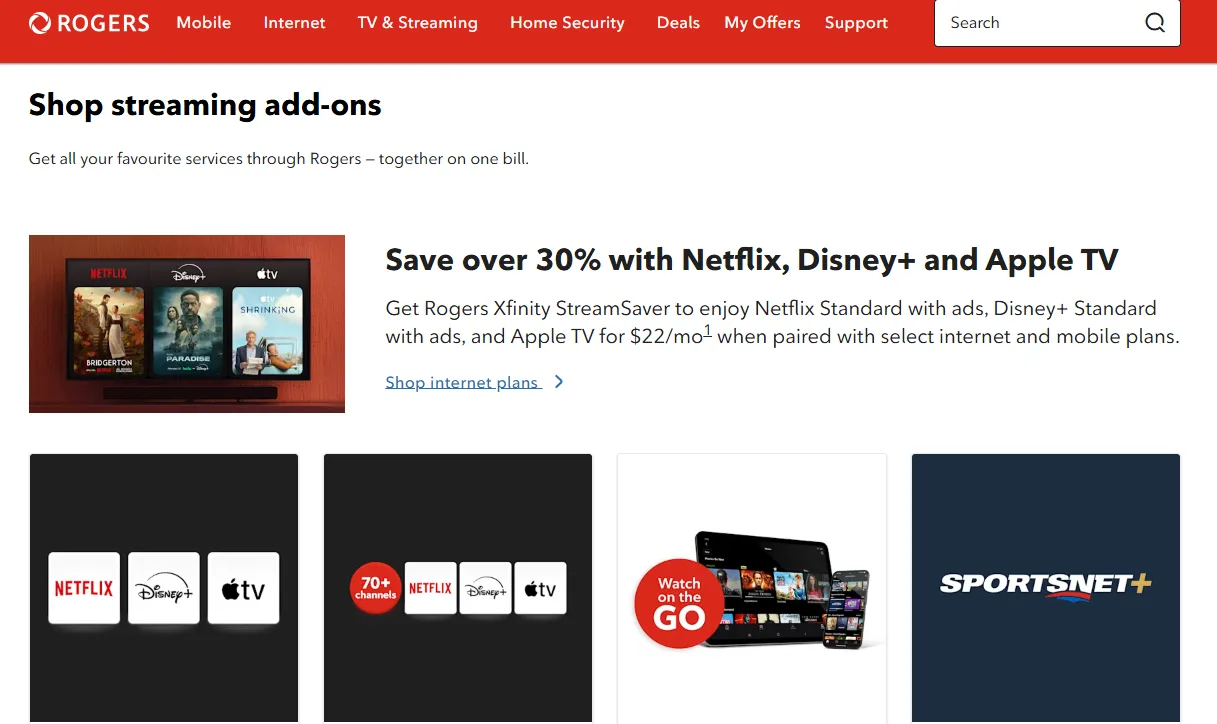
Rogers has aggressive streaming plays in 2026. Their StreamSaver bundle is the current market leader for variety.
Rogers frequently bundles Netflix with its internet and mobile plans, giving Canadian subscribers a way to save money or even get Netflix for “free” as part of a promotional package. These deals are typically available when you sign up for eligible Rogers services and may vary by region and plan.
⏩What's included: The primary deal is the StreamSaver add-on or the Ultimate TV package.
-
Rogers Xfinity StreamSaver ($22/month): This is a "3-in-1" streaming bundle. It includes Netflix Standard with Ads, Disney+ Standard with Ads, and Apple TV+ (ad-free).
-
The Ultimate TV Plan (~$95/month): This is Rogers' premium cable package that now includes the StreamSaver bundle (Netflix, Disney+, and Apple TV+) as a built-in feature at no extra cost.
-
App TV ($25 - $40/month): A "skinny" cable package that runs entirely through the Rogers Xfinity app and includes Netflix
⏩The Deal: Add the StreamSaver pack to any 5G Mobile or Xfinity Internet plan for approx. $22/month.
⏩The Saving: If you subscribed to these three services individually, you would pay roughly $32/month. The Rogers bundle saves you approximately 30% ($120+ per year).
The Savings Breakdown:
| Service | Standalone Cost (CAD) |
|---|---|
| Netflix (with ads) | $7.99 |
| Disney+ (with ads) | $8.99 |
| Apple TV+ | $14.99 |
| Total separately | $31.97 |
| Rogers bundle | $22.00 |
| Your savings | $9.97/month ($119.64/year) |
⏩How to Claim Rogers Netflix Deals(Step-by-Step)
Rogers has streamlined this so you can link your existing Netflix account without losing your watch history or profiles.
-
Purchase the Bundle: Sign in to your MyRogers account and add "StreamSaver" to your internet or TV plan.
-
Wait for the Activation Email: Rogers will send an email titled "Activate your subscriptions" within minutes of your purchase.
-
Log in to MyRogers: Click the link in the email or go to the "Manage Subscriptions" section on the MyRogers dashboard.
-
Click "Activate" next to Netflix: You will be redirected to a dedicated Netflix landing page hosted by Rogers.
-
Enter Your Current Netflix Email: * If you have an account: Enter your existing email and password. Netflix will recognize you and stop billing you directly, switching the payment to your Rogers bill.
-
If you are new: Create a new account through this portal.
-
-
Confirm and Stream: Once linked, you can open the Netflix app on your Rogers Xfinity Stream Box or any other device (phone, tablet, Smart TV) and start watching.
⏩Who is the Target Audience?
-
The "Bundle & Save" Seekers: Families who already use Rogers Internet and want to consolidate their streaming bills to save $10–$15 a month.
-
Current Cord-Cutters: Users who don't want traditional cable but want a "skinny" package (App TV) that includes the main streaming giants.
-
Existing Multi-Service Users: If you already pay for Netflix and Disney+ separately, switching to Rogers StreamSaver is an "easy win" to reduce your monthly overhead.
2. Bell: The "Bell Streaming" Ultimate Bundle
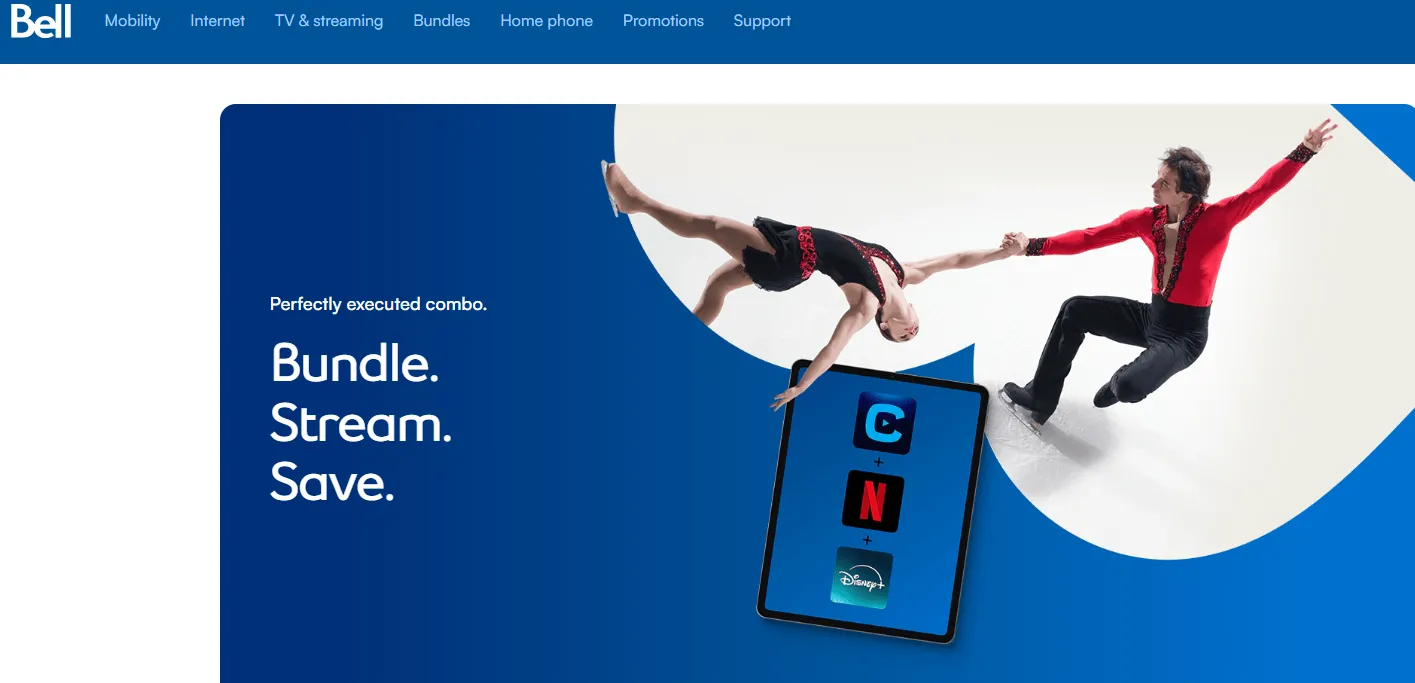
Bell Canada has shifted its strategy to focus on Aggregated Streaming Bundles, specifically combining their homegrown service, Crave, with global giants like Netflix and Disney+. For Bell users, the "deal" isn't about getting Netflix entirely for free, but rather securing a massive discount (up to 38%) by consolidating their subscriptions.
For users in Ontario and Quebec, Bell offers a highly integrated experience via the Fibe TV app.
⏩What's included:
Bell offers "Duos," "Trios," and a newly launched "Quad" bundle for Western Canada.
-
The Streaming Trio ($22/mo): Includes Netflix Standard with Ads, Disney+ Standard with Ads, and Crave Basic (with Ads).
-
Retail Value: ~$29.00.
-
Savings: ~24%.
-
-
The Streaming Trio Premium ($50/mo): Includes Netflix Premium (4K), Disney+ Premium (4K), and Crave Premium (4K/No Ads).
-
Retail Value: ~$63.00.
-
Savings: ~21%.
-
-
The Western Canada "Quad" Bundle ($35/mo): Exclusively for BC, AB, and SK, this adds TSN to the Trio, specifically to compete with TELUS.
-
Fibe TV Credits: Many new Fibe Internet + TV sign-ups include Crave for $0 for the first 2–12 months, which effectively lowers the "entry cost" to add Netflix.
⏩The Deal:The Bell Streaming bundle combines Netflix, Disney+, and Crave (including HBO) for a discounted monthly rate of around $22–$25 (Ad-supported versions).
⏩The Saving: Up to 25% discount.
⏩How to Claim Bell Netflix Deals (Step-by-Step)
Unlike a simple promo code, Bell requires you to link your accounts through the MyBell portal to ensure your history and profiles are saved.
-
Add the Bundle: Log in to your MyBell account or use the Bell website to add the "Streaming Trio" or "Quad" bundle to your existing Internet or Mobility plan.
-
Locate Activation Email: Once the order is processed, Bell will send an email with the subject "Activate your streaming subscriptions."
-
Navigate to Subscriptions: Log in to MyBell, go to "My Services," and select "Subscriptions."
-
Click "Activate Now": Find Netflix in the list and click the activation button. This will redirect you to Netflix.com.
-
Link Your Account: * Existing Users: Enter the email you currently use for Netflix. This will "pause" your direct billing with Netflix and move it to your Bell bill.
-
New Users: Follow the prompts to create a new account.
-
-
Access on Fibe TV: You can now open the Netflix app directly on Channel 311 (Fibe TV) or Channel 1267 (Satellite TV) without switching inputs.
⏩Who is the Target Audience?
-
The HBO/Crave Fan: Since Bell owns Crave, these bundles are essentially designed for people who already want Crave and want to get Netflix and Disney+ at a "wholesale" price.
-
The One-Bill Household: Ideal for users who find it tedious to manage 4 different credit card charges for different streaming apps.
-
Western Canadian Sports Fans: The "Quad" bundle (with TSN) is a direct shot at TELUS users who want live sports (NHL/NFL) integrated with their Netflix subscription
3. TELUS: Stream+ for Western Canada

TELUS offers bundling options that can help Canadians lower the cost of Netflix by combining it with internet, TV, or mobile plans. These deals are designed to give you streaming access without paying full standalone Netflix prices — often including Standard or Premium access for a promotional period.
TELUS continues to dominate BC and Alberta with its Stream+ add-on, often used as a "signing bonus" for new fiber internet customers.
⏩What's included: TELUS offers two primary versions of their Stream+ bundle, plus options for traditional TV users.
-
Stream+ Basic ($23/month): Includes Netflix Standard with Ads, Disney+ Standard with Ads, and a full Amazon Prime Membership (which includes Prime Video, shipping, and music).
-
Promo Alert: New subscribers in early 2026 can often get this for $10/month for the first 3 months.
-
-
Stream+ Premium ($43/month): Includes Netflix Premium (4K), Disney+ Premium (4K), and Amazon Prime.
-
Promo Alert: Often available for $25/month for the first 3 months.
-
-
Optik TV Core + Netflix ($60/month): For those who still want "Live TV." This bundles traditional cable channels with a Netflix subscription.
-
Bonus Content: All Stream+ subscribers get CBC Gem Premium and TELUS Films & Series (exclusive local content) at no extra cost.
⏩The Deal: A trio of Netflix, Disney+, and Amazon Prime for a bundled price.
⏩The Saving: Individually, these services would cost approx. $27/month (Basic) or $51/month (Premium). Stream+ saves you about 15–20% year-round.
Example TELUS Netflix Bundles (2026)
| TELUS Plan | Netflix Tier Included | Promo Duration | Key Benefit |
|---|---|---|---|
| TELUS Internet + Stream+ TV w/ Netflix | Netflix Standard | ~6–12 months | Balanced internet + streaming |
| TELUS Internet + Stream+ TV Premium | Netflix Premium | ~6–12 months | 4K streaming + top speeds |
| TELUS Mobile Infinite + Netflix | Netflix Standard/Premium | Duration of plan | Streaming on phones & tablets |
(Plan names and specifics can change — always confirm with TELUS at time of signup.)
⏩How to Claim TELUS Netflix Deals (Step-by-Step)
TELUS uses a "Subscription Hub" model, allowing you to link existing accounts seamlessly.
-
Purchase Stream+: Log in to My TELUS (web or app), go to the "Subscriptions" or "Add-ons" section, and select your Stream+ tier.
-
Access the Activation Hub: Immediately after purchase, you will see a "Thank You" page with an "Activate Now" button. You will also receive an activation email.
-
Link Netflix: Click the Netflix activation link. You will be redirected to Netflix’s site.
-
Enter Your Email: * Existing Users: Enter your current Netflix email. TELUS will "take over" the billing so you aren't double-charged, but your watch history remains intact.
-
New Users: Create a new account through the TELUS-provided link.
-
-
Link Prime & Disney+: Repeat the process for the other two apps in the bundle.
-
Manage Everything in One Place: You can now see all three services listed under the "Subscriptions" tab in My TELUS.
⏩Who is the Target Audience?
-
The Amazon Shopper: This is the best bundle for people who already pay $9.99/mo for Amazon Prime. It effectively makes the "Netflix + Disney+" portion of the bundle only $13 extra.
-
The Western Canadian "PureFibre" User: TELUS heavily discounts these bundles when you pair them with their high-speed PureFibre internet.
-
Digital Natives (Ages 18–35): Because Stream+ is available as a standalone add-on for mobile plans without needing a cable box, it’s a hit with younger, "internet-only" customers.
4.Koodo: Stream+ (Mobile Exclusive)
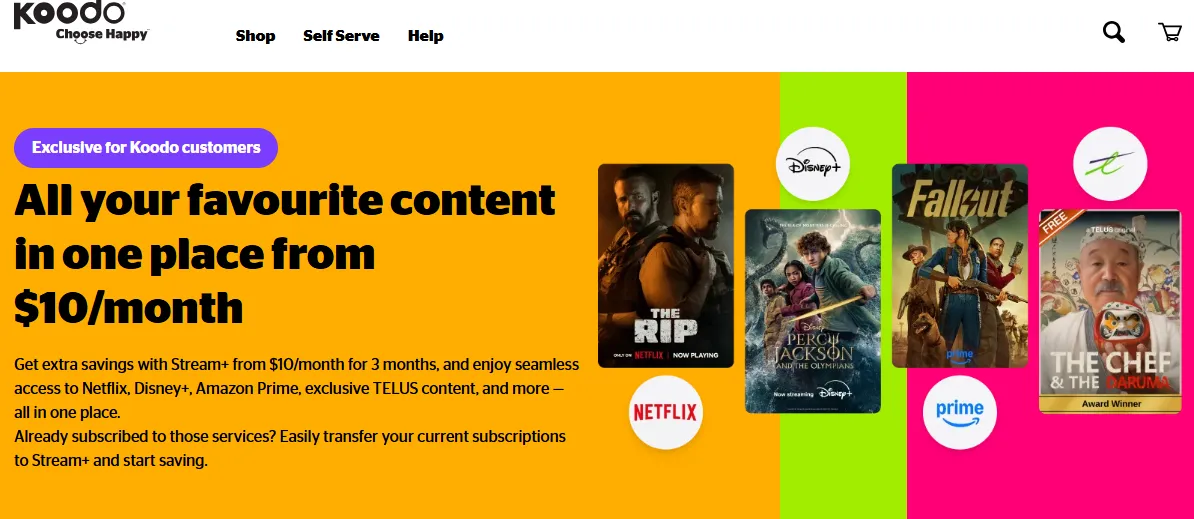
Koodo (the flanker brand for TELUS) has become one of the most popular ways for younger Canadians and budget-conscious streamers to access Netflix. By leveraging the Stream+ bundle, Koodo offers a "triple-threat" package that is often cheaper than the parent company’s offerings.
Koodo Mobile doesn’t typically embed full Netflix plans in its base mobile packages. But thanks to partnerships, credits, and occasional promotional perks, Koodo customers can still indirectly reduce what they pay for Netflix — or make their overall entertainment bundle more affordable.
⏩What's included: Koodo offers the Stream+ bundle, which is identical in content to the TELUS version but often features more aggressive "introductory" pricing for mobile-only users.
-
Stream+ Basic ($23/month): Includes Netflix Standard with Ads, Disney+ Standard with Ads, and a full Amazon Prime membership.
-
Stream+ Premium ($43/month): Includes Netflix Premium (4K/No Ads), Disney+ Premium (4K/No Ads), and Amazon Prime.
-
Bonus Content: All Koodo Stream+ subscribers get CBC Gem Premium at no extra cost (a $5.99/month value) and access to TELUS Films & Series via the TELUS TV+ app.
⏩The Deal: Koodo (a TELUS brand) offers its own version of Stream+ for mobility customers.
⏩How to Claim Koodo Netflix Deals (Step-by-Step)
Koodo’s activation process is handled entirely through their Self Serve portal.
-
Add Stream+ to Your Account: Log in to Koodo Self Serve, navigate to "Mobile Services," and select "Manage Add-ons." Find Stream+ and click "Add."
-
Check Your Inbox: You will receive a "Thank You" email containing a unique activation link. You can also find this link in the "Subscriptions" tab of your Self Serve dashboard.
-
Click "Activate" for Netflix: You will be redirected to the Netflix website to finalize the link.
-
Enter Your Details:
-
Existing Users: Enter your current Netflix email. This will migrate your billing to Koodo while preserving your profiles, "Must Watch" list, and history.
-
New Users: Follow the prompts to create a new Netflix account.
-
-
Repeat for Disney+ and Prime: You must activate each service individually through the Koodo portal to receive the full bundle benefit.
-
Confirmation: Once the "Activate" button in your Koodo dashboard changes to "Launch," your setup is complete.
⏩Who is the Target Audience?
-
The "Flanker" Fan: Koodo is ideal for those who want the reliability of the TELUS network but at a lower "flanker brand" price point.
-
Students & Young Professionals: Since Koodo doesn't require a home internet or cable contract to get Stream+, it is the best option for renters or students who only have a mobile plan.
-
The All-In-One Streamer: Because Amazon Prime (and its free shipping) is included, this is the best deal for anyone who already uses Amazon for shopping and wants their entertainment bundled in.
Other Money‑Saving Netflix Tips for Canadians: Reduced Rates
Beyond telecom bundles, there are several ways Canadians can reduce their Netflix costs while still enjoying all their favorite shows. These strategies are simple, practical, and legal.
1️⃣ Split the Cost with Family or Friends
-
How it works: Share a Standard or Premium plan with trusted family members or roommates.
-
Why it saves: Netflix Standard supports 2 screens, Premium supports 4, so splitting the cost can cut your monthly subscription in half or more.
-
Tip: Make sure all users are in agreement and respect Netflix’s simultaneous streaming limits.
2️⃣ Switch to the Ad‑Supported Basic Plan
-
What it is: Netflix’s “Basic with Ads” plan is the cheapest option, usually under CAD 6/month.
-
Pros: Access most of Netflix’s library at the lowest price.
-
Cons: Ads interrupt viewing, SD resolution only.
-
Best for: Casual viewers who don’t mind occasional interruptions.
3️⃣ Take Advantage of Seasonal Deals
-
Examples: Black Friday, Back‑to‑School promotions, or holiday campaigns.
-
How it helps: Netflix or partner gift cards are often discounted during these periods.
-
Tip: Sign up for newsletters or alerts from Netflix and telecom providers to catch deals early.
4️⃣ Rotate Your Subscription
-
How it works: Subscribe only for the months you actively watch shows or binge series.
-
Savings: Avoid paying during months you’re not streaming.
-
Best for: Casual viewers or binge-watchers who watch in bursts.
5️⃣ Use Gift Cards Wisely
-
Where to buy: Retailers like Walmart, Shoppers Drug Mart, or online marketplaces.
-
Why it saves: Occasionally available at discounted rates; prepaid gift cards prevent overspending.
-
Tip: Combine with promo credits from Koodo or other providers to maximize savings.
6️⃣ Leverage Telecom Partner Credits
-
How it works: Certain providers (Koodo, Bell, TELUS) occasionally offer credits that can be applied toward streaming services.
-
Tip: Check your mobile or internet plan perks to see if credits can offset Netflix costs.
📌Quick Takeaway: By combining account sharing, promo credits, the ad-supported plan, and strategic subscription timing, Canadians can enjoy Netflix at a significantly reduced cost. With a little planning, you don’t have to sacrifice your favorite shows for affordability.
Step-by-Step: How to Get Netflix Cheaper (Quick Guide)
Ready to start saving? Follow this sequence:
Step 1: Audit your current usage
-
Check how many devices actually stream simultaneously
-
Verify your internet speed can support 4K (if you're paying for Premium)
-
Calculate your average viewing session length (to assess ad tolerance)
Step 2: Compare carrier options
-
If you're with Rogers: Ask about Xfinity StreamSaver ($22/month for Netflix+Disney+Apple TV+)
-
If you're with TELUS: Explore Stream+ Basic ($20/month for Netflix+Disney+Prime)
-
If you're with Koodo: Check Stream+ mobile offer ($10 first 3 months)
-
If you're with Bell: Contact customer service for current bundles
Step 3: Consider switching plans
-
If you rarely use 4K or 4 streams, downgrade from Premium to Standard ($5/month saving)
-
If you can tolerate ads, switch to Standard with Ads (saves up to $11/month)
Step 4: Mark your calendar
-
Set reminders for when promotional periods end
-
Reassess every 6 months as new deals emerge
FAQs: Frequently Asked Questions on Reducing Netflix Costs
1.Is there a Netflix free trial in Canada?
No. Netflix no longer offers free trials in Canada as of 2026. You need to sign up for a paid plan to start watching .
2.Can I get Netflix for free through Rogers, Bell, or TELUS?
No carrier offers completely free Netflix as of 2026 . However, bundled discounts can reduce your effective cost significantly—sometimes to just a few dollars per month when combined with services you'd already subscribe to.
3.What's the absolute cheapest way to get Netflix in Canada?
The cheapest legal option is:
-
Standard with Ads plan at $7.99/month
-
Combine with a carrier bundle if you also want Disney+ and/or Prime Video
-
Use promotional periods (e.g., TELUS Stream+ at $10 for 3 months)
4.Can I share my Netflix account with family outside my home?
Netflix now enforces stricter limits. International sharing requires verification and incurs a $2.99–$5.99/month surcharge per additional household .
5.What happens if I downgrade my plan mid-cycle?
Changes take effect immediately with prorated refunds applied to your next billing cycle. You'll retain access to your current plan's features until the end of the period .
6.Do ad-supported plans get new releases at the same time?
Yes - identically. All plans receive new Netflix Originals and licensed titles on the same day. No content is gated behind ad-free tiers .
The era of cheap, standalone streaming may be over—but smart Canadian viewers are fighting back with bundles. By leveraging carrier partnerships and choosing plans that actually match your viewing habits, you can keep Netflix in your life without breaking the bank.