With Netflix recently tightening its password-sharing rules and subscription costs continuing to climb, the days of mooching off a friend’s account are officially over. For UK viewers, the rising cost of streaming is becoming a noticeable dent in monthly budgets. However, many British households are unknowingly overpaying. The secret to lowering your bill isn’t a hack—it’s a bundle. In 2026, the best value isn't always found on the Netflix sign-up page; it’s often buried within your broadband contract. From premium Sky packages to perks from Virgin Media and even unexpected mobile perks from the likes of EE。Here’s your complete guide to slashing your Netflix bill in the UK by leveraging the best carrier deals this year,these top carrier deals can get you streaming for free or at a fraction of the usual cost.
2026 Netflix UK Pricing: Full Breakdown
Before we start saving money, let's look at what a standalone Netflix subscription currently costs in the UK. As of February 2026, following the latest price adjustments, here's the full breakdown:
| Standard with Ads | Standard (No Ads) | Premium | |
|---|---|---|---|
| Monthly price | £5.99 | £12.99 | £18.99 |
| Access to all content | No | Yes | Yes |
| Ads | Yes | No | No |
| Full HD | Yes | Yes | Yes |
| Ultra HD | No | No | Yes |
| Number of screens you can watch on at the same time | 2 | 2 | 4 |
| Watch on your laptop, TV, phone, tablet | Yes | Yes | Yes |
>>Click here for Netflix UK pricing details
The reality check: Paying for the standard plan costs you nearly £156 a year. Opt for Premium, and you're looking at £228 annually—just for one streaming service. Add in the upcoming launches of HBO Max in the UK and existing subscriptions to Disney+ or Prime Video, and your monthly entertainment budget can easily spiral past £50 .
This is precisely why smart UK consumers are looking beyond the Netflix sign-up page and towards their broadband providers.
All the Ways to Get Cheaper or Free Netflix in 2026
There isn't just one way to reduce your Netflix bill. Depending on your household setup, existing contracts, and viewing habits, several paths can lead to significant savings.
Here’s a quick overview of all working strategies UK users are using right now:
| Saving Method | Best For | Typical Saving | Key Consideration |
|---|---|---|---|
| Broadband & TV Bundles | Households already paying for pay-TV or needing fast broadband | Netflix included free, plus £20-£30+ value in other streamers | Usually requires 18-24 month contract |
| Mobile Phone Bundles | EE mobile customers or those due for an upgrade | Free Netflix Standard with Ads, option to upgrade | Requires qualifying pay-monthly plan |
| Downgrade to Ad-Supported Tier | Viewers who don't mind occasional commercials | Save £8/month vs Standard plan | No download option on cheapest ad tier |
| Rotating Subscriptions | Households who binge-watch selectively | Save £50-£100+ annually | Requires discipline to cancel and resubscribe |
| The "Extra Member" Hack |
Standard/Premium plan holders | Varies | Sharing with household/friends (allowed by plan) |
| Gift Card Promotions |
Anyone buying Netflix subscription | Varies, up to 10–15% off | Using discounted gift cards to pay subscription |
Option 1: Bundle with Broadband or TV Packages
This is the most powerful money-saving strategy in 2026. Providers like Sky, Virgin Media, EE, and BT have transformed their offerings into streaming aggregators. Instead of paying for broadband and Netflix separately, you combine them—often with additional services like Disney+, Sky Atlantic, or HBO Max thrown in at no extra cost .
💡Why it works: Broadband providers use streaming bundles to attract and retain customers. They negotiate wholesale rates with Netflix that are far lower than what you'd pay as an individual, passing those savings on to you.
Option 2: Check Your Mobile Plan
If you're an EE customer, you might already be entitled to free Netflix. EE includes Netflix as an "Inclusive Extra" on many of its pay-monthly phone, SIM, and tablet plans . This is essentially a freebie you're already paying for without realising it.
Option 3: The Simple Downgrade
Sometimes the easiest solution is the best. If you're currently paying for the Standard £12.99 or Premium £18.99 plan, ask yourself honestly: do you really need 4K streaming? Can you tolerate a few ads? Downgrading to the £4.99 ad-supported tier saves you up to £14 per month .
Option 4: The Rotation Strategy
With so much content spread across platforms, you don't need to subscribe to everything simultaneously. Rotate your subscriptions monthly. Watch everything on Netflix for two months, then switch to Disney+, then try Apple TV+. This requires organisation, but it's one of the most effective ways to keep your streaming bills under control.
📌Important Note: If you're already getting Netflix through a carrier bundle, ensure you're not also paying Netflix directly. Use the same email address when activating your carrier benefit to avoid duplicate charges .
Option 5: The "Extra Member" Hack
Instead of paying £12.99 for a full Standard account, a friend with an existing Standard or Premium account can add you as an Extra Member for £4.99/month. You get your own profile and login for less than the price of the "Ads" tier.
Option 6: Gift Card Promotions
Occasionally, retailers like Currys or Amazon offer "Buy a £50 Netflix Card, get a £5 voucher" deals. It’s a small win, but it adds up.
‼️Can you still get free Netflix trials in the UK?
Netflix no longer offers free trials in the UK. The free month that many people used to sign up for ended several years ago. The only way to enjoy Netflix without paying is through a promotion, such as a broadband or mobile deal that includes a limited period of access. After the promotional period, the subscription cost will apply, so it’s worth setting a reminder if you don’t plan to continue.
Best Carrier Deals for Netflix & How to Claim Them: Deep Dive
Now for the main event. Here's a detailed look at what each major UK provider is offering, how to access the deals, and what they actually cost.
1.Sky TV - Best All-in-One TV Bundle
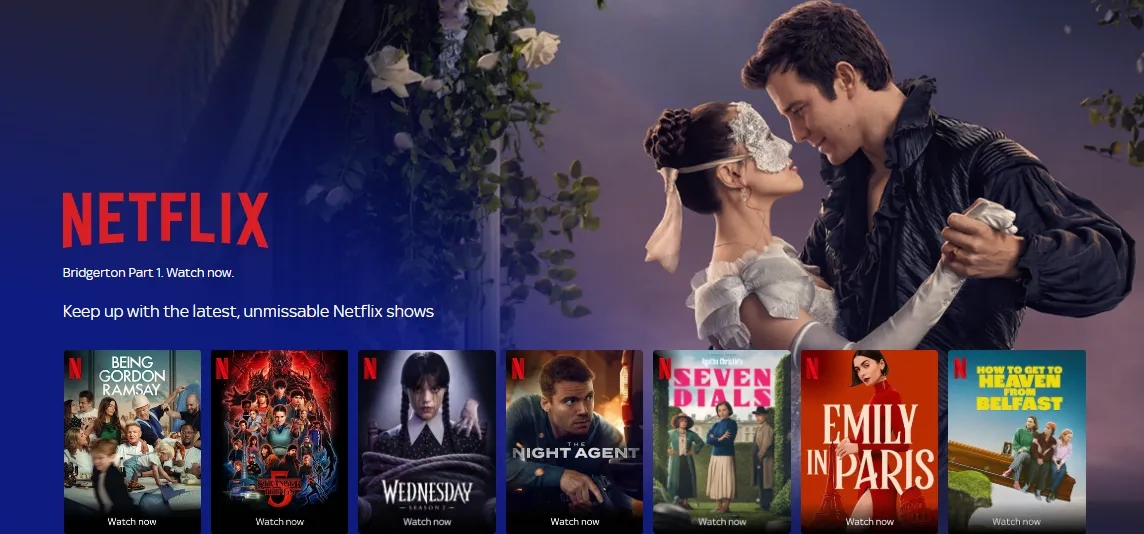
And Sky has made a major play in 2026, positioning itself as the ultimate one-stop shop for streaming. In a "world-first" move, Sky now bundles Netflix, Disney+, HBO Max, and Hayu together in a single subscription .
Sky remains the strongest player for Netflix deals in 2026. Most Sky Stream or Sky Q packages now come with Netflix as a default inclusion.
>>Get Netflix and Sky TV from £15/month
>>Get Netflix, Sky TV and Sky Glass Smart TV from £19/month
⏩What's included:
New customers can get Sky, HBO Max, Disney+, Hayu, and Netflix together as part of Sky Ultimate TV from just £24 a month . For existing customers, these streaming apps are added to their current package at no extra cost, representing over £20 worth of value monthly .
⏩Eligibility details:
-
Sky Stream and Sky Glass customers with Sky Ultimate TV get Disney+ (Standard with Ads), HBO Max (Basic with Ads), and Hayu content added automatically .
-
Sky Q customers with eligible packages also gain access to these streaming services alongside Sky TV .
Money-saving tip: If you're already a Disney+ subscriber, you can move your existing plan to Sky and save £5.99 per month on your bill.
Sample Sky broadband + Netflix deals:
| Package | Broadband Speed | Monthly Price | Contract |
|---|---|---|---|
| Sky Stream, Essential TV, Netflix & Full Fibre | 300Mb | £35.00 | 24 months |
| Sky Stream, Ultimate TV, Netflix & Full Fibre | 75Mb | £39.00 | 24 months |
| Sky Stream, Ultimate TV, Netflix & Full Fibre | 500Mb | £39.00 | 24 month |
⏩The Deal: Get Sky TV + Netflix starting from approximately £22–£26/month (prices fluctuate based on contract length).
⏩The Saving: Since the "Standard with Ads" plan (£5.99) is included, you're essentially getting Sky’s premium channels for under £20.
⏩How to Claim (Step-by-Step)
-
Sign up for a Sky Stream or Sky Glass bundle.
-
Once your box arrives, open the Netflix app on the Sky interface.
-
Follow the on-screen prompts to "Link your account." If you already have a Netflix account, use the same email—Sky will take over the billing, and Netflix will stop charging your card.
⏩Who is the Target Audience?
-
The "Subscription Fatigued": People tired of managing 5 different passwords and 5 different billing dates. Sky puts it all on one bill and one interface.
-
The HBO/US Drama Fan: Since Sky is the exclusive launch partner for HBO Max in the UK (2026), this is the only way for fans of House of the Dragon or The Last of Us to get HBO bundled with their Netflix fix.
-
Budget-Conscious Households: Families who already pay for Netflix and Disney+ separately. Switching to Sky Essential or Ultimate can shave £10–£15 off their total monthly entertainment spend.
-
Dish-Haters: Since Sky Stream works over Wi-Fi, this is perfect for renters or those in flats who aren't allowed to install a satellite dish.
2.Virgin Media - Best Value for Fast Broadband Users
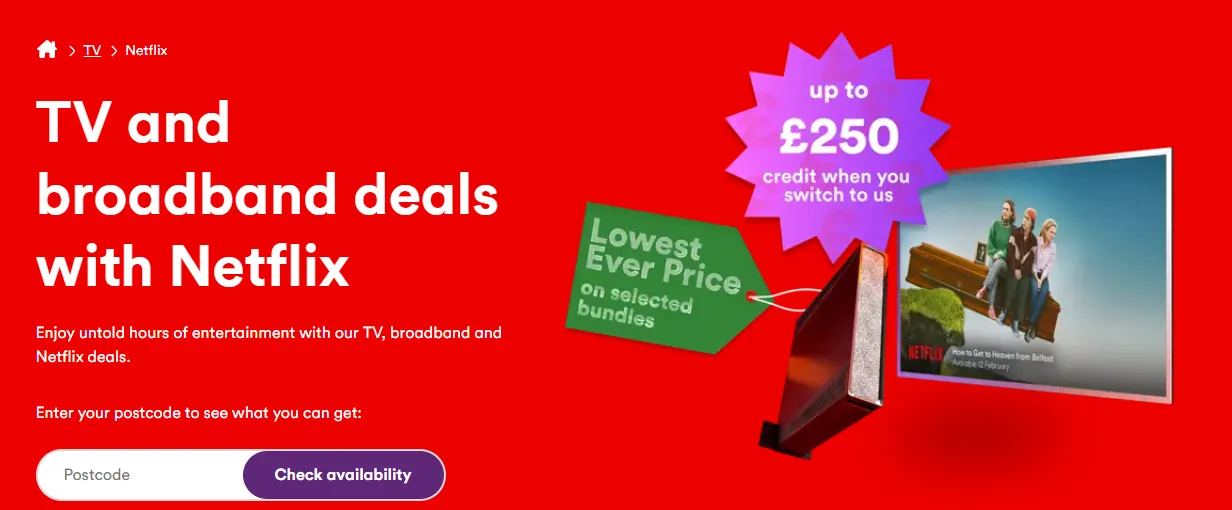
Virgin Media has made Netflix a core part of its TV offerings, bundling it free with all its major packages. The provider recently announced that over one million customers will also gain access to Sky Atlantic from April 2026, further boosting the value proposition .
Virgin Media’s 2026 bundles are designed for "power users" who want the fastest broadband paired with entertainment.
>>Get a Virgin Media TV subscription
⏩What's included: Virgin Media's TV packages start at £31.99 per month for the Entertainment bundle, which includes:
-
More than 200 channels
-
Free Netflix subscription
-
362Mbps fibre broadband
For movie and sports fans, Virgin offers:
-
Cinema bundle: £42.99 per month (includes Sky Cinema channels + free Netflix)
-
Sport bundle: £52.99 per month (includes Sky Sports channels + free Netflix)
-
Sport + Cinema bundle: £64.99 per month
-
Max Volt bundle: £76.99 per month (includes hundreds of channels, free Netflix, and broadband up to 1,130Mbps)
⏩Eligibility details: Virgin Media’s deals are highly attractive but come with specific geographic and contractual requirements:
-
Network Availability: You must live in a Virgin Media cabled area (covering roughly 55-60% of the UK).
-
New Customer Bias: The best rates (like the £31.99 Entertainment bundle) are reserved for new customers on 18 or 24-month contracts.
-
The "Volt" Advantage: To get the best value, you are often required to have (or switch to) an O2 mobile plan. This triggers "Volt" benefits, which can double your mobile data and boost your broadband to the next speed tier for free.
Virgin Media deal examples:
| Package | Broadband Speed | Monthly Price | Includes | Contract |
|---|---|---|---|---|
| M350 Entertainment + Netflix | 362Mb | £31.99 | Netflix, 200+ channels | 24 months |
| M500 Entertainment + Netflix + O2 SIM | 516Mb | £37.99 | Netflix, O2 mobile SIM | 24 months |
| GIG1 Sport HD + Cinema + Netflix + O2 SIM | 1130Mb | £70.99 | Full sports & cinema, Netflix | 24 months |
⏩The Deal: The Mega Volt Bundle includes Netflix Standard (Ad-free) as part of the package. Lower-tier "Entertainment + Netflix" bundles are available for around £31.99/month.
⏩The Saving: You often save about £6–£10 compared to buying broadband and Netflix separately.
⏩How to Claim (Step-by-Step)
-
Upgrade for the "Difference" Only: If your bundle includes the "Ads" tier but you want 4K, Virgin allows you to upgrade and simply pay the price difference (e.g., +£13 for Premium) directly on your Virgin bill.
-
The £250 Switching Credit: In 2026, Virgin is offering up to £250 in bill credit to cover early exit fees from your current provider (like Sky or BT). This effectively pays for your first several months of Netflix and Broadband.
-
Check the "Broadband-Only" Hack: If you don't watch live TV, don't buy a TV bundle. Getting the M500 Broadband-only deal at £29.99 still gets you Netflix for free, saving you the "TV license" feel of a larger bundle.
⏩Who is the Target Audience?
-
The "Gamer" & "Streamer" Household: Because Virgin offers the fastest speeds (up to 2Gbps in some areas), they are the top choice for households where multiple people are streaming 4K Netflix while others are gaming online.
-
The "Switchers": Readers who are currently unhappy with their current provider and want their exit fees paid for.
-
O2 Customers: If a reader already has an O2 SIM, Virgin Media is almost always their best financial choice due to the "Volt" speed boosts.
-
Ad-Haters (Mega Volt Fans): Since the Mega Volt bundle is one of the few that includes the Ad-Free version of Netflix as standard, it appeals to those who refuse to watch commercials.
3.EE - Free Netflix with Your Mobile or Broadband
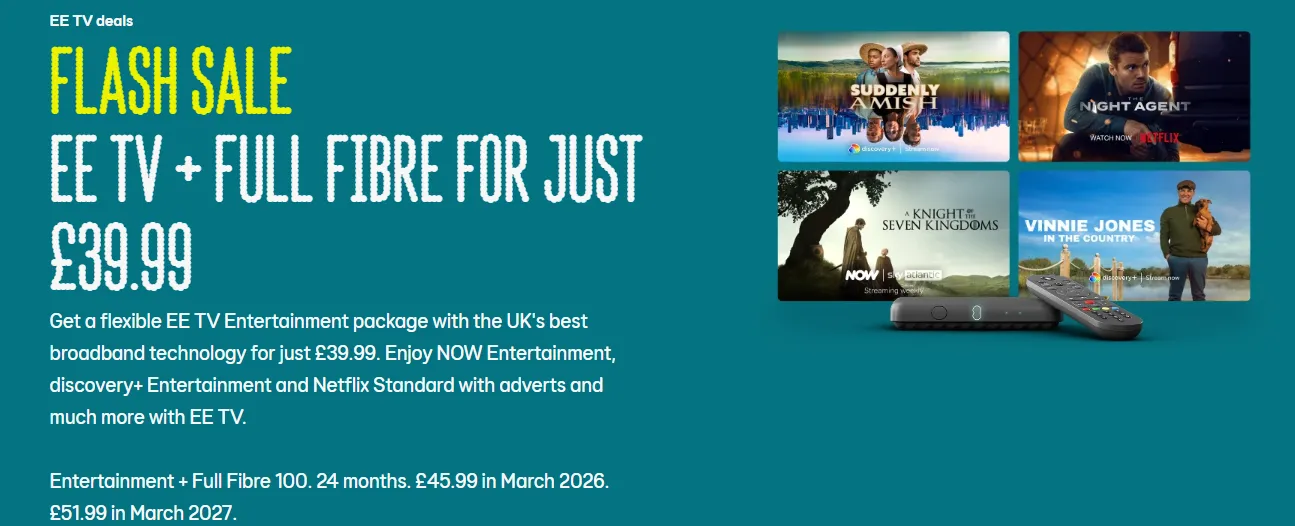
EE has leaned heavily into "Smart Benefits." If you have a high-data mobile plan or EE TV (formerly BT TV), Netflix is often on the house.
Get a flexible EE TV Entertainment package with the UK's best broadband technology for just £39.99. Enjoy NOW Entertainment, discovery+ Entertainment and Netflix Standard with adverts and much more with EE TV.
>>Sign up to EE TV Entertainment package
>>Sign up to EE TV Big Entertainment package
⏩What's included: EE offers two distinct ways to get Netflix included: through mobile plans and through TV/broadband bundles.
1️⃣EE Mobile: Netflix as an Inclusive Extra
If you're on an EE pay-monthly plan that includes at least one "Inclusive Extra," you can choose Netflix as your benefit .
How it works:
-
Select Netflix as your Inclusive Extra at checkout when taking any Android phone, SIM-only, or tablet/laptop plan
-
You'll receive a text from EE and a text from Netflix with an activation link (valid for 7 days)
-
Click the link to activate your Netflix service
-
If you have an existing Netflix account, use the same email address to avoid double-billing
What you get:
-
Netflix Standard with adverts is included free on All Rounder plans
-
You can upgrade to Netflix Standard (no ads) for an extra £6/month
-
Or upgrade to Netflix Premium for an extra £13/month
-
Netflix Premium is available as an Inclusive Extra on Full Works plans
Important: If you end your EE plan, your Netflix subscription continues, and Netflix will resume billing your previous payment method .
2️⃣EE TV & Broadband: Flexible Streaming Packages
EE TV (formerly BT TV) has also integrated Netflix deeply into its offerings. With EE TV, you can create your perfect TV line-up from five different packages, and the best part—you can change your package every month .
EE TV package highlights:
| Package | Monthly Price | What's Included |
|---|---|---|
| Entertainment | £20 | NOW Entertainment, Netflix, free-to-air channels |
| Big Entertainment | £30 | Everything above plus more channels |
| Full Works | £80 | Big Sport + Big Entertainment combined, Netflix included |
Broadband + TV bundle example: EE TV Entertainment with Full Fibre broadband starts at just £28.99 per month for the first 6 months (then £48.99 from March 2026, £54.99 from March 2027). This includes Netflix, Sky Originals on Sky Atlantic, Sky Max, Sky Kids, and more
⏩The Deal: EE TV Entertainment packages (around £20/month) include Netflix and NOW TV. Alternatively, mobile users on All Rounder plans can select Netflix as their one free extra.
⏩The Saving: A total saving of £71.88 per year.
⏩How to Claim (Step-by-Step)
- Log into EE.com or My EE app.
-
Choose EE broadband or TV plan.
-
Add Entertainment package.
-
Activate Netflix via EE dashboard.
⏩Who is the Target Audience?
-
The "Mobile-First" User: People who do 80% of their watching on the commute or on a tablet. EE’s network speeds and "Watch Data" perks are unbeatable for this.
-
The Apple Ecosystem Fan: Because EE is the only UK carrier to offer a bespoke Apple TV 4K box as your primary TV receiver, it’s the best choice for iPhone/Mac users.
-
The "Commitment-Phobic": Since you can swap your "Inclusive Extra" every 30 days, this is perfect for people who only want Netflix for a month when Stranger Things or Bridgerton returns, but want to switch to Sports or Music afterward.
📊 Sky vs EE vs Virgin Media: Netflix Bundle Comparison (UK 2026)
| Provider | Typical Bundle Name | Netflix Included | Starting Price (Year 1) | Broadband Speed | Contract Length | Key Features | Best For |
|---|---|---|---|---|---|---|---|
| Sky | Sky Stream / Ultimate TV | ✅ Yes (Standard with Ads) | ~£57/month | ~145 Mbps | 18 months | Netflix included by default, wide content library, easy upgrades | All-in-one streaming + TV users |
| EE | EE TV Full Works | ⚠️ Optional / Add-on | ~£60/month | ~150 Mbps | 24 months | Flexible add-ons, Apple TV integration, mobile + TV bundles | Existing EE mobile customers |
| Virgin Media | Bigger Bundle / Volt | ⚠️ Add-on or bundled (varies) | ~£45/month | ~362 Mbps | 18 months | Fastest broadband, strong bundle discounts, O2 perks | Speed + value seekers |
📌 Insight: Sky is the only provider that consistently includes Netflix by default, while EE and Virgin Media often treat it as an add-on or bundle upgrade.
💡Quick Verdict (User-Oriented)
-
Go with Sky → if you want Netflix included with zero hassle
-
Choose Virgin Media → if you want cheapest upfront + fastest broadband
-
Pick EE → if you already use EE and want mobile + TV bundle perks
The Other Direct Cost-Cutting Methods: Reduced Rates
Let's now dive into the other different ways you may be able to save money on your Netflix streaming package.
Method 1: Get the Cheapest Netflix Plan with Adverts
If you don't mind watching occasional adverts on Netflix, you can save £7 a month on the Standard plan. The plan without ads costs £12.99 per month, whereas the plan with ads costs just £5.99 per month.
Granted, it is a shame to have to watch any adverts when paying for the streaming service. It depends on how keen you are to watch Netflix shows and films, and whether you think it's worth it to watch them with ads.
Also, beware that the Standard plan with ads doesn't give you access to all content on Netflix – some TV shows and films will be locked.
Method 2: Share a Subscription
The best way to reduce your Netflix subscription fees once you’ve signed up is to share the subscription between 2-4 people. At the time of writing, the most expensive package is £18.99, so you can split this between four people, share the login details and be able to watch on one screen each.
While sharing your Netflix account with friends or family is a popular way to save money, it's important to be aware that it might violate Netflix's terms of service. The platform has taken steps to crack down on password sharing and has introduced measures to prevent unauthorised access. It's essential to consider the potential risks and consequences before sharing your account.
📌As of 2025, Netflix UK now charges an ‘extra member’ fee if someone outside your household uses your account. This means sharing is only cheapest when done within your household.
Method 3: Buy Discounted Netflix Gift Cards
You can also look for Netflix voucher UK deals on cashback or gift card sites — sometimes with up to 10% off. Use sites like Cardyard, or keep an eye on cashback portals such as TopCashback and Quidco, where discounted or bonus Netflix vouchers appear from time to time.
Method 4: Explore Free Alternatives to Netflix
This final tip is less of a solution and more of an alternative. But you can combine other streaming services, some of which are completely free.
If you have a TV Licence, you're free to stream BBC iPlayer. In fact, you may not even need a TV Licence at all. You also won't need a TV Licence to use other streaming services as long as you're not watching live TV.
📊Best Netflix alternatives
| Service | Monthly price | What it includes |
|---|---|---|
| Channel 4 | Free | Films and Channel 4 shows |
| Amazon Prime | Free for 6 months, then £4.49/month (or £47.49/year) (students) | Films, TV shows and student offers |
| BBC iPlayer | Free with TV Licence | Films and BBC shows |
| ITVX Premium | £5.99 (or £59.99/year) | Ad-free films and ITV shows plus BritBox classics |
| Disney+ Standard with Ads* | £4.99 | Films made by Disney, Pixar, Marvel, and National Geographic |
| ITVX | Free | Films and ITV shows |
| NOW | £9.99 | Films and TV shows |
| My5 | Free | Channel 5 films and TV shows |
Step-by-Step: How to Get Netflix Cheaper (Quick Guide)
Ready to cut your Netflix bill? Here's a practical guide to making the switch.
Step 1: Check Your Current Contract Status
Before switching providers, ensure you're out of your minimum contract term with your current broadband or mobile provider. You can find this information by:
-
Looking at your original contract or confirmation email
-
Checking your provider's app or online account
-
Contacting customer service directly
If you're still in contract, switching early may incur early repayment charges .
Step 2: Assess Your Household's Needs
Ask yourself these questions:
-
What broadband speed do you actually need? (Gaming? 4K streaming? Just browsing?)
-
Do you watch live sports or movies regularly?
-
How many people in your household need to stream simultaneously?
-
Which streaming services do you actually use?
This assessment will help you choose the right bundle without paying for extras you don't need .
Step 3: Compare Available Deals in Your Area
Not all deals are available everywhere in the UK. Use comparison sites like MoneySuperMarket to check what's available at your specific postcode . Pay attention to:
-
Total monthly cost
-
Contract length
-
Broadband speed guarantees
-
Price increases during the contract term
Warning: Some providers increase prices annually during your contract. Check the terms and conditions carefully .
Step 4: Activate Your Netflix Benefit Correctly
Once you've signed up for a bundle, activation is usually straightforward but requires attention to detail:
1️⃣For Sky customers: Netflix should be automatically available through your Sky Q, Sky Glass, or Sky Stream box once your package is active .
2️⃣For Virgin Media customers: Netflix is included at no extra cost—access it through your Virgin TV 360 or Stream box .
3️⃣For EE mobile customers:
-
Choose Netflix as your Inclusive Extra at checkout
-
Wait for the activation text from Netflix (valid for 7 days)
-
Click the link and use the same email address as your existing Netflix account
-
Confirm which Netflix plan you want
Pro tip: If you're already paying for Netflix directly, using the same email address when activating your carrier benefit will automatically stop the direct billing. Netflix will switch the payment method to your EE bill .
FAQ: Netflix UK Savings Explained
Q 1: Can I keep my existing Netflix profile if I switch to a carrier deal?
A: Yes. When activating through Sky, EE, or Virgin, simply use your existing Netflix email address. Your watch history, "My List," and profiles will remain intact.
Q 2: What if I want 4K (Premium) but my carrier only offers the "Ads" plan?
A: Most carriers allow you to "top up." You’ll receive the credit for the basic plan, and you just pay the difference (usually £13 extra for Premium) through your carrier bill.
Q 3: Is there still a Netflix free trial in the UK?
A: No. Netflix officially discontinued free trials in the UK several years ago. The only way to get it "free" is through the third-party bundles mentioned above.
Q 4: Can I share my Netflix account in 2026?
A: Only within the same household. Netflix’s "paid sharing" is strictly enforced. If you want to share with someone outside, you must use the Extra Member slot for £4.99/month.
Q 5: Can you get Netflix for free in the UK?
A: Not directly—but bundles can effectively make it “free” since it’s included in your monthly package.
Q 6: What is the cheapest way to watch Netflix UK?
-
Ad-supported plan (£5.99)
-
Or bundled deals (best long-term value)
Q 7: Are carrier deals worth it?
A: Yes - especially if you already need broadband or TV. Bundles often cost less than paying separately.
Q 8: Do I still need a TV Licence if I only watch Netflix?
A: No. If you only watch on-demand content through Netflix (or other streaming services) and never watch or record live TV as it's broadcast, you don't need a TV Licence. However, if you use BBC iPlayer to catch up on shows, you do need one
‼️Final Thoughts: What’s the Best Way to Save Netflix Fees in 2026?
If you’re paying full price for Netflix in the UK right now, there’s a good chance you’re overspending.
👉 The smartest move?
Bundle it with a provider like Sky, EE, or Virgin Media.
Not only can this reduce your monthly cost, but it also simplifies your subscriptions into a single bill—something many users now prefer as streaming fragmentation continues to grow.